Dell VGA driver missing

Twinbird24

Member
Dell inspiron 1521 laptop, running Windows XP Professional SP3.

I already checked the dell drivers and downloads website, but I cannot find a VGA driver for this laptop. I downloaded and installed a video driver I found on the website, but it doesn't seem to be the right one because when I opened Device Manager it still shows that VIdeo Controller (VGA Compatible) is missing/ needs to be installed. Any help is greatly appreciated, thanks!
 
Try inserting your service tag (located on a sticker on the bottom of the laptop) and then look for the video driver.
 
Thanks for the reply. That driver doesn't fix the problem, there is one video driver download available when I use the service tag and find the laptop. The driver is for windows Vista I have Windows XP.
 
Thanks for the reply. That driver doesn't fix the problem, there is one video driver download available when I use the service tag and find the laptop. The driver is for windows Vista I have Windows XP.

So switch the OS to XP :P
 
Thanks for the reply.
I was installing the ATI driver from the link you gave me but a window came up and said that the "software you are installing for this hardware (ATI Radeon X1200 Series) has not passed Windows Logo testing to verify its compatibility with Windows XP." :(
Where can I find this VGA driver for the XP laptop?
 
Just one more question, is the Catalyst Control Center necessary?

THANKS YOU So MUCH!
The driver installed and there doesn't seem to be any problems. The screen resolution changed after restarting the computer at the end of installation though, but I just changed it back to normal.
 
Last edited:
Not really, Do you plan on doing any really light gaming? If not, then don't install it.
 
Sorry, I have to add one more thing.
When I go to device manager now, there is an exclamation mark next to Audio Device on High Definition Audio Bus, when I click to update driver, it gives me the same message when installing the other video driver (has not passed Windows Logo testing). Is it safe to install this as well?
 
Look in device manager and let me know if there are any devices that still need drivers.

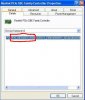
Then right click on that device and click on properties, click on the details tab then give me the 4 digit vendor and device id numbers. They will look like the attached image.

I put XP on another 1521 a few years ago so I know everything will work.
 

Attachments

  • device.JPG
    device.JPG
    31.8 KB · Views: 52
All the drivers appear to be installed/ up to date. There is no active mixer devices/ volume control though (no icon in the system tray for volume control).
 
What is listed under sound, video, and game controllers? Do you have anything listed as high definition audio?
 
Audio Codecs
Legacy Audio Drivers
Legacy Video Capture Devices
Media Control Devices
SigmaTel High Definition Audio CODEC
Video Codecs

That is what's listed.
When I open Sounds and Audio Devices in the control panel, it says No Audio Device.
 
Last edited:
Look under system devices to make sure you have an entry listed as "Microsoft UAA bus driver for high definition audio". Where did you get the driver from to install the sound?
 
I have the "Microsoft UAA bus driver for high definition audio." I used the DirectX Diagnostic Tool and clicked the "Test DirectSound" button, and a note appeared saying "DirectSound test results: Failure at step 3 (DirectSoundCreate): HRESULT = 0x88789978 (No Driver)"
After I downloaded the video driver from the link you gave me, I clicked on the audio driver and clicked the update button and it automatically updated the driver, I think there may be something wrong with the audio driver I have. Is there another audio driver you suggest I download and install?
 
Back
Top