Grateful if anyone can tell me if i can use a old desktop lcd screen to replace a broken laptop screen.There are numerous references on line to using an old laptop screen as a second monitor but not the way i want to do it.all help appreciated.A HOW TO GUIDE would be wonderful

You are using an out of date browser. It may not display this or other websites correctly.
You should upgrade or use an alternative browser.
You should upgrade or use an alternative browser.
desktop screen to laptop
- Thread starter genius
- Start date

Aastii
VIP Member
Grateful if anyone can tell me if i can use a old desktop lcd screen to replace a broken laptop screen.There are numerous references on line to using an old laptop screen as a second monitor but not the way i want to do it.all help appreciated.A HOW TO GUIDE would be wonderful
If you look around the edges of your laptop you will see either a VGA, DVI or HDMI output, like below:
VGA:
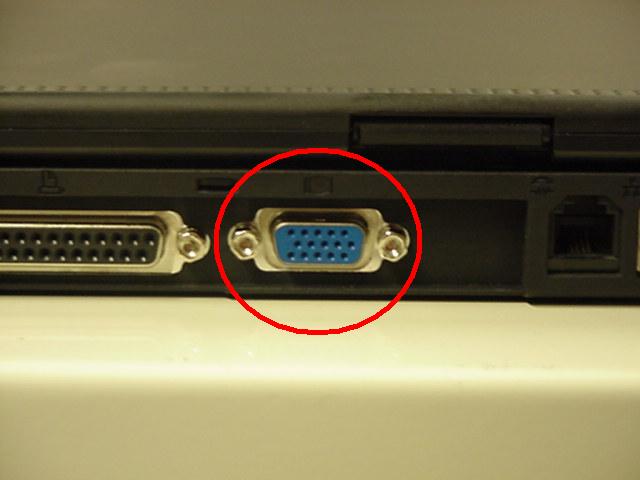
DVI:

HDMI:
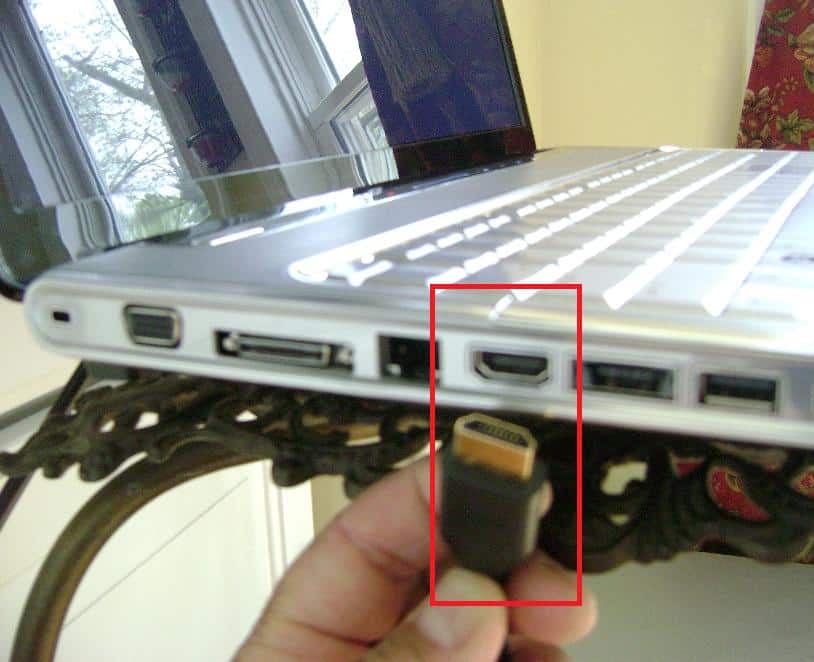
Plug the cable from your monitor into that slot, then fire up your laptop. The image should appear on screen.
If not, there will be a button to swap between laptop screen, external screen, or both. It will look something like these:


or simply a little screen above one of the numbers.
You will have to hold down your function key (fn) and press the button to swap between the different modes


Aastii
VIP Member
If you can find an exact same size and specifications panel screen YES but the likes of that happening is remote.
As Alien!where? stated a replacement screen is your best option, try Ebay for new or second hand.
that isn't true at all. Laptop monitors have different connectors to your standard desktop monitor, take one off to see for yourself, they fit in differently and aren't "just interchangeable".
A replacement screen is your only option, and generally it isn't cheap unless you can find your laptop on ebay which is broken and is for spares only, with a working screen, but you will have to fit it yourself, which isn't all that difficult, just take out the casing around the screen, screws and the cable, then for it all in reverse with the other screen

MMM
New Member
Obviously you do not have the skills to do electronic repairs to make that statement and read the post carefully what I stated.that isn't true at all. Laptop monitors have different connectors to your standard desktop monitor, take one off to see for yourself, they fit in differently and aren't "just interchangeable".
A replacement screen is your only option, and generally it isn't cheap unless you can find your laptop on ebay which is broken and is for spares only, with a working screen, but you will have to fit it yourself, which isn't all that difficult, just take out the casing around the screen, screws and the cable, then for it all in reverse with the other screen
Aastii
VIP Member
can i take a screen from lcd desktop and replace a broken one in a desktop?
If you can find an exact same size and specifications panel screen YES but the likes of that happening is remote.
As Alien!where? stated a replacement screen is your best option, try Ebay for new or second hand.
Obviously you do not have the skills to do electronic repairs to make that statement and read the post carefully what I stated.
If you can find me a monitor which has the same specs as a laptop screen, please link it, with proof that it will work in a laptop, and I will appologise for my statement and admit I was wrong. Bare in mind even if you have 2 different laptops with the same sized screen and same connectors, the screens probably won't be interchangeable