
You are using an out of date browser. It may not display this or other websites correctly.
You should upgrade or use an alternative browser.
You should upgrade or use an alternative browser.
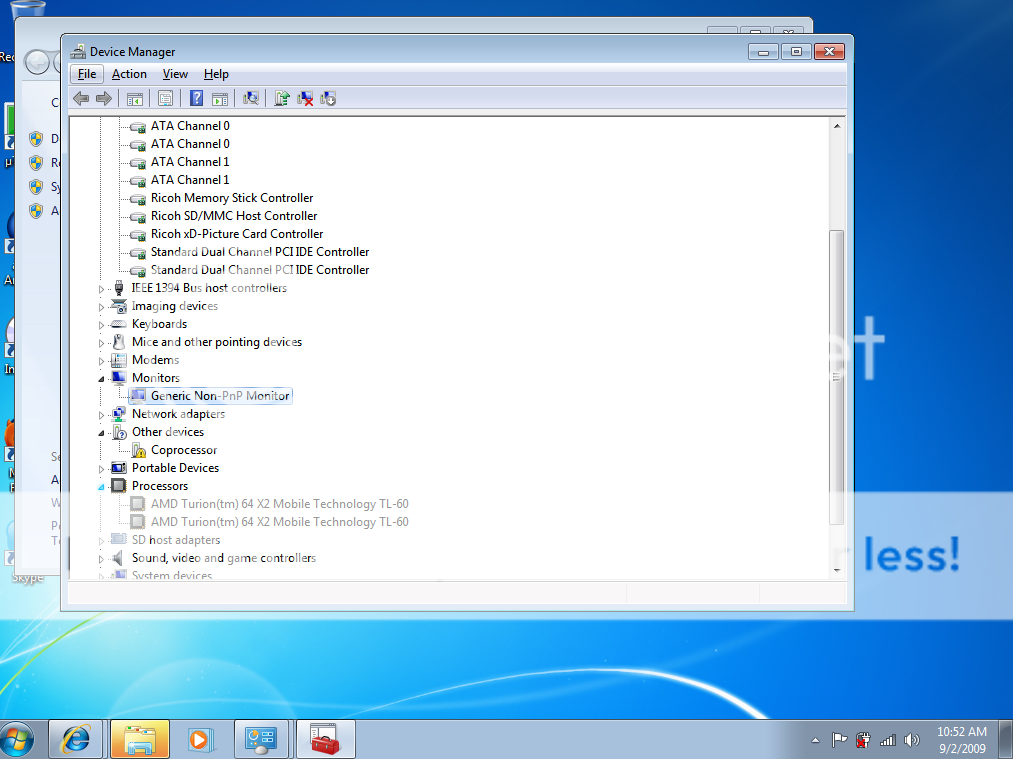
Device Manager ... Co Processor?
- Thread starter mtb211
- Start date


Concordedly
New Member
http://social.technet.microsoft.com...e/thread/b142d888-c899-4696-94c6-0f6b84fb2892
Google is your friend
Burdy - I have a Compaq F572 notebook (AMD athlon x64, nVidia chipset as well) and I had the same issue.
(I'm not at the laptop right now, so I can't reproduce the exact syntax of the dialog...)
When I tried to re-install the device driver, I chose 'Let me choose a location' and then had the installer browse the entire C: drive... it found and installed the Vista drivers for the nVidia on-board video chipset co-processor, and now all is well. (Why it didn't find them in the first place, during install is another question, entirely...)
I hope you have the same results that I had - good luck !
Google is your friend


hey guys thanks!
I tried google... and it is my friend
its not an nvidia thing... The Smbus..... how can I find that?
I probally should know this with my 200 + posts but I have looked into your posts and can not find a solution
Have you tried to install the driver (right-click on it and choose update driver) and let it search Microsoft's online database? Vista is pretty good about finding them that way.
Another solution is it may be a fingerprint reader. Does HP have a fingerprint reader driver on the page? (The specific model number is located on the HP sticker below the Vista product key)
As far as having to do with the SMbus it might. The SMbus is part of the chipset driver.