Did one of my graphics cards fail?

Dragon05555

New Member
Hello, having a pretty major problem here that is hindering my ability to use my desktop that i built (on laptop now). My desktop has 2 MSI HD6950's in Xfire

Anno 2070 kept crashing on me because "Display drivers stopped responding and have recovered" or something similar, so I decided to finally do something about it. I found a guide by AMD about how to correctly uninstall drivers on ATI cards. You can see it here.

I was almost finished uninstalling when my screen "reset itself" (which iwas expecting), but when it flashed back on, everything was very hard to see. I can't accurately describe it, but imagine looking at a photo negative of something, but with the black level at %90.

I'm not claiming to be an expert so i thought i might have accidentally deleted important system files or something on my ATI cards, but the weird thing is, my screen resolution was still correct, it hadn't returned to the resolution it was at before i installed drivers when first assembling my computer.

One of my friend's suggested that maybe one of my GPUs had broken and said i should individually see if both still worked correctly. My other friend said that i would have to reformat my C:/ Drive and reinstall windows, etc etc.

I'll probably have the GPU tests done before anyone responds to this but can anyone suggest what may be the problem? If it isn't obvious to me that only one GPU is causing the problem later, i plan on calling AMD support center later.
 
Yes, first thing to do is check each card individually. Before doing that, uninstall all the drivers for the card manually through catalyst install manager. After that, get Driversweeper here:

http://downloads.guru3d.com/download.php?det=745

Boot into safe mode and sweep for ATI/AMD drivers and delete all of them. This will ensure you got rid of all the drivers.

Then redownload the correct drivers from www.amd.com. After you've done that, install them and try each card at a time.

If one is clearly not working, then it'd be pretty safe to say that that card is done for.
 
Thanks for the fast response. I've just finished a quick "testing" of each one.

First i disconnected the Xfire bridge, then i disconnected the power cables to the 2nd card. I booted up my computer with just one card, and during the power up sequence, my computer said it needed to check C:/ drive files for consistency. Since the drivers i tried to delete were on my C:/ drive i hoped that would resolve the issue, but once windows booted up again, the login screen was still discolored.

Then i turned my computer off, unplugged the 1st card's power cables, reconnected the second card's power cables, and connected the monitor output cable to the second card. This time when my computer powered up, i got no signal at all.

Of course i probably jsut did something simple wrong, I've been known to do such things haha. But idk what to do now=[

claptonman, you give good advice, but like i said, i cannot physically see text on my monitor, at least not enough to use my computer. I actually managed to reinstall Catalyst (the guide i followed apparently deleted it, i had to reinstall it with the driver disc i got from the purchase of said GPUs) but i couldnt actually get afterburner to download the newest drivers because I couldn't even see any clickable buttons on the install screen.
 
You need to test each card by itself. By that I mean remove the other and test each one in the main PCIe slot.
 
Well since it's a been a slow night I decided to legitimately test both cards, like Stranglehold suggested. No cigar. Both cards displayed the same discolored image, although my screen still, curiously enough, has the same resolution.

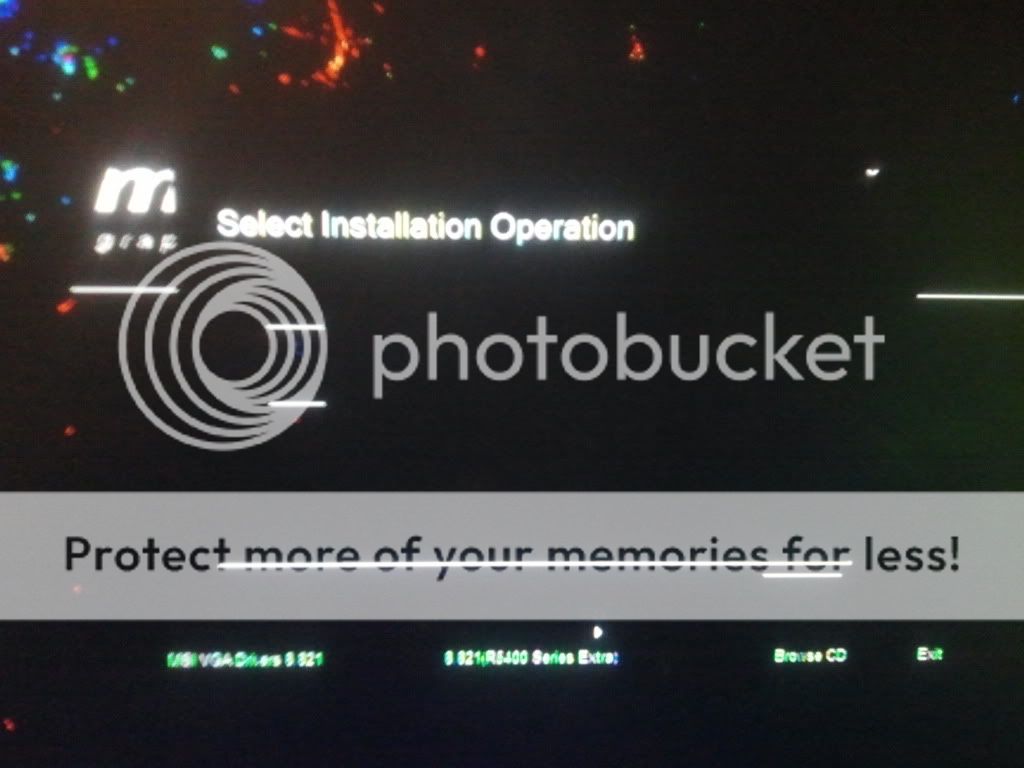
Here's what im looking at (sorry for mobile phone quality)
2012-01-23205422.jpg


As you can see barely anything is actually legible, only desktop icons can actually be read easily

2012-01-23205457.jpg

This is what amd.com looks like

2012-01-23210336.jpg
You can barely even see the Afterburner application haha. Once you click on "Drivers" only black windows pop up, like below.

2012-01-23210414.jpg


Btw my background is supposed to be a whole bunch of really colorful galaxies, so yea, pretty messed up coloration.
 
We can't really see the problem since we don't know what the background was suppose to looks like. Change it to an all black or all white background.
 
That's the thing. I can't. I can't actually see anything, so there's no way i could T.T

Any application i open is impossible to use

Sorry that I'm completely useless here haha and I'm honestly kind of helpless as well.
 
so, how bout taking one card out, only having 1 card in, and put the windows 7 install disc in and let it boot from it. soo if it displays things correctly through the install windows...if not, try the other card....still if not then 1) both cards are basd....2)motherboards pci-e slot is bad....do this and let me know what the outcome is and we can take it from there...ill b eup for a while and should be ble to help for a few hours
 
I am almost 100% sure this is a Power Supply Issue, that has caused VRAM damage.

The graphic annomalies are (imho) definitely VRAM damage, or the cards are underpowered.

Please download PC Wizard from my sig and install it, run it and go to FILE, SAVE AS, and click OK, and then copy that info into this thread.

Also take the side off your computer and note the exact model and brand of your PSU and record that here (very important).

At the very least (if you cannot start your PC and install the software) tell me what PSU you have.
 
Last edited:
Like said above. Since both cards do it, my guess is you have a bad board/slot or your power supply. Not just your resolution, but have you checked your refresh rate?
 
That screenshot does not necessarily mean he has bad hardware. I experienced a similar issue with dual 6990's during 12.1a preview driver install. It would show bad colors, but was fixed when reverted back to previous driver. Looks like a bad driver install to me. If your a noobie at driver install, this would further prove the fact of bad installation. uninstall current driver using install manager, reboot, then go under your HDD and delete the amd and ati folders in program files. then go to device manager and uninstall all the drivers for the adapters, then run driver sweeper, clean everything with AMD checked, then reboot, and reinstall latest official driver.

ohhh i almost forgot. this is ultra important. you must make sure that any OC or monitor software like msi afterburner, etc is disabled while doing this stuff. It has caused problems for me before.
 
Back
Top