Dimension 5600 Issuses

trewyn15

New Member
Dimension 4600 Issuses

Hey guys, I'm upgrading my Dimension 4600 to 4GB ram and 1TB + HDD.

I'm looking to make it into a media server for myself and my family to pull off of, but I'm currently having some issues.

I was going to just run XP SP 3 on it until I get 4 GB ram and then I'm going to upgrade to W7 32-bit most likely.

The problem I'm having now is I have a shitty D-Link network adapter that doesn't recognize any wireless connections.

Also, the modem is not working at all, I'm not sure why but I've ran all of the install discs and downloaded all of the drivers. I'm not sure if I should just not worry about the Modem and look for another wireless adapter because I need to get online to get the rest of the drivers that I want for screen resolution and all that stuff that isn't within the disc drivers.

Any help would be great and if anyone has a wireless adapter they want to sell, let me know. :good:
 
Last edited:
If the dial up modem is removable, then take it out of the system and throw it away, lol. Are you sure you downloaded the correct lan driver? As far as I can see on dell's website, there is no dimension 5600. Are you sure thats the correct model number?
 
Sorry, I meant to type 4600.. I'll fix that.

I finally got the D-Link to work, I did a full system wipe and restore, it's going slow right now for some reason, IE is freezing but it's what was offered back then so I need to update it.

The modem is still not showing, I'm going to work on drivers when I get out of class.

Do you know anywhere that I can get decent priced RAM and hard drives?
 
Okay I'm having more issues. I'm trying to download the correct drivers for everything, right now I'm currently sitting in 640 x 480 pixels... so as you can imagine, everything is huge on the screen and nothing really fits.

Here's the error that I'm currently having, I tried to download Windows Installer but had no luck unfortunately...

error.jpg
 
Do not use the download manager, download the file directly to your desktop.

Here are the drivers you will need.

Chipset - http://www.dell.com/support/drivers...oductCode=dimension-4600&urlProductCode=False

Audio - http://www.dell.com/support/drivers...oductCode=dimension-4600&urlProductCode=False

Lan - http://www.dell.com/support/drivers...oductCode=dimension-4600&urlProductCode=False

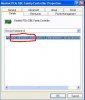
Not sure on the video driver since dells website lists many different ones. We can figure out which one you have though. Go into device manager and right click on the display adapter and click on properties, click on the details tab, and give me the 4 digit vendor and device id numbers. They look like this.
 

Attachments

  • device.JPG
    device.JPG
    31.8 KB · Views: 142
Last edited:
I'm having a hard time getting into the Device stuff, it hasn't updated to SP3 yet, I'm not sure how to force it to do it and I'm not sure why it hasn't done it yet...

But because of that I have a lot of files missing that are required for most of those drivers.

Do you know of any way I can force update service pack 3?

Here is all I can get in the device manager, it's not letting me see any properties on it, it just shows blank information.

error2.jpg
 
Okay, sorry for the double posts, I found the correct driver, it ended up being an Intel driver.

fixed.jpg


Now my issue is updating to SP3, since I've got everything running I haven't had an alert for automatic updates.

I'm going to be putting W7 32-bit on here, but until I get my 4 gigs of ram, I want to have the best XP as possible atm.

Any help would be great as far as how to update to SP3
 
Click on start, look for windows update, click on it and follow its lead.
I can post pics if you need, but will have to get rebooted in to XP to do that.

Edit: It may be in the all programs list.
 
Last edited:
Thanks for the link, I got it to work a little bit ago, I'm currently on SP3, now I just need to work on this Wireless adapter, I think it's time for a new one, I haven't heard much good about D-Link and this is just supporting what I heard.

I also, need to find the correct audio driver because I currently have nothing displayed, but those two are easy.

Thanks for your help guys, finally got this thing running somewhat decent, now to get a new hard drive and some more memory and start this whole server deal!

Thanks again!
 

awesome! thanks!

now when I boot I'm getting drive 0 failure, I think I may have a loose connection because if I hit reboot and then reboot it, it reboots fine, either that or my drive is failing, which would suck because it's old but not used too much
 
Back
Top