Dual boot XP / W7 - can't see drives

ng17.1252

New Member
I have been running a desktop with XP Pro SP3 for around 5 years. It has a boot drive for the OS and programs, plus two drives for data.

I recently added a SSD and installed Windows 7 Ultimate 64-bit. All is well in terms of booting up as I can boot OK into either OS via BIOS (I disconnected all drives when I installed the SSD so that I wouldn't end up with W7 loaded onto the old OS drive). The problem I'm having is that when I boot into W7 I can see all four drives OK, whereas when I boot into XP I only see the SSD and the old boot drive - I don't see the two data drives. They show up in BIOS but not in Disk Management or Windows Explorer.

Does anyone on here know what the problem might be? I did change something in BIOS from IDE to AHCI - could this be the problem? Or could it be I need to re-install drive controller drivers in XP?

Thanks in advance.
 
Yes, the problem is when you changed to ahci. What motherboard do you have? Look in device manager to see if there any entries that yellow question marks on them.
 
Thanks you Johnb35,

The mobo is an Intel DP965LT on BIOS version MQ96510J.86A.1612 - which I know is not the latest version for that board.

In Device Manager, there is a yellow question mark against "Other devices" with a yellow exclamation mark against "PCI Device". When I look at Device status for this it states the device is not configured correctly (Code 1).

Also, under System Devices, there is a yellow exclamation mark against "PCI standard PCI-to-PCI bridge".

I'm not sure what PCI device these relate to?

Thanks
 
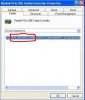
Right click on each of those entries in device manager and click on properties, click on the details tab and give me the 4 digit vendor and device ID numbers. They look like this.
 

Attachments

  • device.JPG
    device.JPG
    31.8 KB · Views: 114
The message in "Other devices" is:

PCI\VEN_8086&DEV_2824&SUBSYS_514D8086&REV_02\3&61AAA01&0&FA


The one under "System devices" is:

PCI\VEN_8086&DEV_0340&SUBSYS_00000000&REV_09\4&260036D2&0&00E4

Thanks again for your help!
 
Thanks again, Johnb35. I'll try to install this tonight when I get home. If it doesn't work, could I simply change back to IDE from AHCI? If I did, would I be losing some performance and/or functionality on the SSD?
 
Yeah, you lose some performance from switching back but nothing to be worried about.

It may be worth while to you to upgrade your motherboard to something that does support ahci.
 
I tried to download the drivers but got an error message saying "This computer does not meet the minimum requirements for installing the software". So, I've switched back to IDE mode and all is well again - I can see all four drives. I guess that with my current mobo I will not be getting the best out of the SSD anyway!

Johnb35, many thanks for pointing me in the right direction here. I'd posed my original question on another forum but got nowhere. I really appreciate the time you've taken to help me out here. I'm going to continue upgrading this PC - the next thing on my list will be a new mobo/CPU!

Thanks again.
 
Aaaarghhh! I spoke too soon. I can't now boot into W7. When I run Startup Repair it says that "..a patch is preventing the system from starting". I don't have a restore point yet as this was a brand new install of W7. I have the W7 disk but I don't know how to re-install or fix the problem.
 
Boot to the windows 7 dvd and choose to repair your system. When you switched back to IDE it screwed up the windows 7 booting.
 
I've tried this, but when I go into Repair computer, it doesn't repair it and it doesn't give a reason. I've tried disconnecting the old boot OS drive (making sure the BIOS shows the correct boot drive sequence) but it still won't go into the W7 installation from the DVD. I'm just stumped.
 
You may have to start from scratch then by installing XP first then install windows 7. However, if you were planning on upgrading the motherboard and cpu, then I would do that first before reinstalling. Thay way you can set it up properly the first time.
 
Well, I managed to get my desktop back to dual booting OK. I deleted the partitions on the SSD and then re-installed W7 back onto the SSD. I can now boot into either XP Pro or into W7 and I can see all my drives in either OS. I've switched back to using IDE instead of AHCI for now.

Once I upgrade the mobo/CPU/RAM, will there be any impact if I then switch to AHCI - i.e. will the SSD still continue to work but with all the performance enhancements that come with AHCI?
 
Back
Top