You are using an out of date browser. It may not display this or other websites correctly.
You should upgrade or use an alternative browser.
You should upgrade or use an alternative browser.
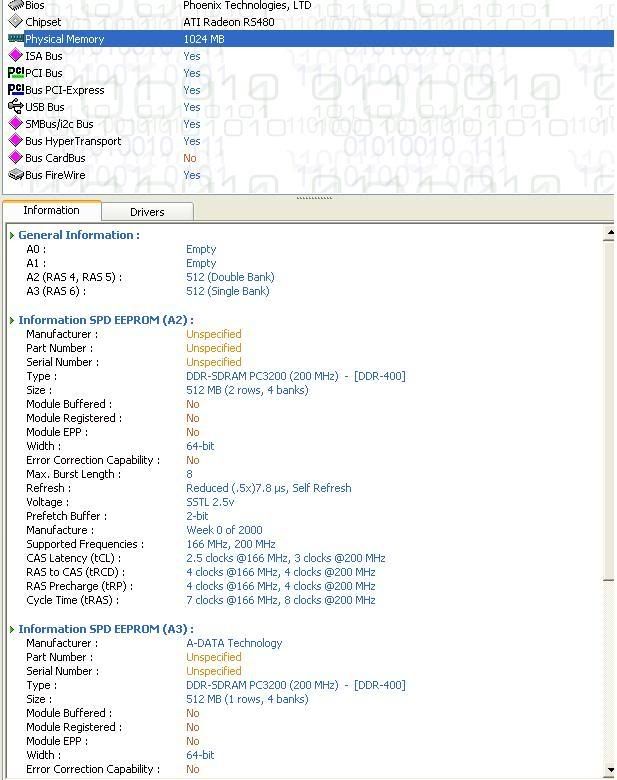
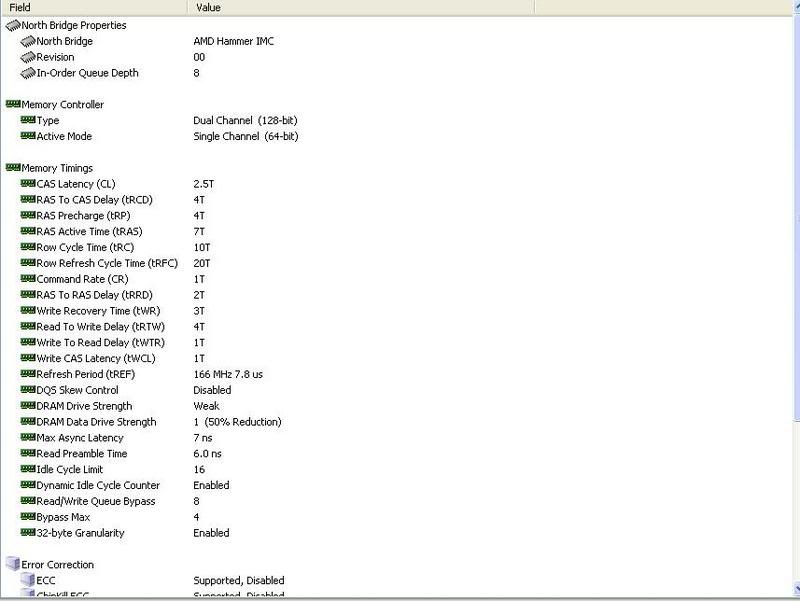
dual channel not workin
- Thread starter deankenny
- Start date


Geoff
VIP Member
Is this the motherboard you have? http://www.newegg.com/Product/Product.asp?Item=N82E16813136165
It allows dual-channel capability, so i'm not sure why it's not working. Are you using CPU-z to determine if its dual or single channel?
It allows dual-channel capability, so i'm not sure why it's not working. Are you using CPU-z to determine if its dual or single channel?
Geoff
VIP Member
Just for kicks download and run cpuz from www.cpuid.com, and see if that says its in single channel mode as well.