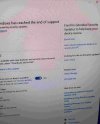
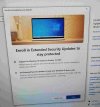
If the emergency patch from November still didn't fix it, a few more things worth trying. The ESU enrollment sometimes fails silently when the Windows Update components are in a bad state, even after the patch.
Try resetting the update components in an elevated Command Prompt:
net stop wuauserv
net stop cryptSvc
net stop bits
net stop msiserver
ren C:\Windows\SoftwareDistribution SoftwareDistribution.old
net start wuauserv
net start cryptSvc
net start bits
net start msiserver
Also check that your Microsoft account is signed into Windows itself, not just the enrollment page. Go to Settings > Accounts > Your info. If it shows a local account only, link your Microsoft account there first, then retry enrollment. The ESU program ties enrollment to the Microsoft account linked to your device.
If you want to see exactly what error is occurring, open Event Viewer, go to Applications and Services Logs > Microsoft > Windows > WindowsUpdateClient > Operational, and look for error entries timestamped around when you tried to enroll. The error code there is much more specific than the spinning wheel gives you.