
You are using an out of date browser. It may not display this or other websites correctly.
You should upgrade or use an alternative browser.
You should upgrade or use an alternative browser.
FPS lag
- Thread starter Tommo4523
- Start date

Did it used to run faster? Why do you think 20FPS is out of the ordinary for GTA V?
It should run better than that.
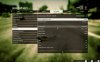
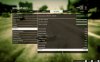
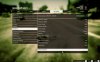
Post a screenshot of your settings. Make sure your refresh rate is set at 60Hz.

Laquer Head
Well-Known Member
Those phenoms are ancient now.. least 6 years old
Those phenoms are ancient now.. least 6 years old
I'm very familiar with how GTA V runs on different hardware. 20 FPS is flat not right. I could see it dipping to 20 FPS, but if it's staying at 20 FPS, something is wrong.
Laquer Head
Well-Known Member
I'm very familiar with how GTA V runs on different hardware. 20 FPS is flat not right. I could see it dipping to 20 FPS, but if it's staying at 20 FPS, something is wrong.
..ok
..ok
I also used to have a Phenom II 955.
Attachments

In crossfire your total vram should indicate 3 GB instead of 6 as above, so it seems odd.Dual HD 7950 3gb each
Highest settings with MSAA will probably chug pretty hard. Turning down reflection settings will likely give you a noticeable boost.
Laquer Head
Well-Known Member
Holy crap, AMD people are aggressive when you diss their inferior components!!
TheNamelessPoet
Member
What exactly IS vsync? If I understand it correctly it try's to sync with your monitor refresh rate? why would you want that? what would be the benefit to it. All I know if it, is it KILLS my Minecraft framerate lol
What exactly IS vsync? If I understand it correctly it try's to sync with your monitor refresh rate? why would you want that? what would be the benefit to it. All I know if it, is it KILLS my Minecraft framerate lol
On most setups if you disable it the FPS won't be synchronized with the display so you'll see tears in the image since the refresh rates don't match such as:

Holy crap, AMD people are aggressive when you diss their inferior components!!
Lol no. Phenom II's are old, yeah I know that. I also have played this game and seen it used on a wide range of hardware and know that 20 FPs is not right. There's a difference between blind fanboyism and actually knowing the capability of the hardware and the software in question. This is the latter. I've spent a lot of time playing around with the settings in this game and I know how it works quite well. Don't call me "aggressive" because I'm trying to help him rather than saying "hardware sucks dood".
I'm also curious about the fact that it see's 6GB of VRAM when you only have access to 3GB. Especially since the settings you have would not ramp it all the way up to 4GB of VRAM usage. My settings are a good bit higher than yours, and at 1440p and it's not using that much VRAM.
Are you getting drops to 20 FPS, or is it staying at 20 FPS consistently? Also, in GTA in particular I've noticed it kill my framerate at times, so I always advise people to turn it off.
I don't know why Pepe keep saying my vram is 3gb it is meant to be 6gb because I have 2 gigabyte HD 7950 each at 3gb and no i don't have anything enabled in advanced graphics and it's at a solid 20fps it's starts at 60 then drops like a countdown even if I lower my settings nothing happens. What is the latest driver update also crossfire doesn't work with all games so i'm saving up for a r9 390x.
It changed recently when i reinstalled win 10 I had it backed up and since then it's been horrible and really bad rendering time
It changed recently when i reinstalled win 10 I had it backed up and since then it's been horrible and really bad rendering time
Yeh it's coz my mobo can only take x6 CPU I want to upgrade but don't have the moneyPhenom II's are old
Last edited by a moderator:
In crossfire and sli , data is mirrored between cards, so you effectively only have one card's worth of vram since they both contain the same data.it is meant to be 6gb because I have 2 gigabyte HD 7950 each at 3gb
Did you manually install a recent driver that has the gtav crossfire profile, or do you see any activity on the secondary GPU whilst playing when using something like MSI afterburner?
It sounds like you might not have installed everything correctly.It changed recently when i reinstalled win 10
.

Geoff
VIP Member
This sounds like an overheating and throttling problem actually.it's starts at 60 then drops like a countdown even if I lower my settings nothing happens.
Yeh if someone could give me the link to the right driver that would be great but when I go onto Radeon settings it detects both of them and says I can use 6gb. Also do u reckon dual monitor would reduce FPS?
Also I don't think it would be over heating because I have my fans all on full my case is an antec 1200
Also I don't think it would be over heating because I have my fans all on full my case is an antec 1200

OK the driver you need is just the latest one for the Radeon HD 7950. I'm not sure which OS you have so I'm going by the driver they have for Windows 10 x64 (it might be different for 7 or 8.1) and it looks like version 15.30.1025.1001 is the latest, released December 17 2015: http://support.amd.com/en-us/download/desktop?os=Windows+10+-+64Yeh if someone could give me the link to the right driver that would be great but when I go onto Radeon settings it detects both of them and says I can use 6gb. Also do u reckon dual monitor would reduce FPS?
Also I don't think it would be over heating because I have my fans all on full my case is an antec 1200
It might be an idea to actually completely remove and reinstall your drivers, see my guide here explaining how to do that safely: http://www.computerforum.com/thread...all-graphics-drivers-amd-nvidia-intel.230370/
If you download GPU-Z and then look on the Sensors tab when it's running that will tell you how your hot your graphics cards are. Please post back your idle temperatures and your load temperatures (take readings when doing nothing and when playing a game): https://www.techpowerup.com/gpuz/
I've seen too many weird issues with multi-GPU setups. If you remove one of your 7950s do you get any issues? I'd try each card individually. One of your cards could be on the way out.
What power supply do you have?
Sorry if you've already answered some of these questions, difficult to find the answers in all of the lengthy AMD 'defending'.
 On a serious note, your CPU is going to be your bottleneck regardless of whether it's causing these issues or not. Two 7950s in CrossFire should serve you pretty well still at 1680x1050 even though those cards are 4 years old, but your CPU is quite slow these days. You may want to consider upgrading that in the future, but if you want to stick with AMD then wait until October when they release their next generation performance CPUs.