
You are using an out of date browser. It may not display this or other websites correctly.
You should upgrade or use an alternative browser.
You should upgrade or use an alternative browser.
Grub Screwover
- Thread starter wolfeking
- Start date

NyxCharon
Active Member
Ah, I had this issue in a clean debian install before. Let me see if i can find the workaround for it.
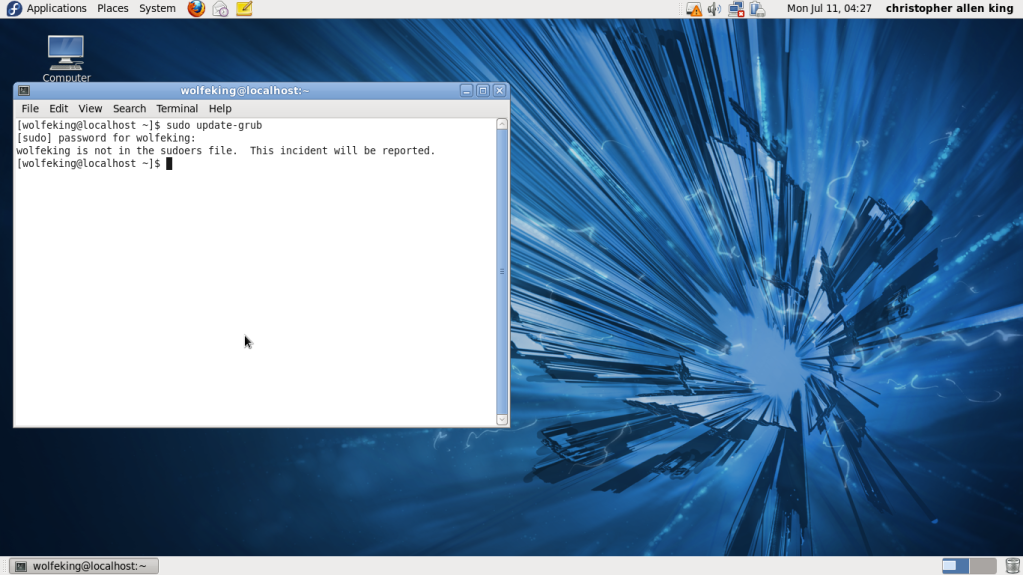
And the sudoers files sets the permissions for sudo. If your not in the file, then you can't issue the sudo command.
Edit:
http://knol.google.com/k/hesham-elsaghir/user-is-not-in-the-sudoers-file-how-to/3noo92ojj7hi0/8#
That's what worked for me in a Debian system, so it should? work in fedora.
Like it said, you have to use the built in editor to edit the file, since your don't have root access.
Once your in the editor, add yourself to the file, and save. Then you should have access to it.
Can you use gksu or su instead? Or maybe even run sudo -s first?
Oh, and linux doesn't work like windows. You might set the root password and all that, but your only logged in as a administrator if you log in as root.
Sudo is equivalent to asking your parents to go out with friends. You have the admins permission to do something, but your still not a admin.
It makes it a lot harder to do serious damage to your system that way. if that makes sense.
And the sudoers files sets the permissions for sudo. If your not in the file, then you can't issue the sudo command.
Edit:
http://knol.google.com/k/hesham-elsaghir/user-is-not-in-the-sudoers-file-how-to/3noo92ojj7hi0/8#
That's what worked for me in a Debian system, so it should? work in fedora.
Like it said, you have to use the built in editor to edit the file, since your don't have root access.
Once your in the editor, add yourself to the file, and save. Then you should have access to it.
Can you use gksu or su instead? Or maybe even run sudo -s first?
Oh, and linux doesn't work like windows. You might set the root password and all that, but your only logged in as a administrator if you log in as root.
Sudo is equivalent to asking your parents to go out with friends. You have the admins permission to do something, but your still not a admin.
It makes it a lot harder to do serious damage to your system that way. if that makes sense.
Last edited:

wolfeking
banned
ok, im a bit confused here. That link says
how do I switch to root? is it via typing "su"?http://knol.google.com/k/hesham-elsaghir/user-is-not-in-the-sudoers-file-how-to/3noo92ojj7hi0/8# said:open a new terminal
switch to root, type "su" then enter the root password
NyxCharon
Active Member
yeah, it's su. It'll ask you for a password.
I found a article from fedora that might be of better use.
http://www.mjmwired.net/resources/mjm-fedora-fc6.html#sudo
You might have to logout and then log back in as root.
I found a article from fedora that might be of better use.
http://www.mjmwired.net/resources/mjm-fedora-fc6.html#sudo
You might have to logout and then log back in as root.
NyxCharon
Active Member
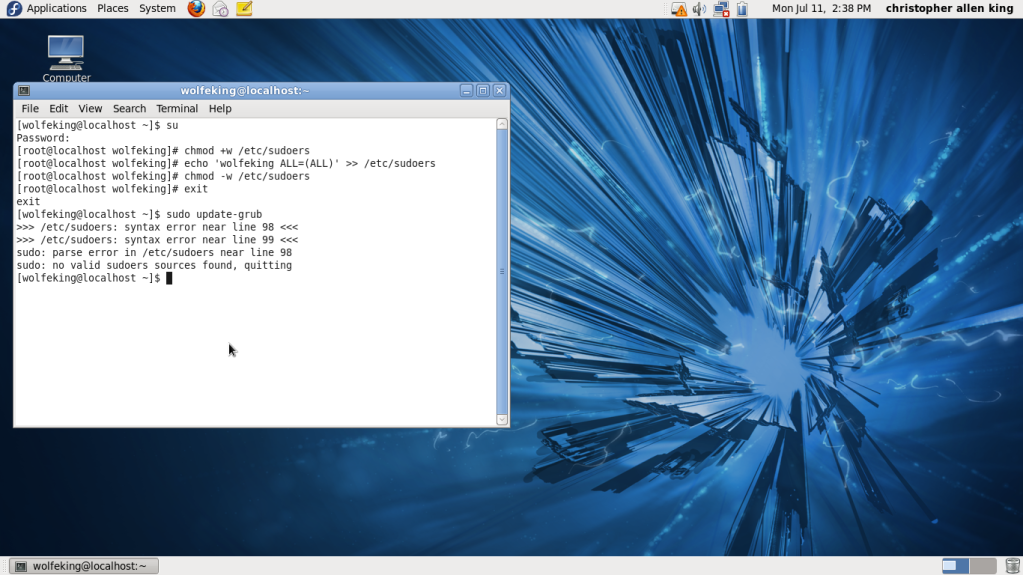
This is why i like the debian way. If you use visudio, it wont let you save the file if there is a syntax error.
open the file and paste it here if you can. You can probably do something like
su
chmod +w /etc/sudoers
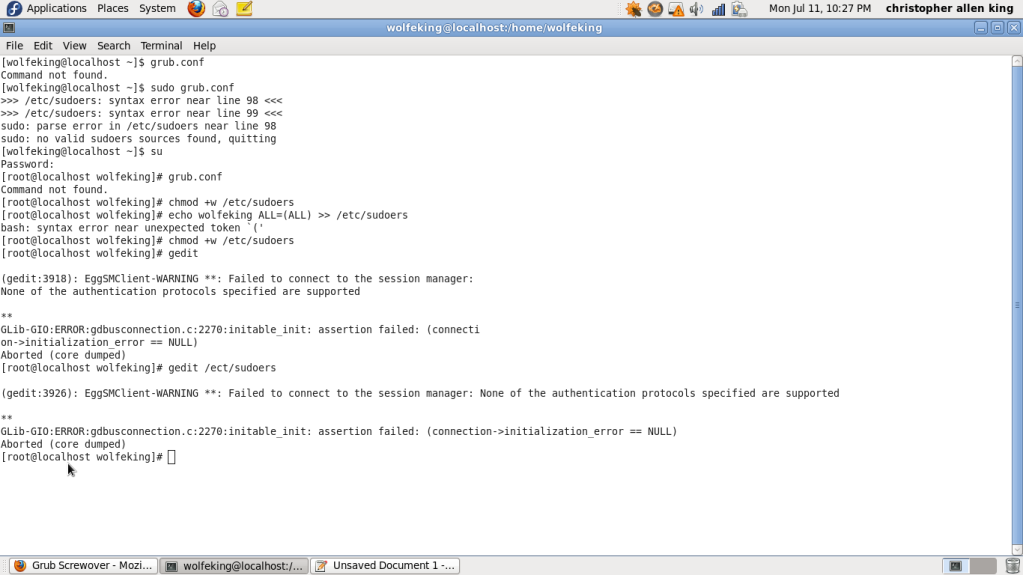
that will make it writable, which you know now. Now open it with a text editor, i dont know which one it comes with, hopefully gedit? so then after that while root still, type
gedit
then when that open, open the sudoers file in /etc/
and paste it here.
and if that doesn't work, just navigate to it, right click and open with whatever text editor it has and paste it here.
Edit: God I'm a idiot.
su
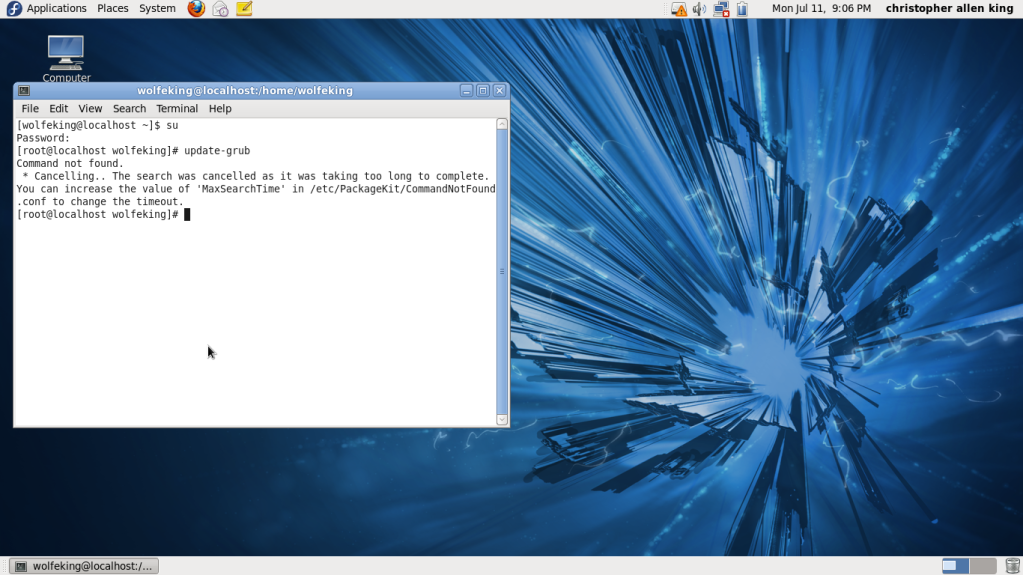
update-grub
finished. I can still fix your sudoers file if you want.
fyi, su=switch user. So you understand better.
open the file and paste it here if you can. You can probably do something like
su
chmod +w /etc/sudoers
that will make it writable, which you know now. Now open it with a text editor, i dont know which one it comes with, hopefully gedit? so then after that while root still, type
gedit
then when that open, open the sudoers file in /etc/
and paste it here.
and if that doesn't work, just navigate to it, right click and open with whatever text editor it has and paste it here.
Edit: God I'm a idiot.
su
update-grub
finished. I can still fix your sudoers file if you want.
fyi, su=switch user. So you understand better.
Last edited:

spynoodle
Active Member
Lol, I always wondered what it stood for. When I rooted my Droid, I thought I had figured out that it stood for Super User.fyi, su=switch user. So you understand better.
 Thanks for clearing that up for me.
wolfeking
banned
that didnt work.Edit: God I'm a idiot.
su
update-grub
finished. I can still fix your sudoers file if you want.
fyi, su=switch user. So you understand better.
NyxCharon
Active Member
Well, they have a new version out. I still use the old one, but this is the newest version. It can fix grub, grub2, and the mbr for windows.
http://www.supergrubdisk.org/rescatux/
Good for future use.
and yeah, you should be able to do that actually. Go ahead and boot into the live cd and run the command.
http://www.supergrubdisk.org/rescatux/
Good for future use.
and yeah, you should be able to do that actually. Go ahead and boot into the live cd and run the command.
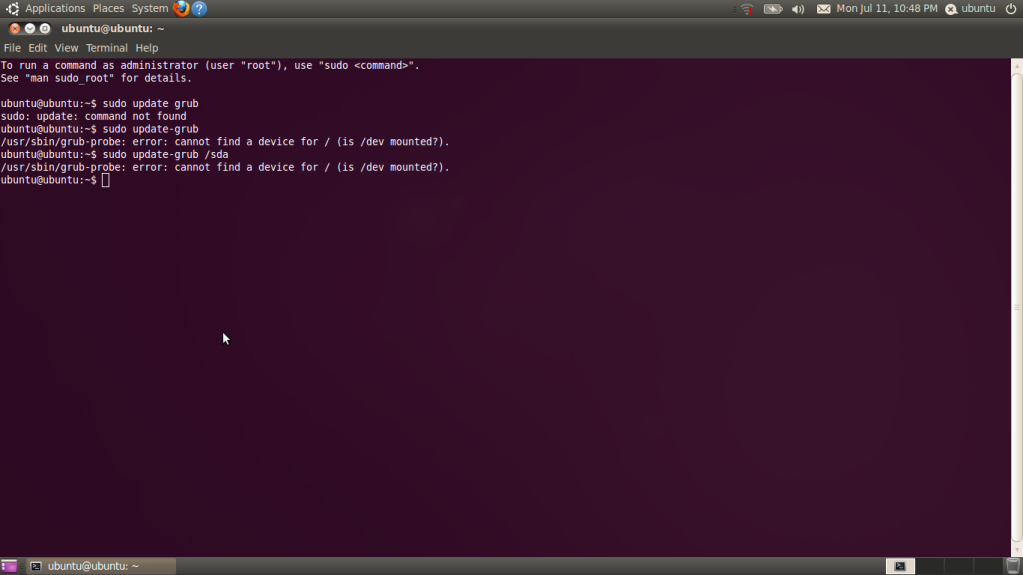
NyxCharon
Active Member
you have to mount all the partitions first. I'm sure there is a easy way to do that in ubuntu, but if not (i always prefered using a terminal)
cd /media
sudo mkdir makeadirectoryname
sudo mount /dev/sda directoryyourjustmade
if that doesnt work, your going to have to mount each partition indivually
ie:
sudo mkdir dir1
sudo mkdir dir2
sudo mount /dev/sda1 dir1
sudo mount /dev/sda2 dir2
etc.
cd /media
sudo mkdir makeadirectoryname
sudo mount /dev/sda directoryyourjustmade
if that doesnt work, your going to have to mount each partition indivually
ie:
sudo mkdir dir1
sudo mkdir dir2
sudo mount /dev/sda1 dir1
sudo mount /dev/sda2 dir2
etc.