Hard drive issues, HELP!

evallded

New Member
OK so to make a 3 day story really short (hi, I am new by the way) I was trying to flash the drive for my xbox and after a while found that it couldn't be done on a 64 bit OS.

So with plenty of room on my drive and a few extras I decided I would just install a second on the existing boot drive. Well after a big headache that really wasn't necessary I decided to go with Ubuntu since it was free, readily avail and more trustworthy then my old burned versions of windows 2000 and xp.

I am running Vista by the way (shame):( So I got it installed and found that I couldn't use the dos program to flash with for some reason and since Ubuntu had decided to take my 200 gig partitioned section for photos and erase and use it as well as the section I made for it, I was needless to say pretty well done with it and decided to get rid of it and take another route.

So here is where it got screwy, I uninstalled it by reformatting those sections of the drive, and then went in and repaired my MBR. From there I placed my XP CD pirated but bootable in the drive and when it restarted the first time to continue install it only got as far as the startup screen and froze. repeat about 20 times and if I press escape for the bios it gets to the post, ok's everything and freezes.

I have since removed the drive and reinstalled everything on a new one but have a lot of stuff I need from that one and everytime I plug it in it freezes it at start. If I plug it in after boot it wont find it. Oh and it checks out ok at the post too.

Sorry about the book, I just wanted to let you guys know everyhting that was going on. Let me know if you have any ideas.
 
holy crap. :eek:

sounds like you've been having too much fun. :D

I've never heard of flashing a hard drive. I've heard of flashing BIOS... what is it that you wished to accomplish by flashing the hard drive? And what exactly did you do to try and 'flash' it?

So I got it installed and found that I couldn't use the dos program to flash with for some reason and since Ubuntu had decided to take my 200 gig partitioned section for photos and erase and use it as well as the section I made for it, I was needless to say pretty well done with it and decided to get rid of it and take another route.

So here is where it got screwy,
Laughing_RoflSmileyLJ.gif


My friend, it was screwy looong before that if you ask me! :D

...everytime I plug it in it freezes it at start. If I plug it in after boot it wont find it. Oh and it checks out ok at the post too

You say it checks out in POST but freezes at startup... sounds like it needs to be set as slave to me - what does it show as in BIOS?

Of course, you could just boot with a live CD, back up your data and then reformat/repartition that sucker with cfdisk.

That's my official answer I guess. I like Knoppix for a live CD. :D You can get it here: http://www.knoppix.net/get.php

Hope that helps!
 
holy crap. :eek:

sounds like you've been having too much fun. :D

I've never heard of flashing a hard drive. I've heard of flashing BIOS... what is it that you wished to accomplish by flashing the hard drive? And what exactly did you do to try and 'flash' it?


Laughing_RoflSmileyLJ.gif


My friend, it was screwy looong before that if you ask me! :D


You say it checks out in POST but freezes at startup... sounds like it needs to be set as slave to me - what does it show as in BIOS?

Of course, you could just boot with a live CD, back up your data and then reformat/repartition that sucker with cfdisk.

That's my official answer I guess. I like Knoppix for a live CD. :D You can get it here: http://www.knoppix.net/get.php

Hope that helps!

Actually I was flashing the cd rom not the hard drive.

I can't actually get it to run into BIOS if I click escape to run it the comp will post, ok everything and freeze. This particular hard drive does not have the option to set it as a slave or master only jumpers to run it as 1.5 or 3.0.

I have tried to back it up but as I said I now have the comp up and running on a new hard drive but every time I plug it in it freezes before I can get far enough to run a boot disk:eek:.

My guess would be that the hard drive has crashed but as I said in post it reads it as what it is and says it checks out OK plus I can feel it spinning and doing what it should be. I really need to get some files off of it.

Thanks for your reply, any other ideas I can shoot down:gun: with this screw ordeal?
 
Thanks for your reply, any other ideas I can shoot down with this screw ordeal?

Yeah -

You could try a USB-IDE/SATA adapter depending on what it is for like $20 or so. I don't know if it would work, but it's worth a shot, and it would be handy to have an adapter even if it didn't.

What model is the drive anyway? I've never seen one you couldn't set as slave with a jumper, but I don't think it would help in your case anyway - it sounds like a hardware malfunction. Have you tried it on another ribbon? Another computer? Does it make any noise or is it just silent during POST?

Let me know. Maybe we can figure something out.

Just out of curiosity, what sort of files do you have on there that are irreplaceable? Pictures would be the only thing I can think of. Bet you'll back-up next time :D

Now I'm writing a book... :P

Short answer - buy a USB adapter for the harddrive ;)
 
Yeah -

You could try a USB-IDE/SATA adapter depending on what it is for like $20 or so. I don't know if it would work, but it's worth a shot, and it would be handy to have an adapter even if it didn't.

What model is the drive anyway? I've never seen one you couldn't set as slave with a jumper, but I don't think it would help in your case anyway - it sounds like a hardware malfunction. Have you tried it on another ribbon? Another computer? Does it make any noise or is it just silent during POST?

Let me know. Maybe we can figure something out.

Just out of curiosity, what sort of files do you have on there that are irreplaceable? Pictures would be the only thing I can think of. Bet you'll back-up next time :D

Now I'm writing a book... :P

Short answer - buy a USB adapter for the harddrive ;)

Yeah the funny thing is is that I did back it up. I had everything except for really recent files on another hard drive that when I plugged it in came up with all kinds of errors and I lost a buch of my files because of it.

I was thinking about getting such said adapter and trying that, it might work because it operates more like a scsi so you can plug it in after post (that is my understanding anyway).

It doesn't make any noise when it starts up but I can feel it spinning, the weird thing is that it really seems like a software issue which I know doesn't make any sense but with the way things went down and the way it is acting I really can't imagine that it is a hardware issue, or maybe I just don't want to believe it is:(
 
the weird thing is that it really seems like a software issue which I know doesn't make any sense but with the way things went down and the way it is acting I really can't imagine that it is a hardware issue, or maybe I just don't want to believe it is

Well, if the computer runs fine when the drive isn't in it, but won't even load BIOS when the drive is in it, that's a hardware issue if I've ever seen one.

There's no software running at that point... so... :confused:
Maybe you know something I don't... :P

Anyway, yeah, you can plug in a drive on a USB adapter anytime - it acts just like jump/thumb/flash/key/pocket/travel drive (what ever the happenin' kids are calling them these days). If nothing is wrong with the HD, then it will probably work. :D

Also, putting it in another computer would probably be a good check. Maybe something is fux0red with your BIOS..?

I never did figure out what you set out to accomplish initially - you wanted to flash your CD drive on you Xbox? Why?

And so you attempted to install another OS, which was accidentally installed on the wrong partition...

That would not damage a hard drive, although it could very likely render it unbootable. Are you sure you're not able to get into BIOS? It sounds to me more like you're having problems with the MBR...

I have tried to back it up but as I said I now have the comp up and running on a new hard drive but every time I plug it in it freezes before I can get far enough to run a boot disk.

If this is the case, then boot into BIOS w/out the drive in, set it to boot from CD first, stick your CD in the drawer and turn off the computer. Then install the drive and boot.

But I guess that it will just freeze right after POST if you do this?

It is a strange problem... sort of one of those "you'd have to be there" kinda things... :P

Well, let me know your progress/outcome ;)
 
Last edited:
Well, if the computer runs fine when the drive isn't in it, but won't even load BIOS when the drive is in it, that's a hardware issue if I've ever seen one.

There's no software running at that point... so... :confused:
Maybe you know something I don't... :P

Anyway, yeah, you can plug in a drive on a USB adapter anytime - it acts just like jump/thumb/flash/key/pocket/travel drive (what ever the happenin' kids are calling them these days). If nothing is wrong with the HD, then it will probably work. :D

Also, putting it in another computer would probably be a good check. Maybe something is fux0red with your BIOS..?

I never did figure out what you set out to accomplish initially - you wanted to flash your CD drive on you Xbox? Why?

And so you attempted to install another OS, which was accidentally installed on the wrong partition...

That would not damage a hard drive, although it could very likely render it unbootable. Are you sure you're not able to get into BIOS? It sounds to me more like you're having problems with the MBR...


If this is the case, then boot into BIOS w/out the drive in, set it to boot from CD first, stick your CD in the drawer and turn off the computer. Then install the drive and boot.

But I guess that it will just freeze right after POST if you do this?

It is a strange problem... sort of one of those "you'd have to be there" kinda things... :P

Well, let me know your progress/outcome ;)

flashing your drive on your xbox allows you to play "backup" games. That was my reason, but no I did not install it on the wrong partition it just took over a second part of my drive as what it called the Lost and found or something.

As I said it does sound like a hardware problem but it just seems that with the way this went down it seems like it would be software related. It does freeze up about the time it would be reading the software.
 
It is a Seagate Barracuda 250 gig drive and unless I am missing something it can not be set to master or slave, etc.
 
It does freeze up about the time it would be reading the software.

Aha!
So you should be able to access BIOS! Can you access BIOS when the 'damaged' drive is not in there?

If so, then it certainly sounds like it's simply trying to boot the other drive. Maybe you're not hitting ESC/F10/F2 (whatever key it is to get into BIOS) soon enough. Please try it several times - I know it can be a pain in the ass.

I copied this from the Baracuda7200pm Manual:
jumpersettings.jpeg


You're telling me that you don't have a jumper block on the harddrive??? :confused: If there is one there, try setting the jumper properly (slave - that is, remove the jumper).

I don't know your level of experience, so forgive me if I'm stating the obvious - I know how frustrating it can be when someone is attempting to assist you on a forum by having you try stuff that you know won't work. But, given the description of your problem in this thread and no other knowledge, I am 99.526% sure that the computer is simply trying to boot from the bad drive, which has a damaged MBR.

That's my diagnosis anyway. Just trying to help. Cheers! ;)
 
Aha!
So you should be able to access BIOS! Can you access BIOS when the 'damaged' drive is not in there?

If so, then it certainly sounds like it's simply trying to boot the other drive. Maybe you're not hitting ESC/F10/F2 (whatever key it is to get into BIOS) soon enough. Please try it several times - I know it can be a pain in the ass.

I copied this from the Baracuda7200pm Manual:
jumpersettings.jpeg


You're telling me that you don't have a jumper block on the harddrive??? :confused: If there is one there, try setting the jumper properly (slave - that is, remove the jumper).

I don't know your level of experience, so forgive me if I'm stating the obvious - I know how frustrating it can be when someone is attempting to assist you on a forum by having you try stuff that you know won't work. But, given the description of your problem in this thread and no other knowledge, I am 99.526% sure that the computer is simply trying to boot from the bad drive, which has a damaged MBR.

That's my diagnosis anyway. Just trying to help. Cheers! ;)

That is kind of what I am thinking as well. I mean honestly it makes the most sense. With uninstalling and reinstalling different OS especially with one of them being Linux which installs a program that will wipe out your MBR, I think this has a great chance of being the problem (fingers crossed).

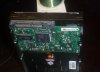
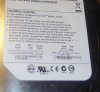
I thought it was pretty odd that this doesn't have jumpers for the drive as well but I am throwing up some pics so you guys can tell me if I am missing something.

So I ordered a Sata PCI card the other day since I don't have anyhting else to test this on and could use the extra ports anyway. So after I get it in I will post up how it worked out. Thanks to everyone for taking the time to respond.

Much appreciated.
 

Attachments

  • P1040854.jpg
    P1040854.jpg
    89.7 KB · Views: 74
  • P1040859.jpg
    P1040859.jpg
    79.2 KB · Views: 74
Last edited:
hey evallded,

have you tried to access the BIOS and change the boot order w/ the drive connected? If the MBR is the problem, then you should still be able to access BIOS if you press the proper key fast enough. It might take a try or three to time it right. That could end all your problems. Please give it a try and let me know.
 
hey evallded,

have you tried to access the BIOS and change the boot order w/ the drive connected? If the MBR is the problem, then you should still be able to access BIOS if you press the proper key fast enough. It might take a try or three to time it right. That could end all your problems. Please give it a try and let me know.

I am unfortunately aware that the bios should still be able to be accessed even if the MBR is the problem. If you read through my posts you will see that it is freezing up at pretty much the same point. I have it on quickboot with the brand screen enabled so all I am seeing is the brand message at the startup unless I press escape and then it runs post and quickly after freezes. The funny thing about it is that even after it freezes there is a message on the screen that reads press f8 for boot sequence menu and even after it is froze it will register that you have pressed it. However it will not ever boot into the bios or startup.

I guess the baffling thing to me is that (well a couple things really) while in post it will register the hard drive and read that it checks out OK. with that and a few other things it leaves me to believe that this is some kind of a software issue and not a hardware issue. Only testing it with the Sata card will tell but I have seen what hardware failures look like and never have I seen one have a hardware failure and still post fine and spin up.
 
I have it on quickboot with the brand screen enabled so all I am seeing is the brand message at the startup unless I press escape and then it runs post and quickly after freezes.

You could pull the bad drive out, access BIOS and take it off quick boot.

The funny thing about it is that even after it freezes there is a message on the screen that reads press f8 for boot sequence menu and even after it is froze it will register that you have pressed it. However it will not ever boot into the bios or startup.

Pressing F8 for Boot Sequence isn't the same as accessing BIOS. :confused: Are you sure that you know how to access BIOS? Please tell me the model/manufacturer of your computer. There's absolutely *no* reason you should not be able to access BIOS - especially with the bad drive out.

Please post back - we'll get this sorted out yet. When do you expect your USB adapter to be in?

Thanks for the challenge. :D
 
You could pull the bad drive out, access BIOS and take it off quick boot.


Pressing F8 for Boot Sequence isn't the same as accessing BIOS. :confused: Are you sure that you know how to access BIOS? Please tell me the model/manufacturer of your computer. There's absolutely *no* reason you should not be able to access BIOS - especially with the bad drive out.

Please post back - we'll get this sorted out yet. When do you expect your USB adapter to be in?

Thanks for the challenge. :D

No what I am saying is that if you press delete during startup at the logo screen it will show the post, at that screen it will say entering setup (bios) it also has a section where it says press f8 for boot sequence menu. The point I was making in this was not that I am trying to access bios by pressing f8 but that it is not really frozen, it has stopped on some kind of an error but it has not froze up as it still registers the buttons you are pushing, it just doesn't do anything else.

And yes I can get into my bios just fine with the bad drive removed, however it doesn't do me any good and taking it off of quickboot just allows me to see it ok ing the drive and then stopping.

The USB adapter should be in in a few days, hopefully sooner then later. I will keep you guys posted. I tell you though you have to admit that this is an odd one, I have built probably 40 different computers over the last few years and have been tinkering with computers for about 15 years. So I am not new, however I am self taught and still get stumped from time to time, this one is pretty new to me.
 
The USB adapter should be in in a few days, hopefully sooner then later. I will keep you guys posted. I tell you though you have to admit that this is an odd one, I have built probably 40 different computers over the last few years and have been tinkering with computers for about 15 years. So I am not new, however I am self taught and still get stumped from time to time, this one is pretty new to me.

New one on me too... :P
Well, hopefully it will work w/ the adapter. I still don't see why it won't let you access BIOS w/ the bad drive in, but I'll take your word for it - sounds like you have as much experience as I do. Post back when the adapter gets here.
Cheers :D
 
Last edited:
Hey - I just thought of something - Is the "good" drive a SATA drive too? If so, have you tried swapping the cables - i.e. putting the bad drive on the cable the good drive is on and putting the good drive on the open cable you've been hooking the bad drive to?
 
Hey - I just thought of something - Is the "good" drive a SATA drive too? If so, have you tried swapping the cables - i.e. putting the bad drive on the cable the good drive is on and putting the good drive on the open cable you've been hooking the bad drive to?

Yeah because since 1 is the main and the other is the secondary (sata cables) and since there are no jumper settings that was my first thought, I have even tried just swapping it in after the point it would normally freeze but to no avail on either.
 
New on on me too... :P
Well, hopefully it will work w/ the adapter. I still don't see why it won't let you access BIOS w/ the bad drive in, but I'll take your word for it - sounds like you have as much experience as I do. Post back when the adapter gets here.
Cheers :D

I suppose I could plug it in and tell it to enter bios and see if just allowing it more time will get it in there, like since it says entering setup and never goes anywhere I could maybe try to let it sit for 20 minutes and see if it changes it's mind. I can't think of any reason why this would be the case but software in my experience can be very weird sometimes.
 
So a little bit of a turn (possibly) for the worst. I plugged it in to see if I gave it more time if it might pull anyhting up or change in any way. It did not, as a matter of fact it wouldnt even let me access the post screen by pressing delete anymore.

So I unplugged the Sata to see what would happen and it did the same thing, just the power cord was plugged in. coming up short in the power supply is also not an option, it is 750 watts and I am running almost nothing on it.

So it seems that it might be so fried that it is sending some kind of an error message that is just freezing up the whole machine. I will still test it on the PCI card and let you know though.
 
OK, final update. So I got my card in the mail today, plugged it in, and installed the drivers. Plugged in my hard drive and instantly it pulled up the 3 partitions that were installed on it. I instantly dove in and started rescuing files.

Then I got the blue screen of death. Restarted and tried again and the same thing happened over and over again until it finally told me 1 partition at a time that I had to format the drive before it could be read.

I was actually able to salvage about half of the files I needed which is pretty good compared to losing all of it. When I went to format the drive it kind of froze up and didn't work and then unfroze and still did nothing. So instead of messing with it anymore I decided to be happy with what I got. I suppose it was time to step up to a 1tb drive anyway, and the great part is with them only being 100.00 a pop give or take, I can afford to get 2 of them and mirror my drives.

Thanks to everyone for their help, I am still inconclusive if this was completely hardware or software related but it is over either way. Would still love to hear some opinions, oh and I have full intentions on freezing this drive to see if I can get it to run anymore to get the rest of the stuff off from it. There are no guarantees but at this point I have nothing to lose.
 
Back
Top