
yusukechannn
New Member
so guys, i'm really new to this computer building thing and i've done a fair share of my homework (or so i think). i just need a experienced person's opinions on the following build set up that i have from newegg.com
i play video games, have a keyboard, mouse, and monitor already. i also look to do a lot of video editing in vegas using .mts high quality video files. i need a computer that's fast, with a lot of RAM, and has enough kick to play mainstream video games on high or ultra quality.
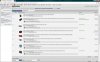
i'll also attach a picture for anyone who's interested. i'm thinking of swapping a few parts (for budget purposes) and i'm a bit confused on the RAM as well as compatibility issues with my parts. if you could just leave a quick comment on what i should change (i.e.- compatibility, or that some parts are way better than others, or that i wouldn't need such a part), that'd help me a lot! i'm looking to buy a complete set up sometime next month. also, just as a last few points, can anyone comment on USB 3.0 and 2.0 capabilities as well as a recommended power supply? i think i have enough (i used the eXtreme power supply calculator) but i'm interested in overclocking and i don't want my computer to blow up
THANKS A LOT TO ANYONE WHO HELPS! you saved a lot of my time tinkering and getting everything wrong XD
ASUS ENGTX550 TI DC TOP/DI/1GD5 GeForce GTX 550 Ti (Fermi) 1GB 192-bit GDDR5 PCI Express 2.0 x16 HDCP Ready SLI Support Video Card
Intel Core i5-2500K Sandy Bridge 3.3GHz (3.7GHz Turbo Boost) LGA 1155 95W Quad-Core Desktop Processor Intel HD Graphics 3000 BX80623I52500K
Kingston HyperX 3K SH103S3/120G 2.5" 120GB SATA III MLC Internal Solid State Drive (SSD) (Stand-Alone Drive)
GIGABYTE GA-Z77MX-D3H LGA 1155 Intel Z77 HDMI SATA 6Gb/s USB 3.0 Micro ATX Intel Motherboard
Antec Nine Hundred Black Steel ATX Mid Tower Computer Case with Upgraded USB 3.0
G.SKILL Ripjaws X Series 8GB (2 x 4GB) 240-Pin DDR3 SDRAM DDR3 1600 (PC3 12800) Desktop Memory Model F3-12800CL9D-8GBXL
SeaSonic M12II 620 Bronze 620W ATX12V V2.3 / EPS 12V V2.91 SLI Ready 80 PLUS BRONZE Certified Modular Active PFC Power Supply
SONY Black 18X DVD-ROM 48X CD-ROM SATA DVD-ROM Drive Model DDU1681S-0B - CD / DVD Drives
i play video games, have a keyboard, mouse, and monitor already. i also look to do a lot of video editing in vegas using .mts high quality video files. i need a computer that's fast, with a lot of RAM, and has enough kick to play mainstream video games on high or ultra quality.
i'll also attach a picture for anyone who's interested. i'm thinking of swapping a few parts (for budget purposes) and i'm a bit confused on the RAM as well as compatibility issues with my parts. if you could just leave a quick comment on what i should change (i.e.- compatibility, or that some parts are way better than others, or that i wouldn't need such a part), that'd help me a lot! i'm looking to buy a complete set up sometime next month. also, just as a last few points, can anyone comment on USB 3.0 and 2.0 capabilities as well as a recommended power supply? i think i have enough (i used the eXtreme power supply calculator) but i'm interested in overclocking and i don't want my computer to blow up
THANKS A LOT TO ANYONE WHO HELPS! you saved a lot of my time tinkering and getting everything wrong XD
ASUS ENGTX550 TI DC TOP/DI/1GD5 GeForce GTX 550 Ti (Fermi) 1GB 192-bit GDDR5 PCI Express 2.0 x16 HDCP Ready SLI Support Video Card
Intel Core i5-2500K Sandy Bridge 3.3GHz (3.7GHz Turbo Boost) LGA 1155 95W Quad-Core Desktop Processor Intel HD Graphics 3000 BX80623I52500K
Kingston HyperX 3K SH103S3/120G 2.5" 120GB SATA III MLC Internal Solid State Drive (SSD) (Stand-Alone Drive)
GIGABYTE GA-Z77MX-D3H LGA 1155 Intel Z77 HDMI SATA 6Gb/s USB 3.0 Micro ATX Intel Motherboard
Antec Nine Hundred Black Steel ATX Mid Tower Computer Case with Upgraded USB 3.0
G.SKILL Ripjaws X Series 8GB (2 x 4GB) 240-Pin DDR3 SDRAM DDR3 1600 (PC3 12800) Desktop Memory Model F3-12800CL9D-8GBXL
SeaSonic M12II 620 Bronze 620W ATX12V V2.3 / EPS 12V V2.91 SLI Ready 80 PLUS BRONZE Certified Modular Active PFC Power Supply
SONY Black 18X DVD-ROM 48X CD-ROM SATA DVD-ROM Drive Model DDU1681S-0B - CD / DVD Drives


 . Depending on what you want to put on SSD you might go smaller.


