hi i am new here, and i have a memory question

tweakerpc

New Member
yes i have read the memory guide and stuff, but still does not help me :( , my new mothet board has all these options, i am like :confused: i configured the ones i knew

i have 2 gig of patriot ddr667, pc 5300

these are theones i have configured

dram cas latencey 5

dram bank interleave 4way

Precharge To Acitve 5T

active to precharge (tras) 15T

Write to Recovery Time (twr) 5t

--------------------
now the ojnes i need to know the default timings

the numbers i put in are the ranges my mother board allows, also the reaosn , is on my motherboard when thiings are set to auto, it clocks them down, when i set them to manuel my benchmarking goes up, and no i do not want to overclock, just the default timings for the rest of the onea I listed :)

REF to Act/Ref to REF(Trfc) =8--71t,
Act(0) to Act (1) 2t-5f = 5?,
read to Precharge 2T and 3T,
Write to Read CMD (Twtr) 2T and 3T
 
Give it a little more time, patience grasshopper :P

RAM manufacturers don't tell you what the rest are because they don't do a heck of a lot, even the 4/5 'big' ones actually have very little effect.

http://www.techwarelabs.com/reviews/memory/memory_timings/index_3.shtml

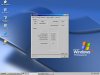
that is to much reading;s :P , just give me big table :P , i must be ****ing up one of the big timings, since CPUZ says 5-5-5-15-20, the 20 is wrong since when i do 20 it does not reboot, it freezses, so also if when i do 5-5-5, it grays out my memory FSB> and loose a coulple hundred points in pcmark 02, when i put it 4-4-4, then it shows up at 266, i think i might just leave for now, since i get the highest score, wher it is set at:D
 
ok how come i score higher points when it is on 266 mode, i am not sure it when it is grayed out it is on DDR2 667 or not?? and how come when it is on ddr533 mode it shoes the ram Front side bus:confused: the timins are you going ot see is it set to AUTO i am not getting the best performance, i want all of the default timeings or good ones,
attachment.php
also i still need all the timings ? i am hoping that some one on here can help me, it is patriot SL pc5300 @667mhz 2x1gig
 

Attachments

  • myramtimings.JPG
    myramtimings.JPG
    67 KB · Views: 66
since CPUZ says 5-5-5-15-20
I'm not seeing a 20, there is a 2T, that is the command rate, you can try setting it to 1 but not all RAM/motherboards can do 1T.

For Patriot Signature Line PC5300, I'm seeing the timings listed as 5-5-5-15, so anything better than that you have to do trial and error because you are essentially overclocking it.
 
It's the delay between Chip Select (CS), or when an IC is selected and the time commands can be issued to the IC, measured in clock cycles.
 
I'm not seeing a 20, there is a 2T, that is the command rate, you can try setting it to 1 but not all RAM/motherboards can do 1T.

For Patriot Signature Line PC5300, I'm seeing the timings listed as 5-5-5-15, so anything better than that you have to do trial and error because you are essentially overclocking it.

my motherbaord is just retarded :P , it is ASrock 4core vista, sometimes is reads as 266fab, and sometimes as 333fsb :D , and 5-5-5-15. is sllow. i get better performance with 4-4-4-12 ;) , but in the bios under which memory mode, i do have it locked at ddr2667 :) , i just have retared motherboard that is all:D
 
and 5-5-5-15. is sllow. i get better performance with 4-4-4-12
Yes you will because it's less latency but not by much, and probably the only difference you can see is in benchmarking.
 
I'm not seeing a 20, there is a 2T, that is the command rate, you can try setting it to 1 but not all RAM/motherboards can do 1T.

For Patriot Signature Line PC5300, I'm seeing the timings listed as 5-5-5-15, so anything better than that you have to do trial and error because you are essentially overclocking it.

well your motherboard must not have 20 millon timings like mine does:D
 
No, it only has the main set. You can leave all the others at auto, they have next to no effect.
 
Back
Top