How To: Copy Data Off Old Hard Drive?

marquita188

Member
i have a PC with xp home OS, but the PC comes starts up very slow and then when i finally get to the desktop the task bar doesn't show up, so i will have to restore my PC, but before i can i want to get all the data out.

so can anyone tell me step by step how to copy data off my old hard drive???
 
If you have a second system you can use, take the hard drive you want to copy from out of it's tower and connect it to the second system as slave if it is PATA/IDE or just connect it to a free port if it is SATA.

Then power the second computer on and you can just copy/paste the files you need. The drive will show up under My Computer. If you have a passworded account and need files out of My Documents you have to take ownership with an admin enabled account. http://support.microsoft.com/kb/308421
 
If you have a second system you can use, take the hard drive you want to copy from out of it's tower and connect it to the second system as slave if it is PATA/IDE or just connect it to a free port if it is SATA.

Then power the second computer on and you can just copy/paste the files you need. The drive will show up under My Computer. If you have a passworded account and need files out of My Documents you have to take ownership with an admin enabled account. http://support.microsoft.com/kb/308421

well the old one is UltraDMA and the new ones are sata.
 
You should still have an IDE connection and you can connect the old drive in any position in that case. The computer shouldn't change what disk it is booting from and the rest of the process is the same.
 
This is where an external usb drive would come in hand for safeguarding any important files allowing you to totally wipe if needed or simply reformat any internal OS drive. XP has it's own "Files and Settings" transfer wizard for transferring things from one system to the next. The tool makes up compressed archives that can be restored at a later time once a fresh copy of Windows is on as well. http://support.microsoft.com/kb/293118

How to install the backup utility not seen in XP Home but an extra on the XP cd can see at http://support.microsoft.com/kb/302894

The backup utility is another tool seen with XP intended for just that backing files up from one drive where you can restore the backups made at a later time. The instructions for use are seen at http://support.microsoft.com/kb/320820
 
u could u acronis back up software buy it *cough cough pirate it* and then boot into it and copy over the data to the new comptuer or the external
 
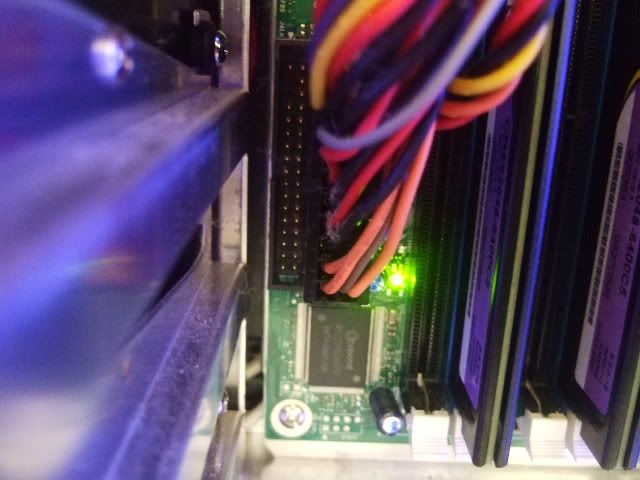
here is pictures of my old hdd and my new PC motherboard, near the hdds

DSCF7095.jpg


DSCF7091.jpg


i tired to hook up the cable from my old hhd to this port but it wouldn't fit.
 
Yeah thats your floppy port. Should have one like it but longer with 39 pins.
The top one is a Floppy the bottom 2 are IDE.
motherboard48114.JPG
 
That's orecisely what you are looking at is the main socket for the floppy cable still provided on even the latest boards out. But unlike the other comment made earlier about doing something the wrong way you can download the freeware Disk Copy 2.3 from http://www.partition-tool.com/personal.htm down on the left column under data recovery.

The program there is a freeware alternative to Acronis or Norton Ghost both retail softwares. The company also sees a free for home use disk partitioning program to sub for Partition Magic at http://www.partition-tool.com/personal.htm Note this is strictly for MS partition types only.
 
Last edited:
I've looked but i didn't see any 39 pin ports on the motherboard at all.
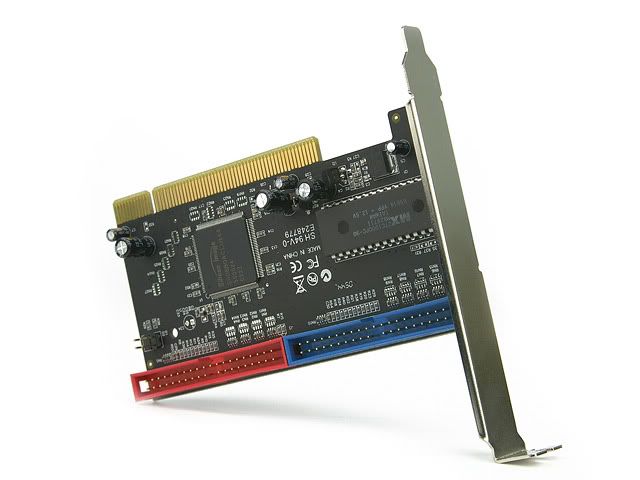
do you think i would need something like this
RC200-spec-640.jpg

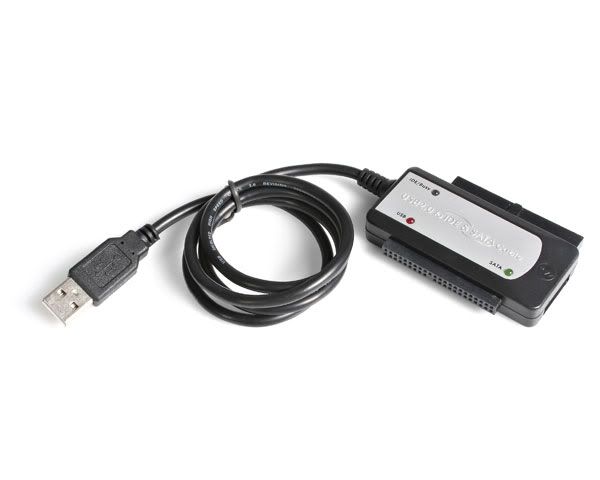
or this
USB2SATAIDEBlarge.jpg
 
Last edited:
You should be seeing one standard ide socket on the board itself. That would be at the end of the cable used for the optical drive. With a cd or dvd generally found at the end of the cable you would use the middle connector there for the hard drive setting the jumper on the back to SA(slave) or CS(cable select).
 
Either one of those should work, the USB cable is probably less hassle to setup but your motherboard should have at least 1 IDE port on it. It may be in use though.
 
It would seem unlikely not seeing at least one optical drive in. Simply look at the cable going into the optical drive and follow that down for the middle connector if that's an ide type drive.

The adapter would be something to consider later if you needed to add in another ide drive. When looking at the board unlike the photo someone else posted earlier the floppy then single ide primary sockets on the board are side by side. The photo you posted earlier needed a wider view to point out how the ide cable would be seen at the top there along the side of the board.
 
Back
Top