How to install secondary Hard drive in my laptop

RyansMiata

New Member
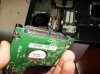
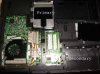
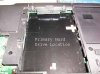
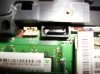
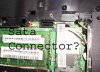
Hey guys, I have a secondary spot (see pictures) for another hard drive in my laptop. Now it does not have a connector like the primary spot but there is a SATA connector close by, so I am guessing I need to connect it to that... Here are some quick pictures can someone tell me exactly what I would need to connect the hard drive. There is even a case for the hard drive to screw onto then into the laptop... If you need anymore information or pictures just ask.

Thanks
 

Attachments

  • Hard Drive.jpg
    Hard Drive.jpg
    41.1 KB · Views: 1,694
  • Primary Secondary Far.jpg
    Primary Secondary Far.jpg
    44.5 KB · Views: 1,326
  • Primary Showing connectors.jpg
    Primary Showing connectors.jpg
    40.4 KB · Views: 1,305
  • SATA close.jpg
    SATA close.jpg
    35.4 KB · Views: 1,306
  • Sata Other picture copy.jpg
    Sata Other picture copy.jpg
    55.1 KB · Views: 1,286
It's probably easier to check themake/model of your laptop and see if it actually supports a second drive. Just because it looks like there may be a spot for it doesn't men that's actually what it's for.

The port you have a picture of doesn't seem to go anywhere though it does look like an SATA port.
 
I agree with cromwell, a lot of manufacturers use the same chasis for different models so yours may not actually support a second drive just because the bay is there. That sata port is peculiar considering laptop 'SATA' connectors for hard drives dont look like their desktop counterparts. Is there a sata power cable in there somewhere?
 
Hmm well I wonder why they would give the hard drive case as well (see second pic).. its weird.. Maybe in another model they had a connector like the primary one.. Weird how the sata connector is nearby and there is a 2 prong power input beside the sata.. Im going to open it up some more to see if I can find anything else..
 
Sorry for the triple post BUT I just had a good long look at those two connectors and with my flashlight and magnifying glass I notice it says SATASGN1 below the black SATA connector and SATA PWR 1 to the left of the white connector... Ever seen those cables and where can I get them!
 
Call Acer if ther is a chassis required. I have a Dell Studio laptop with a second drive bay but I would have to order a chassis and connector to make it work, can't understand why they just don't include it when you buy it.
 
I e-mailed ACER and they were no help at all explaining they dont have the knowledge required to answer my question... And said it would cost me if I wanted help over the phone??... Anyways I will probably just buy a USB Hard drive setup as its going to be taken apart and going to a custom use in my van.
 
When I got my current HP laptop, there was a secondary slot but I had to order a mini sata to regular sata adapter.

The site I got it from sold the cable, a caddy that surrounds the hard drive with 4 rubber shock absorbing feet, and screws.

It was $38.55 usd., but I just looked and they don't seem to have kits for ACER.

Kinda dumb that these manufacturers dont include the cables we need to install the 2nd drives.
 
I e-mailed ACER and they were no help at all explaining they dont have the knowledge required to answer my question... And said it would cost me if I wanted help over the phone??... Anyways I will probably just buy a USB Hard drive setup as its going to be taken apart and going to a custom use in my van.
 
Back
Top