How to install Windows 7 from a USB drive

Don't be hating on Windows 7 now. You mac lover :P I'm kiddin :)

I duno.. I'm sure it'd do OK. 1GB of RAM with a 1.60GHz cpu... I'd like to try it to see how well it works.
 
Hmm, Well ill have to look at that for my school. We just bought 30 of them for a new school were turning up and win 7 has way more group policies then xp.

Plus I don't hate 7, I have it installed on my comp atm :). just am waiting for it to release
 
Good instructions on how to install Windows 7 on your Netbook.

That tutorial didn't work for me.

This is the only one that did. Basically the same, except this one
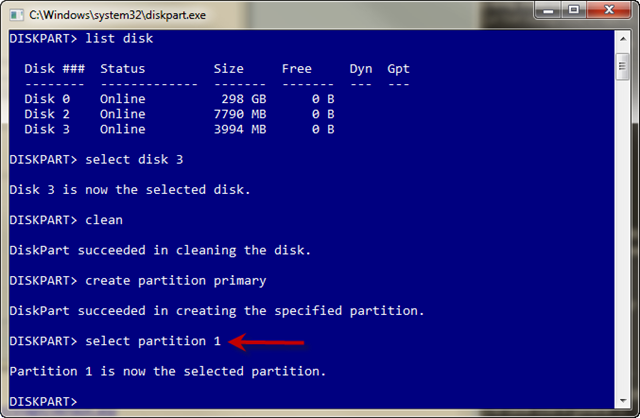
re-selects the partition after creating it.


This can only be done from Vista, as Diskpart in XP doesn't
recognize USB drives.

I hope someone finds this as useful as I do.

You will need at least a 4GB USB key to fit the entire contents of the Windows 7 DVD.
You need to format this disk using DISKPART. Follow the steps below:


1. Insert the Windows 7 DVD into the optical drive on your computer.
2. Insert the USB drive and make sure you can see it in explorer.
3. Run DISKPART – I’ll use screenshots to explain the rest of the steps.

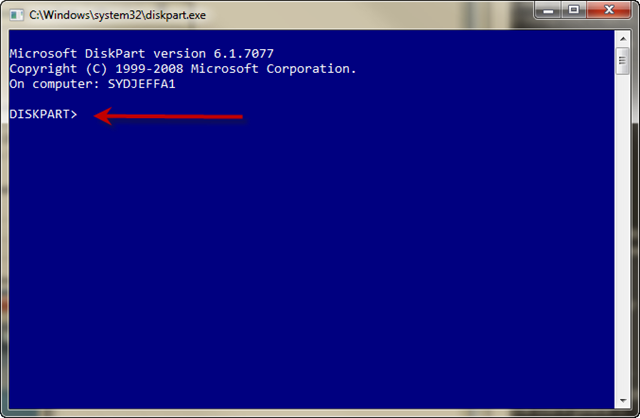
* At a command prompt type DISKPART
diskpart1_thumb.png


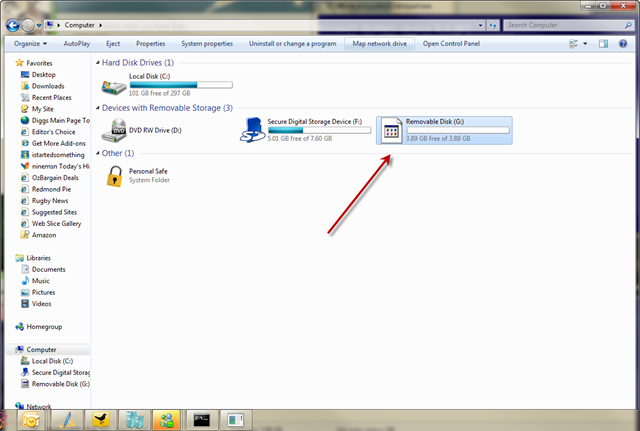
* Now before you do anything else make sure you have inserted the USB drive and you can see it in explorer.
diskpart2_thumb.png


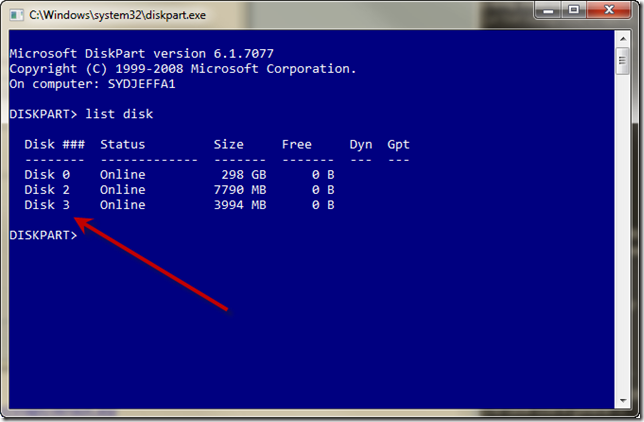
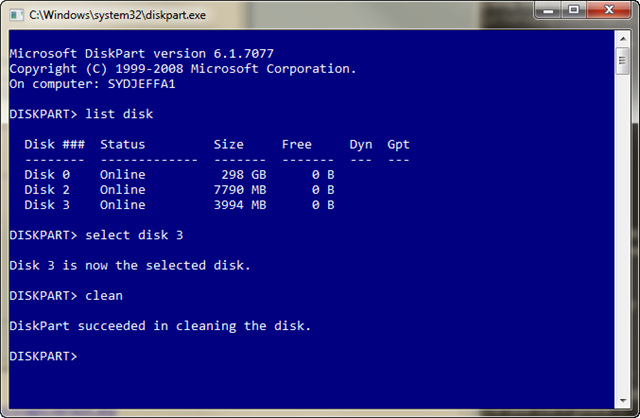
* Type LIST DISK to see a list of available disks
diskpart3_thumb.png


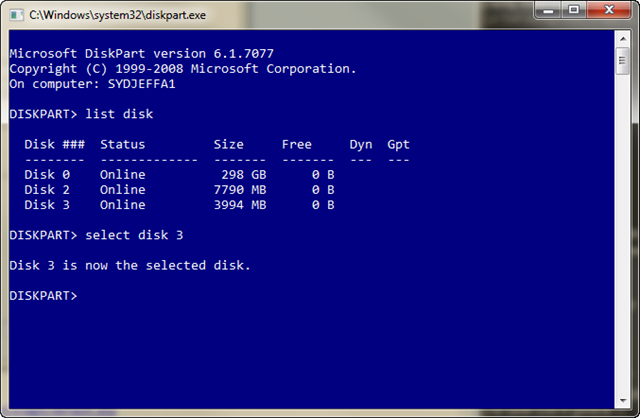
* Type SELECT DISK 3 ( in my case it happens to be disk 3)
diskpart4_thumb.png


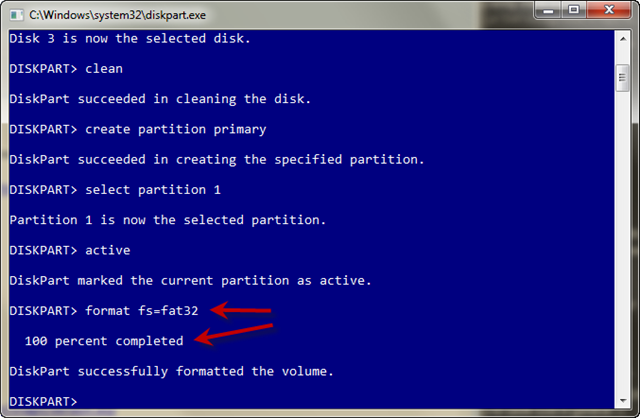
* Type CLEAN which will wipe the disk
diskpart5_thumb.png


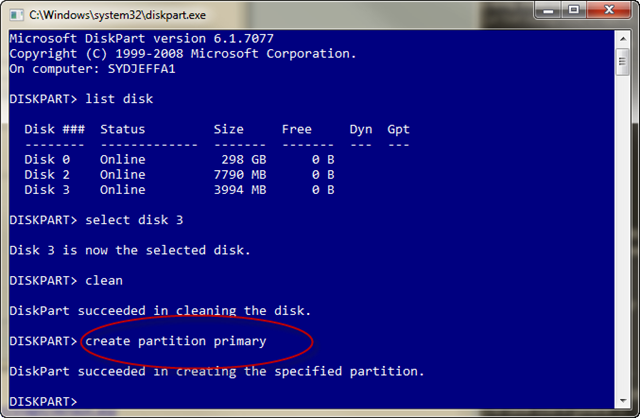
* Type CREATE PARTITION PRIMARY
diskpart6_thumb.png


* Type SELECT PARTITION 1
diskpart7_thumb.png


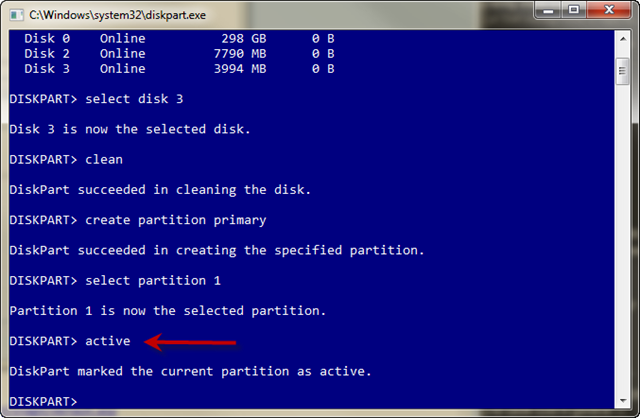
* Type ACTIVE to make this partition the active partition.
diskpart8_thumb.png


* Type FORMAT FS=FAT32 (wait for it to get to 100% complete)
diskpart9_thumb.png


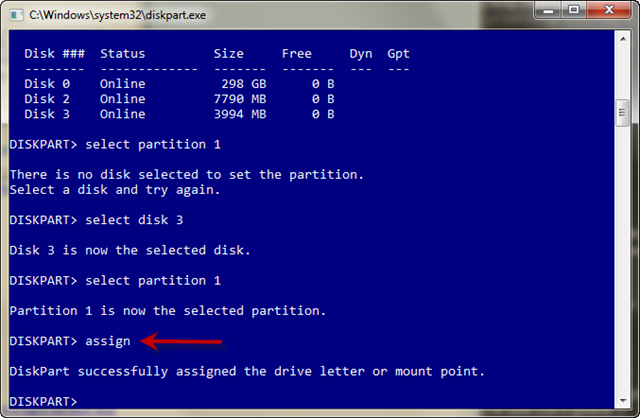
* Type ASSIGN so a drive letter gets assigned in explorer.
diskpart10_thumb_1.png


Now you should have a USB disk ready for the Windows 7 source files.

Load your DVD and copy the entire contents to the root of the USB drive.
Once that is done you will have a bootable USB disk ready for you to build
your machines much much faster with Windows 7.

http://blogs.technet.com/jeffa36/ar...ng-up-a-usb-bootable-device-for-installs.aspx
 
That's the same as Vista, but for me, there's no Disk 2 and 3...just 0 (which looks to be the Hard Drive). What do I do?
 
Just thought id add this because not many people seem to know about it, a piece of software called UNetbootin its an incredibly useful piece of software that lets you take any iso file and put it on a flash drive its so easy and it does everything for you and best of all its free for windows and linux.

Heres the website http://unetbootin.sourceforge.net/ download is at the top.
 
Back
Top