HP desktop help

astinkybumb

New Member
just picked up my parents desktop and they told me the monitor wasnt responding when it was turned on. its got an ATI card in it. not sure what it is but its old. probably 5+ years old they asked me to look at it.

the fans spin up and so does the hard drive. including the fan on the graphics card.
here is the video i took of it. would like some suggestions before i just go buying parts to try and fix it.

http://www.youtube.com/watch?v=RelcfHwDvvc
 
sounds like the same thing that happened when my psu went out, not saying it is since the last time i said that i got yelled at ;)
 
The only thing that I would suggest is try a video card you have lying around, or if there is onboard video use that. If you don't have an extra video card lying around and you can't borrow a friend's than I suppose I would suggest buying an old cheap one and trying that.
 
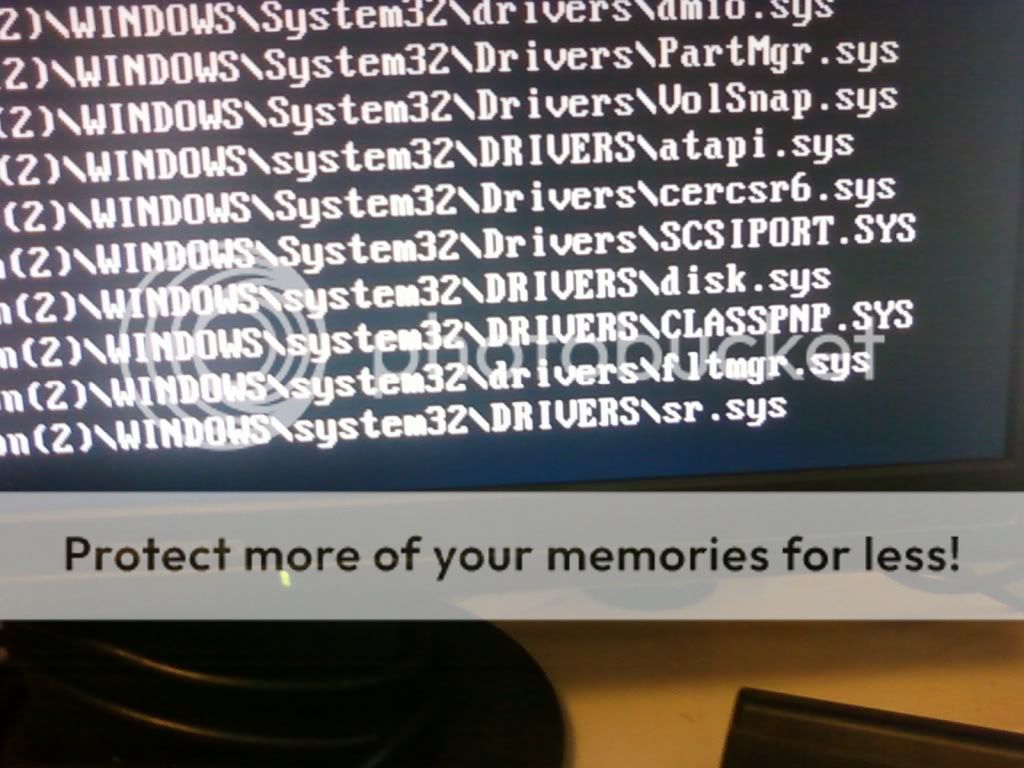
alright swapped the graphics card that was the problem now i have a new problem. every time i go to boot xp freezes... i tried in safe mode and it starts to boot the different things and it stops after these in the pic. i recently defraged and scanned then restarted. then installed an antivirus and i had to restart and now it wont boot past this.
SSPX8760.jpg
 
reseat, pull and plug, your ram, generally the fastest, easiest, and one of the most common fixes, but doubt it in this case but can't hurt, just make sure the comp is unplugged and hit the power a few times to discharge residual energy.
 
just tried that and that didn't work... its like during the boot i gets to that part and freezes like its looking for a certain driver or something but that didn't work it still did the same thing. also dont have the recovery cd...
 
Last edited:
however i do remember seeing a recovery partition oh the H: partition can i optimize this in any way? or should i find a random recovery cd and attempt it?
 
Back
Top