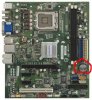
Hello everyone, I am having a problem with my computer. I have never fixed or built one before but would like to learn how to fix and upgrade this myself. Here is the computer http://h10025.www1.hp.com/ewfrf/wc/...foCategory&cc=us&dlc=en&lc=en&product=3644689
Little less than a year ago the hard drive failed. It was taken to a computer store and they replaced the factory samsung hard drive with this http://www.newegg.com/Product/Produ...na&AID=10521304&PID=4169961&SID=1ve11xqvgh6u8 Everything else is factory. I had to get HP to mail me the OS window vista disk and the computer store loaded that into the new hard drive. It has worked fine till now.
Now the computer will not bring up a disply on the monitor. The power button lights up and I can hear the fans running but nothing happens on the monitor. Its used to come on when I would just move the mouse. I hooked another computer up to the monitor and it works fine so I think the monitor and cables are good to go.
I think the mother board is bad. There isnt a video or sound card so it must be built into the board.
I would like to fix and upgrade this myself. I think the processor I want to use is this http://www.newegg.com/Product/Produ...-na&AID=10521304&PID=4169961&SID=e7ilu4scijo9
Maybe this board http://www.newegg.com/Product/Produ...na&AID=10521304&PID=4169961&SID=1ruby4k2csm4t
Maybe this memory http://www.newegg.com/Product/Produ...-na&AID=10521304&PID=4169961&SID=jdvi2t56pvey
If these are bad choices please make a recommendation.
Will all of this work together? Will it fit into the case? Do I need to do anything with the hard drive the computer store installed or the OS? Do I need to upgrade the power supply and if so what do you recommend? Do I need any other materials like heat paste or spacers for the board? Will the computer be faster with all this?
Am I wasting time and money and should start from scratch? I dont play any high graphic games but may want to in the future. I just search the web, watch videos and play games on sites like pogo. Any help would be great!
Little less than a year ago the hard drive failed. It was taken to a computer store and they replaced the factory samsung hard drive with this http://www.newegg.com/Product/Produ...na&AID=10521304&PID=4169961&SID=1ve11xqvgh6u8 Everything else is factory. I had to get HP to mail me the OS window vista disk and the computer store loaded that into the new hard drive. It has worked fine till now.
Now the computer will not bring up a disply on the monitor. The power button lights up and I can hear the fans running but nothing happens on the monitor. Its used to come on when I would just move the mouse. I hooked another computer up to the monitor and it works fine so I think the monitor and cables are good to go.
I think the mother board is bad. There isnt a video or sound card so it must be built into the board.
I would like to fix and upgrade this myself. I think the processor I want to use is this http://www.newegg.com/Product/Produ...-na&AID=10521304&PID=4169961&SID=e7ilu4scijo9
Maybe this board http://www.newegg.com/Product/Produ...na&AID=10521304&PID=4169961&SID=1ruby4k2csm4t
Maybe this memory http://www.newegg.com/Product/Produ...-na&AID=10521304&PID=4169961&SID=jdvi2t56pvey
If these are bad choices please make a recommendation.
Will all of this work together? Will it fit into the case? Do I need to do anything with the hard drive the computer store installed or the OS? Do I need to upgrade the power supply and if so what do you recommend? Do I need any other materials like heat paste or spacers for the board? Will the computer be faster with all this?
Am I wasting time and money and should start from scratch? I dont play any high graphic games but may want to in the future. I just search the web, watch videos and play games on sites like pogo. Any help would be great!
Last edited: