Install Windows From USB Stick

Bodaggit23

Active Member
I've tried to get Windows 7 to boot from my 4Gig USB stick more times than I care to recall.

For all my attempts, I've been successful once.
Using the HP USB Boot Utility I was able to get Win7 Beta installed onto my
laptop, but since then I've reformatted and used it for storage.

Now, a friend has a Mini 9 that he wants the Beta on, and neither of us can get it to work.

I don't know what I did that one time, but I cannot recreate the conditions.

Discussion is welcomed.
 
I found a tutorial that works.

This can only be done from Vista, as Diskpart in XP doesn't
recognize USB drives.

I hope someone finds this as useful as I do.

You will need at least a 4GB USB key to fit the entire contents of the Windows 7 DVD.
You need to format this disk using DISKPART. Follow the steps below:


1. Insert the Windows 7 DVD into the optical drive on your computer.
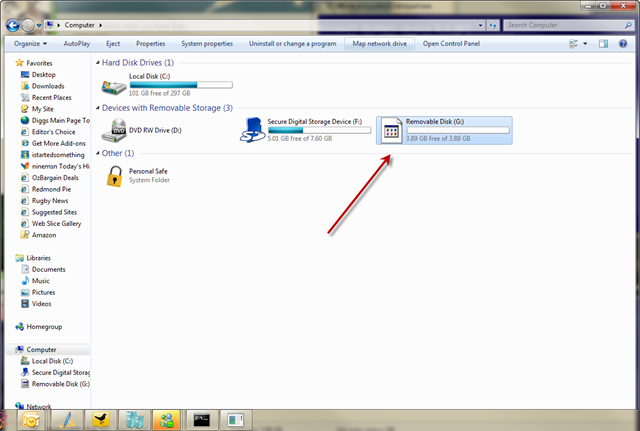
2. Insert the USB drive and make sure you can see it in explorer.
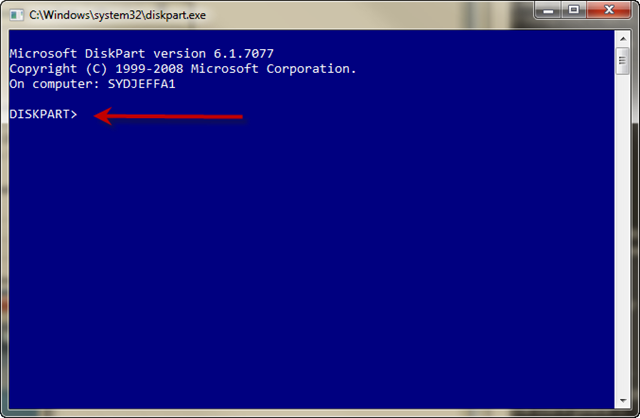
3. Run DISKPART – I’ll use screenshots to explain the rest of the steps.

* At a command prompt type DISKPART
diskpart1_thumb.png


* Now before you do anything else make sure you have inserted the USB drive and you can see it in explorer.
diskpart2_thumb.png


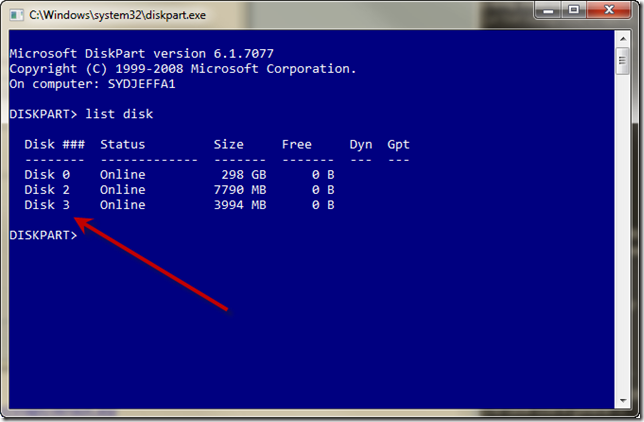
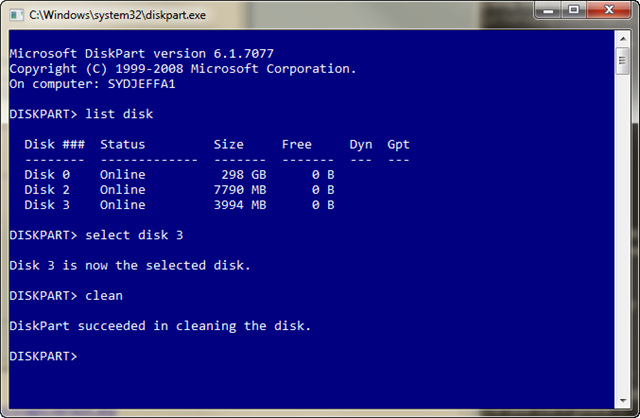
* Type LIST DISK to see a list of available disks
diskpart3_thumb.png


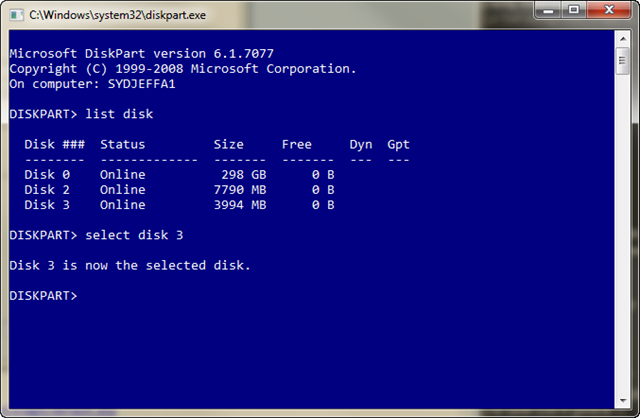
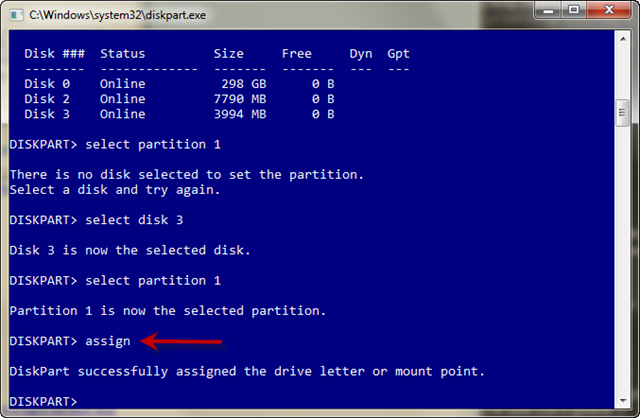
* Type SELECT DISK 3 ( in my case it happens to be disk 3)
diskpart4_thumb.png


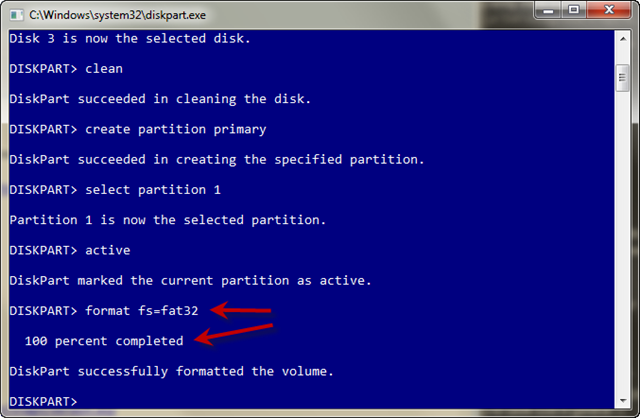
* Type CLEAN which will wipe the disk
diskpart5_thumb.png


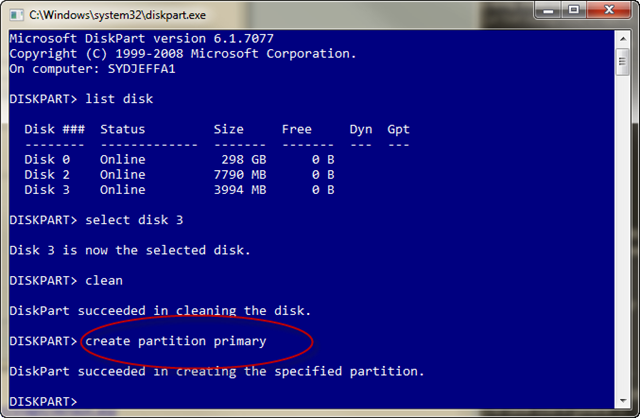
* Type CREATE PARTITION PRIMARY
diskpart6_thumb.png


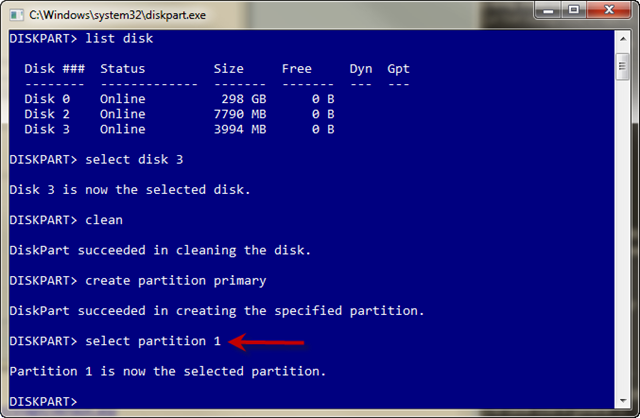
* Type SELECT PARTITION 1
diskpart7_thumb.png


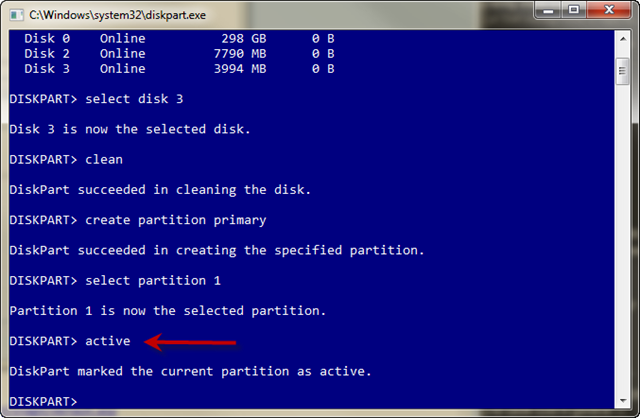
* Type ACTIVE to make this partition the active partition.
diskpart8_thumb.png


* Type FORMAT FS=FAT32 (wait for it to get to 100% complete)
diskpart9_thumb.png


* Type ASSIGN so a drive letter gets assigned in explorer.
diskpart10_thumb_1.png


Now you should have a USB disk ready for the Windows 7 source files.

Load your DVD and copy the entire contents to the root of the USB drive.
Once that is done you will have a bootable USB disk ready for you to build
your machines much much faster with Windows 7.

http://blogs.technet.com/jeffa36/ar...ng-up-a-usb-bootable-device-for-installs.aspx
 
Last edited:
Back
Top