installing game and directx ?

eddie1920

New Member
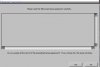
Well not to long ago my mother bored was replaced. and HD formatted. I went to install a game that was on my computer before it was worked on. now i get some weird things. 1. when i have to agree to the terms and use there is no font/text to review what so ever. Yes I agree and then i get a box saying that i need to install directx 9.0c , which iv done for sure and iv tested it too (dxdiag)

Still no go. it does the same thing. and i also tryed to install it on another computer and the terms and use font/text was there and it did install. any suggestions?:confused:
 

Attachments

  • zfdsf.JPG
    zfdsf.JPG
    17.5 KB · Views: 61
  • cfgs.JPG
    cfgs.JPG
    15.4 KB · Views: 63
Try downloading the latest version of directx. Microsoft doesn't call them 9c or 9d or whatever, now the new versions are based on the release date. Find the most recent one on the microsoft website.
 
hey i found the fix. here is how to fix.

1. put game in Disc Drive,
3. open My computer
4. right click On the game(NFSMW) select open
5. find The Autorun icon the one that power's up the game and right click it
6. in the Drop down box go to "properties"
7. in properties box Go to the "Compatibility" tab
8. "compatibility mode. click the Box "run this program in compatibility mode for"
9. select Windows 2000(or whatever system u are running Or closest to it.

then install game and If you get a box saying the disc aint in and please insert. just run the autorun icon again and go to update. once updated the game all should work.
 
Back
Top