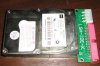
laptop 2.5 IDE hard disk to internal desktop converter question

niko

New Member
Hello guys. I bought form ebay a converter from 2.5 laptop ide to desktop. The link is this
http://cgi.ebay.com/2-5-Laptop-3-5-...118?pt=LH_DefaultDomain_0&hash=item5ae13deefe
Now the thing is, i dont know which side to connect it to my laptop disk. I am afraid if i put it the other way, i will burn my disk. The seller doesnt respond. I cant figure the right way, since, in the converter, there isnt that place where there isnt a hole to receive the pin, the characteristic of ide. so it goes to the laptop hdd, either way or reversed (if i turned it upside down). dont know if you guys understood. if you did, any ideas? if i connect it the other way, will i burn my hdd?
 
As John has said, attach the 2.5" drive to the smaller pins at the back of that adaptor with the label up so that you can see both the label on the drive and the letters on the adaptor (HX-IDE-K) at the same time.
 
guys i dont know the side of the adaptor! i dont know which side is up and which is down. basically its a bare pcb
 
Ok no problem

In this link here look at the picture that has bixnet.com written on it.

http://www.bixmart.com/160GB-25-Internal-IDE-Notebook-Hard-Drive-_p_31.html

The picture is showing the drive the right way up so that the label is on the top.

Simply push the drive into the back connector in the picture that you provided earlier.

You can then attach your IDE cable and molex to the front of that little mini circuit board to the motherboard.
 
Last edited:
wolfeymole thanks. but i havent described it good so you can understand it.
lets say i hold the hdd with the label up. this is natural to do. ok
now, i can connect to it the pcb BOTH WAYS! thats the problem. the connector on the pcb can connect to the (good side) of the hdd both ways! and you know that IDE misses a pin in the back? Well, the connector has hole even there. so i dont know which side is up and which is down. the probelm is in the pcb, not the hdd
 
i am connecting it to the back. but on that back, ONLY ON THAT CONNECTOR, it can be connected bothways. imagine it connecting. now imagine i remove it. now imagine i take the pcb and rotate it so that the connector i connected it before is in the same side, but the pcb is reversed (the down is the up). now if i try to connect it on the connector (the one i connect it before - just reversed) it can go bothways... graphic stuff can be difficult to be understood by visualizing. i am terrible at visualizing myself
 
On the PCB for the adapter, on the end that attaches to the 2.5" drive, you can see there are some unused traces. Those are there to be used if the power pins on the drive are to be used. Orient the connector so that those unused traces are lined up with the unused power pins on the drive connector.
 
LGH-IDE-K 2.5" to 3.5" IDE convertor

Hi,
I also bought 2.5" IDE to 3.5" IDE convertor. My laptop was so old so I pull my laptop hard drive out which is 2.5" IDE. I wanted to attached that drive with my new desktop hard drive because I got some important data on it and my old laptop doesn't any more. So I order for 2.5" IDE to 3.5" IDE hard drive convertor card. Today I got it it is LGH-IDE-K on it. I open my desktop and put parallel data cable with 40 pin and power from desktop I attached my laptop hdd to other end but nothing happened. I put laptop drive label on up and adapter label also on up. Nothing happened, would any told me how to work with this card or its comes with manufacture fault.
thanks,
john
 

Attachments

  • LGH-IDE-K Adapter 2.5hdd.jpg
    LGH-IDE-K Adapter 2.5hdd.jpg
    61.2 KB · Views: 207
Last edited:
Back
Top