
You are using an out of date browser. It may not display this or other websites correctly.
You should upgrade or use an alternative browser.
You should upgrade or use an alternative browser.
Laptop is slow and I am not sure why!
- Thread starter angelbird
- Start date

I also suggest that you download and run Ccleaner from here and set it up with the options in the attached image and click on run cleaner.
http://www.filehippo.com/download_ccleaner/
Uninstall the video speedbit program. I also recommend to download and install a free virus program such as AVG, AVIRA, AVAST or Microsoft Security Essentials. Look in this thread for the programs and links to download them.
http://www.computerforum.com/166728-list-security-programs-use.html
http://www.filehippo.com/download_ccleaner/
Uninstall the video speedbit program. I also recommend to download and install a free virus program such as AVG, AVIRA, AVAST or Microsoft Security Essentials. Look in this thread for the programs and links to download them.
http://www.computerforum.com/166728-list-security-programs-use.html
Attachments
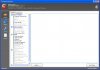
I also suggest that you download and run Ccleaner from here and set it up with the options in the attached image and click on run cleaner.
Uninstall the video speedbit program. I also recommend to download and install a free virus program such as AVG, AVIRA, AVAST or Microsoft Security Essentials. Look in this thread for the programs and links to download them.
Adobe 6.0 won't download. It says: error 1327. Invalid Drive G:\ ...I don't have a drive G. :/
I reisntalled mcafee free trial so you suggest I uninstall that and replace it with one of the free programs?
the ccleaner links directs me to registry reviver link, is that the correct one?
Last edited:
My connection completely stopped working after I uninstalled mcafee but thanks goodness it's back
I've done everything except adobe 6 still won't uninstall. it's still got the error message.
I scanned my laptop with avg.
ran Ccleaner but i'm not sure what to do now that scan is complete. It says that it has removed some files.
At the moment no complaints. At this minute no complaints, I just hope it holds up if I decide to watch a video, or I hope that it doesn't just shut down suddenly like it's done numerous times
Oh, since installing hijack this, every time the laptop starts up it goes to the dark window where you have to click on either: start normally with windows xp or other options. I hope that's not an indication my laptop will crash?
With all this more space has been saved.
Thank you!
I've done everything except adobe 6 still won't uninstall. it's still got the error message.
I scanned my laptop with avg.
ran Ccleaner but i'm not sure what to do now that scan is complete. It says that it has removed some files.
At the moment no complaints. At this minute no complaints, I just hope it holds up if I decide to watch a video, or I hope that it doesn't just shut down suddenly like it's done numerous times
Oh, since installing hijack this, every time the laptop starts up it goes to the dark window where you have to click on either: start normally with windows xp or other options. I hope that's not an indication my laptop will crash?
With all this more space has been saved.
Thank you!
Did you have a drive G at one time? Sounds like you did and you installed your programs from it, so that means your uninstall log is now corrupted.
You can edit the registry so that you can uninstall everything correctly. Follow the instructions on this page.
http://kb.drivershq.com/KnowledgebaseArticle50060.aspx
You can edit the registry so that you can uninstall everything correctly. Follow the instructions on this page.
http://kb.drivershq.com/KnowledgebaseArticle50060.aspx
Did you have a drive G at one time? Sounds like you did and you installed your programs from it, so that means your uninstall log is now corrupted.
You can edit the registry so that you can uninstall everything correctly. Follow the instructions on this page.
http://kb.drivershq.com/KnowledgebaseArticle50060.aspx
the laptop was given to me so it's possible there might've been a g drive then. :/
Ok doing the instructions now...........
I don't have the CD.Then if it was given to you, you don't really know what else is wrong with it. Providing you have reinstallation cd's, I would format and reinstall the operating system so that you know you are starting fresh.
I tried to follow the steps above but there's only a C drive there and when I right click that, there is no "change drive letter an path" option.

sigh, the main problem now seems to be that i get disconnected from the internet every 10-15 mins or less. I have to reboot my laptop each time for it to work again.
I ran malware, spybot, avg over and over again, no malwares or anything like that. i don't know what the problem. could be the internet provider? i'm not sure because when I get disconnected all the lights are still perfect on the modem/router.
i'm getting frustrated.
I ran malware, spybot, avg over and over again, no malwares or anything like that. i don't know what the problem. could be the internet provider? i'm not sure because when I get disconnected all the lights are still perfect on the modem/router.
i'm getting frustrated.
I don't have the CD.
I tried to follow the steps above but there's only a C drive there and when I right click that, there is no "change drive letter an path" option.

That's because you were in disk defragmenter, not disk mangement.
You need to reinstall windows since this system was given to you so that you know its a fresh install and no issues, which it seems you have plenty of.
lolThat's because you were in disk defragmenter, not disk mangement.
You need to reinstall windows since this system was given to you so that you know its a fresh install and no issues, which it seems you have plenty of.

Thanks for your help. a lot has helped.