My Amazon Cart Changed

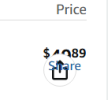
This appeared over the prices in my Amazon cart yesterday and I don't know how to get rid of it:
1779215135154.png
Anyone got any ideas? Their A.I doesn't work either and neither does their Customer Service page. Even the area wher I can log out is gone!

Mark
 
Last edited:
It looks like a formatting issue. The icon is the Share icon, which you have the word Share also...

is this on a computer or cellphone/app?
 
Hi Couriant!
Thanks for the help! This is happening on my Amazon cart. Like I said, also on my Amazon page I can't access their A.I, use their help section, and the area to click on signing out is gone too!
This is happening on my Windows 11, HP All-In-One 24" Desktop PC, with Google Chrome as my browser. You also might need to know for the last hour I ran a System Restore bedfore checking to see if anyone replied here. By the way, running a System Restore didn't work.
Mark
 
Last edited:
Just so you know, I will be leaving for the day soon. So if you reply I will definitely be back tomorrow to answer anymore questions you may have. My online hours are usually around 10:30AM to 3PM PST weekdays only.

Mark
 
Try resetting chrome or see if it works using a different browser like edge. If it does then its something with. Chrome.
 
To add to Johnb's suggestions, try New Private Tab / Incognito mode and try Amazon again. This should not load any extensions that may cause formatting issues. If the issue does not appear with the New Private Tab, and in other browsers, then it would be some caching issue.
 
Hi guys!
I tried using another browser (Firefox) to go to Amazon.com. I do not use Edge. I signed into Amazon and checked my shopping cart, and those "share" icons 1779299411534.png over the prices did NOT appear. Sorry for the dumb question but can you please tell me how to reset Chrome?

Also, I don't know how to get a "New Private Tab" or go into "Incognito Mode" either. Sorry. :(

Mark
 
Here's an update: I found the Ingognito mode by accident and typed in the Ammazon address. From there I opened my cart and that too did NOT have that share icon over the prices.
Mark
 
2nd Update: I fixed it! That share icon no longer appears over the prices in my Amazon shopping cart. I figured out how to reset my Google Chrome and when I checked my cart after doing so the share icon did NOT appear! Thank you both so VERY much for steering me in the right direction! I appreciate both of you very much, and you know I will be back the next time I have a problem.....and we both know that I will.
Mark
 
Final Update: After just telling you both that I reset my Chrome browser, I started reinstalling some extensions. Turns out one of my new extensions cause that share icon to reappear on my shopping cart prices so I deleted several of them. I don't remeber all of their names but one was a file converter, one was a background remover, and another one was an ad blocker. Anyway, I checked my Amazon shopping cart again after doing this and it was fine!
Thank you so much again for the suggestions which steered me in the right direction!
Mark
 
I was just gonna say that most likely its caused by a bad extension for chrome. Be careful installing extensions as they may not be safe. Also, make sure you scan your system with Malwarebytes to make sure its not infected with anything and it should also detect any bad extensions installed. Quarantine anything it finds.
 
Thanks for the advice johnb35! Those were extensions I didn't really need anyway. I do run Malewarebytes, and also it's Anti Root-Kit scan every month. And, my Windows Defender runs occasional scans all of the time.

Talk to you again next time!
Mark
 
Back
Top