
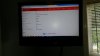
My computer will not display properly on my tv. The tv picture completely runs off the screen. my computer only has 3 resolution settings for the laptop display and 5 on thetv display however only 2 of the available 5 works. I get a messed up screen on the other 3 settings on the tv display. Please help
Computer Name (Model): HP 15 g010dx
Graphics Card: AMD Radeon(TM) R4 Graphics
Current Resolution: 1366×768
Refresh Rate: 60
Version:13.351 0.0 (3/11/2014)
Graphics Memory: 2,033 MB
Aero Status: Enabled
TV Name: Westinghouse SK-32H240S 32" LCD TV
Native Resolution: 1366×768
Resolution: 720p
Aspect Ratio: 16:9
Supported Computer Resolution: 800×600 (SVGA) Inthis case I am connected via HDMI which is my only available method of connectivity.
PLEASE HELP!!!!!!!!!!!!!
Computer Name (Model): HP 15 g010dx
Graphics Card: AMD Radeon(TM) R4 Graphics
Current Resolution: 1366×768
Refresh Rate: 60
Version:13.351 0.0 (3/11/2014)
Graphics Memory: 2,033 MB
Aero Status: Enabled
TV Name: Westinghouse SK-32H240S 32" LCD TV
Native Resolution: 1366×768
Resolution: 720p
Aspect Ratio: 16:9
Supported Computer Resolution: 800×600 (SVGA) Inthis case I am connected via HDMI which is my only available method of connectivity.
PLEASE HELP!!!!!!!!!!!!!
Attachments
Last edited:


