hi, this is my 1st post and i really need some help.
i am working on my friends laptop. it is a compaq presario c700.
the hardrive stopped working so i replaced it with a wd 320gb, 1st time changing one and it was piece of cake.
originally loaded it with xp but had trouble finding drivers, then some guy wrote somewhere that, that notebook is not compatible and hp dont have xp drivers, he said u might find them but will have trouble with sound and other things.
so they only had oem version of vista home basic 64 bit, so i installed that.
in device manager, under unknown devices there were 4 yellow exclamation mark.
the 1st being ethernet and the other 3 unknown.
i looked on hp and googled and found drivers for not exactly c700, cos they didnt have it but c700 with maybe some other letter after it like c700em or similar.
downloaded them to a flash drive and plugged it into the c700 and just double clicked on each driver and some seemed to install better than others. now the sound works on the speakers and i think graphics and chipset installed, also i didnt install chipset 1st:/
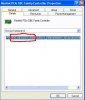
anyway so the only yellow exclamation mark left now is for unknown devices ethernet, i used a program called halfdone and it told me it was atheros communications wireless, tried a driver and it didnt work, so no wireless and not even when i plug the ethernet cable into it. if i can get internet goin i can use an auto driver checker program. thanks
i am working on my friends laptop. it is a compaq presario c700.
the hardrive stopped working so i replaced it with a wd 320gb, 1st time changing one and it was piece of cake.
originally loaded it with xp but had trouble finding drivers, then some guy wrote somewhere that, that notebook is not compatible and hp dont have xp drivers, he said u might find them but will have trouble with sound and other things.
so they only had oem version of vista home basic 64 bit, so i installed that.
in device manager, under unknown devices there were 4 yellow exclamation mark.
the 1st being ethernet and the other 3 unknown.
i looked on hp and googled and found drivers for not exactly c700, cos they didnt have it but c700 with maybe some other letter after it like c700em or similar.
downloaded them to a flash drive and plugged it into the c700 and just double clicked on each driver and some seemed to install better than others. now the sound works on the speakers and i think graphics and chipset installed, also i didnt install chipset 1st:/
anyway so the only yellow exclamation mark left now is for unknown devices ethernet, i used a program called halfdone and it told me it was atheros communications wireless, tried a driver and it didnt work, so no wireless and not even when i plug the ethernet cable into it. if i can get internet goin i can use an auto driver checker program. thanks