Need info on TV tuner

Fatback

VIP Member
Well my friend wont's to sale me a 42" plasma TV for $200 which is a really good deal but it does not have cable hook ups WTF. So I was think about getting a TV Tuner for my computer and hooking it up to the TV to get cable but I won't to know how the whole thing works first. Is it like have regular cable will the channels be the same as watching it on a normal tv. Which is the best program to use I heard windows media center is good. Just give me any info you can about them.
 
I haven't purchased my TV tuner card yet - but I've done alot of research - and think I have a grasp pretty well.

You have to first choose between Digital and Analog.

If you are using CATV - you have a choice - if you're using Antenna - everything's Digital. So your choice of input in your card would depend on your source.

If you are taking a source direct from a cable line ( Pre-Cable Box ) - you'll order either Analog / or Digital signal from the Cable company to feed to your Television.

CLEAR QAM - is generally needed in order to display your CATV source direct from cable up to about 100 - 125 direct from your CATV company. Source would depend on if you ordered Digital or Analog from you CATV company. Many cards wil take one source - and split it - and give you two tuners to watch 2 separate channels from this source. You can take a source direct from your cable box ( what I'm probably going to do ) for an analog signal if you want to use your cable remote.

ATSC = is analog broadcast signal. I don't think this means much since the digital changeover

NTSC = is digital broadcast. It's the only way you can get a High Def signal to your Television right now - as much as I can understand. But you need an over air antenna to get the signal.

AverMedia looks like the most bang for your buck - from what I have read on NewEgg's reviews - Works well with Vista Media Center and Win 7 - not sure about Win XP so much.
( This is a good price - usually goes for 85 bucks )

White Box = Just a card. ( you may or may not want a Windows Media Center remote with it - they sell for around 20 bucks )

Retail box - usually come iwth Remote / Tuner card / and cheap antenna.

Powercolor ATI-550 looks like the cheapest good picture technology for Analog signal. 25 Bucks on Amazon for White Box version. The technology has been around for a couple years - but from what I was able to gather - the best tech for clear pic Analog signal.
http://www.newegg.com/Product/Product.aspx?Item=N82E16815309007

Here's a website that's useful.
http://www.hdtvtunerinfo.com/

When I asked here - and at Tomshardware - I didn't get many replies on TV tuners.

 
Last edited:
I haven't purchased my TV tuner card yet - but I've done alot of research - and think I have a grasp pretty well.

You have to first choose between Digital and Analog.

If you are using CATV - you have a choice - if you're using Antenna - everything's Digital. So your choice of input in your card would depend on your source.

If you are taking a source direct from a cable line ( Pre-Cable Box ) - you'll order either Analog / or Digital signal from the Cable company to feed to your Television.

CLEAR QAM - is generally needed in order to display your CATV source direct from cable up to about 100 - 125 direct from your CATV company. Source would depend on if you ordered Digital or Analog from you CATV company. Many cards wil take one source - and split it - and give you two tuners to watch 2 separate channels from this source. You can take a source direct from your cable box ( what I'm probably going to do ) for an analog signal if you want to use your cable remote.

ATSC = is analog broadcast signal. I don't think this means much since the digital changeover

NTSC = is digital broadcast. It's the only way you can get a High Def signal to your Television right now - as much as I can understand. But you need an over air antenna to get the signal.

AverMedia looks like the most bang for your buck - from what I have read on NewEgg's reviews - Works well with Vista Media Center and Win 7 - not sure about Win XP so much.
( This is a good price - usually goes for 85 bucks )

White Box = Just a card. ( you may or may not want a Windows Media Center remote with it - they sell for around 20 bucks )

Retail box - usually come iwth Remote / Tuner card / and cheap antenna.

Powercolor ATI-550 looks like the cheapest good picture technology for Analog signal. 25 Bucks on Amazon for White Box version. The technology has been around for a couple years - but from what I was able to gather - the best tech for clear pic Analog signal.
http://www.newegg.com/Product/Product.aspx?Item=N82E16815309007

Here's a website that's useful.
http://www.hdtvtunerinfo.com/

When I asked here - and at Tomshardware - I didn't get many replies on TV tuners.

You pretty much lost me but after reading it 3 times I think I figured out what your talking about. Right now I have a cable cord going to my TV and it will be the same one going to the tuner so that would mean I need analog right. I already have cable I just new a Tuner to be able to use it with my new TV.


I'M CONFUSED:confused:
 
First you run a cable from your walljack to your computer. Then you use a media program such as Windows Media Center to configure the TV Tuner. If your cable doesn't require a cable box, you can directly change the channel via Windows Media Center. If your cable requires a cable box, you need to set up an IR Blaster that relays your remote's signal to the cable box.

Finally you connect your computer to your TV via S-video or w/e your TV tuner supports.

OK I have basic cable no box or anything so all I need to do is get a tuner plug my cable in configure it and I'm good to go. What tuner should I get what does it need to have.
 
OK I have gave up the Idea of a TV tuner seems like it a lot of trouble plus I don't won't to have to keep my computer on when I watch TV even though I don't watch a lot of TV my computer runs enough as it is I don't won't to put any more stress on it.

I have moved on to I new Idea so now I am looking for some kind of
adapter/converter/gender changer that will convert a coaxial cable into a DVI,VGA,or Component hook up.

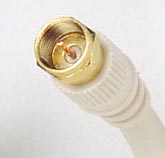
Just in-case you don't know what I'm talking about I'm trying to find something that lets me turn this
rf%20coaxial%20cable.jpg


into this
DVI_adapter.jpg


This
Product-2005623102820.jpg


or these
component-video-cable-5RCA.jpg


does anybody know of something that does this I can't find anything
 
I reckon a HDMI Cable Tuner will do that (if you have them there?) with a DVI adaptor stuck on the back, (this also depends on your monitor / TV) If you cant program the DVI Source then I don't know what you can do.

Do you not have a HDMI input?
 
I reckon a HDMI Cable Tuner will do that (if you have them there?) with a DVI adaptor stuck on the back, (this also depends on your monitor / TV) If you cant program the DVI Source then I don't know what you can do.

Do you not have a HDMI input?

Nope it doesn't have HDMI it is not meant to be a TV its called a plasma monitor but I know I can use it for a TV because my friend had cable on it but he does not know what the cable company use to hook it up with.

Here it is http://www.hdtvsolutions.com/Polaroid-PLA-4205.htm
 
Back
Top