New build complete, but not turning on

drew666

Member
OK so I just finished connecting everything, but when I flip it on everything moves for a split second (all fans) and motherboard flashes red one time then nothing. Any clues as to what it might be?
 
Make sure 24 pin main motherboard connector is securely attached along with the 4/8 pin cpu connector. Also, did you use standoffs in the correct places between motherboard and case?
 
Yes I did and made sure everything was connected right. But just a minute ago I found out that the CPU light came on from the motherboard, so I'm using a i3-6100 and using the same standard cpu fan that came with it and the fan had a little thermal compound on it...... should I get thermal compound and put more on?
 
should I get thermal compound and put more on?
No. That is not the issue here. What I recommend doing is build the pc outside of the case on a piece of cardboard to verify there is no shorting anywhere. The motherboard shorting will give the exact symptoms you are getting.
 
Oh OK, because I just reset the CPU and it still does it. So if it is the mono shorting then I will need another one?
 
No, it just means the motherboard is shorting out against something, thats why I suggested to build it outside of the case. This is very common issue. Either a standoff not where its supposed to be or something else. What motherboard do you have?
 
Well I have msi z170a gaming pro, but I found out that my psu has a different CPU power connection, which is a corsair cx600
 
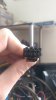
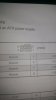
The one I'm holding is from psu and one on paper is mobo
 

Attachments

  • IMAG0173.jpg
    IMAG0173.jpg
    690.7 KB · Views: 3
  • IMAG0176.jpg
    IMAG0176.jpg
    909 KB · Views: 3
So are you saying the cpu power connector isn't connected? If not that's why it won't turn on. That second pic is the cpu connector. It only goes in one way.
 
The 8 pin power cable can be separated into two 4 pins. You only need a four pin to connect. The 8 pin option is only there to provide additional power when over clocking the CPU, however as John said, it only fits one way, and I think it should fit as they're standard.
 
Thanks everyone for your advice but I found out what it was. The stock CPU fan was not sitting properly on the CPU but I got it fixed and my PC powers on now...... buuuut I have another problem. Which I will start a new post.
 
Back
Top