New Router

Twist86

Active Member
So I think my linsys of 5 years just died on me this morning. Shows "no internet" when my systems are plugged into it. Yet soon as plug my PC into the modem I have internet. Did all the resets/restarts etc and nothing.
So I need a new modem but this time I plan to buy a bit better to avoid issues. I am curious does anyone know of a modem that will accept large numbers of IPs (blizzard updates which uses a torrent protocol) that wont lag the network down when 100+ connections hit it?
Biggest issue with the router I had now was when 2 people connected to patch it would lag the router down and after it was finished I had to reset it to "purge" the people still trying to connect. Prefer if the router would just take a clue and do it automatically.

Also looking for 3rd party firmware so I can avoid the crappy stock updates from so many companies. Linksys has by far the worse tech support ever. Also needs to be wired and if possible able to disable all wireless protocols.

Appreciate it :)


*edit*
http://www.newegg.com/Product/Product.aspx?Item=N82E16833124190&cm_re=WRT54G-_-33-124-190-_-Product

This is a good router when flashed with 3rd party right?
 
Last edited:
So I think my linsys of 5 years just died on me this morning. Shows "no internet" when my systems are plugged into it. Yet soon as plug my PC into the modem I have internet. Did all the resets/restarts etc and nothing.
So I need a new modem but this time I plan to buy a bit better to avoid issues. I am curious does anyone know of a modem that will accept large numbers of IPs (blizzard updates which uses a torrent protocol) that wont lag the network down when 100+ connections hit it?
Biggest issue with the router I had now was when 2 people connected to patch it would lag the router down and after it was finished I had to reset it to "purge" the people still trying to connect. Prefer if the router would just take a clue and do it automatically.

Also looking for 3rd party firmware so I can avoid the crappy stock updates from so many companies. Linksys has by far the worse tech support ever. Also needs to be wired and if possible able to disable all wireless protocols.

Appreciate it :)


*edit*
http://www.newegg.com/Product/Product.aspx?Item=N82E16833124190&cm_re=WRT54G-_-33-124-190-_-Product

This is a good router when flashed with 3rd party right?

If you are able to get into the router at all then i would try to reflash, if you cant connect to it at all (even with seting a static IP) then yes, I HIGHLY recomend the wrt54G. I use DD-WRT all the time and I dont think there is a better firmware out there for the price range of the router.
 
Yeah flashing worked all PCs are back up Thank you.
However still going to upgrade since this has been going down hill the past few months. I am curious how does DD-WRT handle connections such as p2p protocol? My biggest beef is how this one handles 100+ connections. With the simple WoW update program your looking at 200+ connections and you can't really tweak it at all.
 
Last edited:
Yeah flashing worked all PCs are back up Thank you.
However still going to upgrade since this has been going down hill the past few months. I am curious how does DD-WRT handle connections such as p2p protocol? My biggest beef is how this one handles 100+ connections. With the simple WoW update program your looking at 200+ connections and you can't really tweak it at all.

Im not too sure how it handles it, It does allow you to tweek alot and ive never had any problems with connection. If you are interested you can try out the interface and see all the settings over at http://www.dd-wrt.com/demo/index.asp
 
Very useful thank you Brian. I am curious when did you buy yours? I am worried I will get a unsupported version which stock seems like all the bad reviews come from :P
 
Last edited:
Very useful thank you Brian. I am curious when did you buy yours? I am worried I will get a unsupported version which stock seems like all the bad reviews come from :P

I bought mine maybe around 4 years ago. If you look under your device it will tell you the revision, go to http://dd-wrt.com/wiki/index.php/Supported_Devices#Cisco and see if it is compatible. There may be special flashing technique so read if there is. The newegg one will def. work since since linksys did start making devices so people could load dd-wrt because it came so popular.
 
WRT54G is a wireless model.
You sure? I have never ran into a wireless only router. It was always wired/wireless upon users choice. I wont be using wireless but wired 4 jacks to 4 computers all under the house. Then again it has been almost 6 years since I bought one. My last model was pretty good minus some of its flaws.
 
Ah, sorry I should clarify. What I meant when I said its wireless is it has wireless capabilities. I was under the impression, based on your OP, that you wanted a wired only router, thats why I specifically mentioned it.
 
No problem at all. Either case going with the original choice of WRT54GL. After reading Tomato vs DD-WRT I think I will go with the simple of the two. Reading the Peacock thread and the FAQ on DD-WRT it sounds overly complicated with a high chance of bricking your router. Will default to them if my version doesn't work with Tomato. However unless I am wrong there is only 2 versions. 1.0 and 1.1 so with luck they didn't just come out with a new one :P Sadly the WRT54G after 4.0 version is not any better then the GL. Even has the same amount of memory/flash so that was the deciding factor.

Who knows with my luck I might be able to sell that Linksys WUSB54GSC-4A free gift and get $20 back from and make the router even more worth while.


Thanks for the assistance Brian and Bacon. I know who to blame now if any problems arise ;)
 
Last edited:
Just going to throw this out there. DD-WRT looked very intimidating to me too at first. I spent over a week reading over threads that really didn't even pertain to this model and learning about doing the actual firmware update, but its honestly pretty easy if you follow the instructions. Took me about 10 minutes to set it up and I've never put anything but stock firmware on my routers before.

Tomato is a great firmware and by all means use it, but I have heard people claiming that DD-WRT is faster and more stable.

Anyways, good luck with your router. Hope everything goes smoothly for you.
 
Just going to throw this out there. DD-WRT looked very intimidating to me too at first. I spent over a week reading over threads that really didn't even pertain to this model and learning about doing the actual firmware update, but its honestly pretty easy if you follow the instructions. Took me about 10 minutes to set it up and I've never put anything but stock firmware on my routers before.

Tomato is a great firmware and by all means use it, but I have heard people claiming that DD-WRT is faster and more stable.

Anyways, good luck with your router. Hope everything goes smoothly for you.
Completely agree, if you follow the steps its very strate forward and ive never bricked a device (up graded about 10 or so)
 
Well after doing some reading I chose Tomato. It was simple and after reading the benefits of DD-WRT the only benefits it gave over Tomato were for Wireless/Server side options. Both of which didn't benefit me so I decided to go with the easier route.
The only downside I have with Tomato is I can't see usage % of the chip in the router. So I can't judge the load when 1000 ips hit it constantly for a hour. However there was no hang/slow down of the network when 4 computers connected to blizzard to update so its a success.


The only thing I need to do now is figure out how to limit those 4 computers upload not to pass 10kb but keep all download bandwidth maxed. So thanks again Bacon/Brian you both were a big help and so far the router is fantastic :)
 
So I think my linsys of 5 years just died on me this morning. Shows "no internet" when my systems are plugged into it. Yet soon as plug my PC into the modem I have internet. Did all the resets/restarts etc and nothing.
So I need a new modem but this time I plan to buy a bit better to avoid issues. I am curious does anyone know of a modem that will accept large numbers of IPs (blizzard updates which uses a torrent protocol) that wont lag the network down when 100+ connections hit it?
Biggest issue with the router I had now was when 2 people connected to patch it would lag the router down and after it was finished I had to reset it to "purge" the people still trying to connect. Prefer if the router would just take a clue and do it automatically.

Also looking for 3rd party firmware so I can avoid the crappy stock updates from so many companies. Linksys has by far the worse tech support ever. Also needs to be wired and if possible able to disable all wireless protocols.

Appreciate it :)


*edit*
http://www.newegg.com/Product/Product.aspx?Item=N82E16833124190&cm_re=WRT54G-_-33-124-190-_-Product

This is a good router when flashed with 3rd party right?

I have this exact router, it is awesome. Why is it awesome? Most consumer routers will only have a measily 4megs of memory in them, and this beast has 16 megs. It also supports third party firmware, like DD-WRT, which I have loaded on my router. It basically gives you the functionality of a $500 router (with out the $500 hardware backing it though) through the third party firmware.

Too bad Buffalo went out of business because they made a broadcom based router that had 32megs of memory and it took freaking flash memory cards!!!!


DD-WRT is the best third party firmware I have found. It is very similar to the Linux kernel OS that Cisco routers use, so if you know any Cisco stuff you can sort of jump right into it. You can also use it to mount SMB shares from a file server and then with DYDNS you can access the file share anywhere in the world, granted you have an Internet connection.
 
Yeah I have the WRT54GS and it's the best router I have ever had. I use DD-WRT on it and the packet priority feature is amazing. It's awesome being able to have downloads running uncapped in the background while still being able to game with low ping.
 
I am curious would either of you be so kind as to post a QOS screenshot of one of your settings? I need a base line to understand what I need to do :P

For example World of Warcraft.
TCP Port 3724.
Servers
Blackhand 206.18.148.164
Hellscream 206.18.148.160
Scryers 199.107.25.5

I just want it to have priority over other traffic so when I am direct downloading I wont bog the traffic down and raise lat. Then I am looking to limit my UPLOAD bandwidth on ports 6112 and 6881-6999 to 5kb but leave download at maximum. Enough to send info but not enough to bog my line down.


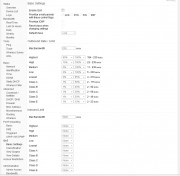
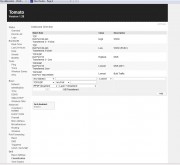
Anyone willing to show me :P If so below are SS of the QoS options.

 
I don't really use QoS since I live alone and just have one box (my Linux box) for downloads and I can tweak that on the client side. However, when I get home I can telnet into my router and post a screen shot of what it should look like.

Also, the DD-WRT forums are great for resources like this.
 
Yeah I tried that...apparently they don't appreciate asking for help on another firmware :P Sadly the way I learn is more visual...if I see how its done I can understand it better then reading it on paper.
 
Back
Top