Hi!
So I got this docking station that i've been using before on my iMac, worked perfectly.
Now that I got a laptop PC it won't format my harddrives properly.
The drives are ok, just bought a new one today, same thing.
The docking station is ok to, it all works when I tried it on a Macbook.
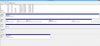
So what happens is that the drive(s) do all show up in 'Disk Management'
as RAW and it recognizes the drivesizes too.
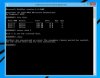
Although when I format the drive(s) it tells me (after a long wait):
"The format did not complete sucessfully"
I run external HDD's frequently on this PC and I've never had a problem, I'm only having problems when an HDD is connected through the docking station.
Any thoughts on what I can do?
The Docking station is a Deltaco USB 3.0 station
My laptop is a ASUS ROG 750
And the HDD is a WD Blue 1TB
So I got this docking station that i've been using before on my iMac, worked perfectly.
Now that I got a laptop PC it won't format my harddrives properly.
The drives are ok, just bought a new one today, same thing.
The docking station is ok to, it all works when I tried it on a Macbook.
So what happens is that the drive(s) do all show up in 'Disk Management'
as RAW and it recognizes the drivesizes too.
Although when I format the drive(s) it tells me (after a long wait):
"The format did not complete sucessfully"
I run external HDD's frequently on this PC and I've never had a problem, I'm only having problems when an HDD is connected through the docking station.
Any thoughts on what I can do?
The Docking station is a Deltaco USB 3.0 station
My laptop is a ASUS ROG 750
And the HDD is a WD Blue 1TB