I cannot get the sound to work on my newly built computer. After I install the drivers from the disk it shows up in device manager as various numbers of unknown devices. Same thing happens with the drivers given on their website. Also, the " found new hardware" keeps coming up and will not close. I have a asrock motherboard (770 extrem3). Any suggestions?

You are using an out of date browser. It may not display this or other websites correctly.
You should upgrade or use an alternative browser.
You should upgrade or use an alternative browser.
No sound
- Thread starter Naoko
- Start date

Install the following drivers in order i post them.
Chipset - ftp://174.142.97.10/drivers/AMD/AllIn1/AllIn1_XP64_XP(8.512).zip
Audio - ftp://174.142.97.10/drivers/AMD/Audio/Realtek_Win7-64_Win7_Vista64_Vista_XP64_XP(6043).zip
Lan - ftp://174.142.97.10/drivers/AMD/Lan/GLAN_XP64_XP(5708).zip
usb3 - ftp://174.142.97.10/drivers/All/USB/USB3_Fresco_XP64_Vista64_Win7-64(3.0.108.16_WHQL).zip
These are zipped files so they must be unzipped and then you run the setup file in each folder. When you get done installing these, let me know what in device manager still needs a driver and we'll go from there. Please provide a screenshot of device manager as well.
Chipset - ftp://174.142.97.10/drivers/AMD/AllIn1/AllIn1_XP64_XP(8.512).zip
Audio - ftp://174.142.97.10/drivers/AMD/Audio/Realtek_Win7-64_Win7_Vista64_Vista_XP64_XP(6043).zip
Lan - ftp://174.142.97.10/drivers/AMD/Lan/GLAN_XP64_XP(5708).zip
usb3 - ftp://174.142.97.10/drivers/All/USB/USB3_Fresco_XP64_Vista64_Win7-64(3.0.108.16_WHQL).zip
These are zipped files so they must be unzipped and then you run the setup file in each folder. When you get done installing these, let me know what in device manager still needs a driver and we'll go from there. Please provide a screenshot of device manager as well.
okay, i installed all of them and this is what my device manager looks like now...
http://imageshack.us/f/845/device.jpg/
http://imageshack.us/f/845/device.jpg/
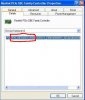
What video card are you running? Usually you will have an hdmi port on the video card which needs a sound driver as well. On the philips device and the unknowns, right click on each item and click on properties, then click on the details tab and give me the 4 digit vendor and device id numbers. They look like this circled in red. It may also help to update to SP3 and also check windows updates for any hardware driver updates.
I have to go out for awhile but will help you more when I get back.
I have to go out for awhile but will help you more when I get back.
Attachments
Video Card:
ASUS ENGT430/DI/1GD3(LP) GeForce GT 430 (Fermi) 1GB 128-bit DDR3 PCI Express 2.0 x16 HDCP Ready Low Profile Ready Video Card
1st Unknown Audio Device
HDAUDIO\FUNC_01&VEN_10DE&DEV_0014&SUBSYS_10DE0101&REV_1001\5&9A64088&22&0001
The other three are the same except that they end in the following respective 4 digit codes: 0101; 0201; 0301
The Philips device is the TV that is in use as the monitor and is working fine, but if you want it anyway:
DISPLAY\PHL0000\5&7797A3D&0&11335588&02&00
Unknown Devices:
SW\{96E080C7-143C-11D1-B40F-00A0C9223196}\{3C0D501A-140B-11D1-B40F-00A0C9223196}
SW\{97EBAACC-95BD-11D0-A3EA-00A0C9223196}\{53172480-4791-11D0-A5D6-28DB04C10000}
SW\{A7C7A5B0-5AF3-11D1-9CED-00A024BF0407}\{9B365890-165F-11D0-A195-0020AFD156E4}
SW\{CD171DE3-69E5-11D2-B56D-0000F8754380}\{9B365890-165F-11D0-A195-0020AFD156E4}
SW\{DDF4358E-BB2C-11D0-A42F-00A0C9223196}\{97EBAACB-95BD-11D0-A3EA-00A0C9223196}
Thanks for your help, look forward to hearing back from you...
PS - XP x64 doesn't have a SP 3 or so it seems, and it has twice failed at an attempt to upgrade to SP 2... I'm okay with not having the updated SP, unless I absolutely need it to get the sound to function.
ASUS ENGT430/DI/1GD3(LP) GeForce GT 430 (Fermi) 1GB 128-bit DDR3 PCI Express 2.0 x16 HDCP Ready Low Profile Ready Video Card
1st Unknown Audio Device
HDAUDIO\FUNC_01&VEN_10DE&DEV_0014&SUBSYS_10DE0101&REV_1001\5&9A64088&22&0001
The other three are the same except that they end in the following respective 4 digit codes: 0101; 0201; 0301
The Philips device is the TV that is in use as the monitor and is working fine, but if you want it anyway:
DISPLAY\PHL0000\5&7797A3D&0&11335588&02&00
Unknown Devices:
SW\{96E080C7-143C-11D1-B40F-00A0C9223196}\{3C0D501A-140B-11D1-B40F-00A0C9223196}
SW\{97EBAACC-95BD-11D0-A3EA-00A0C9223196}\{53172480-4791-11D0-A5D6-28DB04C10000}
SW\{A7C7A5B0-5AF3-11D1-9CED-00A024BF0407}\{9B365890-165F-11D0-A195-0020AFD156E4}
SW\{CD171DE3-69E5-11D2-B56D-0000F8754380}\{9B365890-165F-11D0-A195-0020AFD156E4}
SW\{DDF4358E-BB2C-11D0-A42F-00A0C9223196}\{97EBAACB-95BD-11D0-A3EA-00A0C9223196}
Thanks for your help, look forward to hearing back from you...
PS - XP x64 doesn't have a SP 3 or so it seems, and it has twice failed at an attempt to upgrade to SP 2... I'm okay with not having the updated SP, unless I absolutely need it to get the sound to function.
Last edited:
Download this driver and install for your video and sound.
http://www.nvidia.com/object/winxp64-280.26-whql-driver.html
Hopefully that will also fix the unknowns as they are all audio related. Let me know what is left after installing this driver.
http://www.nvidia.com/object/winxp64-280.26-whql-driver.html
Hopefully that will also fix the unknowns as they are all audio related. Let me know what is left after installing this driver.
Yeah, definitely plugged into the right port, but they are headphones... Doubt that makes a difference, but no speakers yet. The Realtek HD Audio Manager program recognizes that there is something plugged into the green audio port, but Should the sound from the Video cards HDMI work independently or does that also depend on the onboard chipset for it's output? Some people have complained about the case I have having some bad front ports, and the audio is connected to the MoBo, but not in use ATM, could that be causing a conflict, maybe? Also, there is no guarantee that the onboard sound is working, though I do hope that is not the case. If you figure anything out, let me know, in the meantime, I may start looking at sound cards... *sigh*
Go into control panel and click on Sounds and audio devices, then click on the audio tab. What device is listed for sound playback? Do you have the right connection between the case and the motherboard. There is usally a connector that says ac97 and then one that says hd audio. You want to use the one that says hd audio.

linkin
VIP Member
No audio playback device is listed or selectable, in fact, the entire tab is "grayed" out...
Also, the audio connector for the case is plugged in where the motherboard handbook says it should be, but I don't see a label on the board itself...
It should say F_AUDIO or AUDIO under the plug. Chances are you plugged it into a USB header. Are you using the rear ports or the front panel ones? Try both.
I had to unplug it in order to be able to see it, but it does say HD AUDIO by the plug I was using... The front audio is now unplugged entirely and still no sound, but before this, both front and rear audio ports have been tried and neither has worked. I am now beginning to suspect that the motherboard sound is indeed bad  Anything else I can try before purchasing a sound card or exchanging the board?
Anything else I can try before purchasing a sound card or exchanging the board?