
Odd Question

WhiteTrash

New Member
In my ITEC class the other night, the professor posed a question that he admittedly didn't know the answer to either. I Googled it using all possible combinations I could think of, but found nothing. So I figured I'd give you guys a shot.

Does anyone know why C:\ is used as the root or base drive, rather than say B:\? A:\ is the floppy drive, why do we skip to C:\ for the hard drive.

Some people said "because a second floppy drive is B:\", however it could just as easily be C, and the HDD could have been B, anyone know why its always C:\?
 
cause thats the order they were made? if im correct there was floppy before harddrives (more accuretly, the actual FLOPPY like disks came first, then evolved into the lil disks we use today) so floppys first, then harddrives, networking, then cd drives, so theres my explination
 
Last edited:
At first the only drive you could expect to have was a single floppy, so DOS used the first letter in the alphabet. A:.

Then most computers had dual floppy drives, so A: was followed by B:.

Later you could resonably expect to have a hard disk of some sort, so the next letter was used, C:.

Now, you don't expect to have two floppies in a system, but just in case there are B: is reserved for that second floppy. If you go to a command prompt and type in "B:" it will tell you that it cannot find the drive, assuming you don't have a second floppy disk drive.

If you don't like how it's arranged, complain to Microsoft, or use an Operating System that makes sense of its drives, like Linux. HDA is so much different than FD0, just like a hard disk is so much different than a floppy.
 
Ussally a small floppy is A, a large floppy is B then a hard disk is C,D,e,f,g,h,i and so on, then CDROM and DVD si whatever is after the last harddrive.


thats how it was with a;ll my old computers, the large floppy drive was B and the small was A
 
flame1117 said:
Ussally a small floppy is A, a large floppy is B then a hard disk is C,D,e,f,g,h,i and so on, then CDROM and DVD si whatever is after the last harddrive.


thats how it was with a;ll my old computers, the large floppy drive was B and the small was A
The size of the floppy does not matter. It's what is set to first floppy. You could have either one be the master floppy.
 
creature_feature said:
The size of the floppy does not matter. It's what is set to first floppy. You could have either one be the master floppy.
in the same way as you could have a hard drive as z: and a dvd drive as c:, but its more logical to have it them the way flame said
 
elmarcorulz said:
in the same way as you could have a hard drive as z: and a dvd drive as c:, but its more logical to have it them the way flame said
Pray tell how you'd mount the first hard drive as Z: and the first DVD ROM as C:? On install Windows assumes the first hard disk is C:.
 
Does anyone know why C:\ is used as the root or base drive, rather than say B:\? A:\ is the floppy drive, why do we skip to C:\ for the hard drive.

Some people said "because a second floppy drive is B:\", however it could just as easily be C, and the HDD could have been B, anyone know why its always C:\?
1. Because 3.5" is defaulted as "A:\", and 5.25" is defaulted as "B:\"
2. Machines back in the day didnt have HDDs so there's no reason (other than for stupidity) to have A:\ and C:\ without B:\

Pray tell how you'd mount the first hard drive as Z: and the first DVD ROM as C:? On install Windows assumes the first hard disk is C:.
uh ... easy. :) I just dont because it doesnt make much sense to me (and Z: is occupied for me)
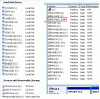
What will happen when computers have like 20 something hard drives and we run outta letters??????
You can still access the data, just not by drive letter anymore. :)
 
if you look at the bios theres two slots for floppy at least mines is so i think thats the instruction telling whenever you install an os to reserve those letters.
 
or you would start using alphanumeric codes like C2 and D2, instead of just C and D
No. You just dont have drive letters :)
 

Attachments

  • drives.gif
    drives.gif
    20.6 KB · Views: 22
Last edited:
Goto computer management (or something like partition magic etc) and change the drive letters :) (right click --> change drive letter)

:)
 
Back
Top