
You are using an out of date browser. It may not display this or other websites correctly.
You should upgrade or use an alternative browser.
You should upgrade or use an alternative browser.
OS Error
- Thread starter dp_g
- Start date

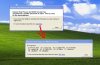
This seems to be a common error seen with HP printers as well as desktops. Since there is no flashlight icon seen in the error messages the question here is are you running an HP model? The problem seen with HP printers requires first shutting down the system upon removal of the present drivers and then disconnecting the printer, printer/scanner. or printer/copier/fax. From there you restart and install the correct drivers and then reconnect the hardware.
If you have an XP installation disk you can try the system file checker to see if that will correct this. With the cd in the drive you type "sfc /scannow" at the Run prompt and press enter. The utility then verifies and repairs or replaces any system files found damaged or deleted. Another step to take is run a good antivirus program since the svghost.exe file is named. Often a virus or anothe type of malware will pose as a system file.
If you have an XP installation disk you can try the system file checker to see if that will correct this. With the cd in the drive you type "sfc /scannow" at the Run prompt and press enter. The utility then verifies and repairs or replaces any system files found damaged or deleted. Another step to take is run a good antivirus program since the svghost.exe file is named. Often a virus or anothe type of malware will pose as a system file.

If you have a bad install of drivers that can see a crosslinks to one or more system files. When a system process loads afterwards a software driver may to load into memory addresses reserved for system functions. That can see a variety of error messages come up as the process stalls. This can also be seen with other types of hardwares where a corrupted driver will cause a resource conflict due to XP's own resource sharing.