Overclocked GT,temps okay?

Shane

Super Moderator
Staff member
Hey guys,

Just wanted to know if these load temps are okay on my overclocked 8800GT
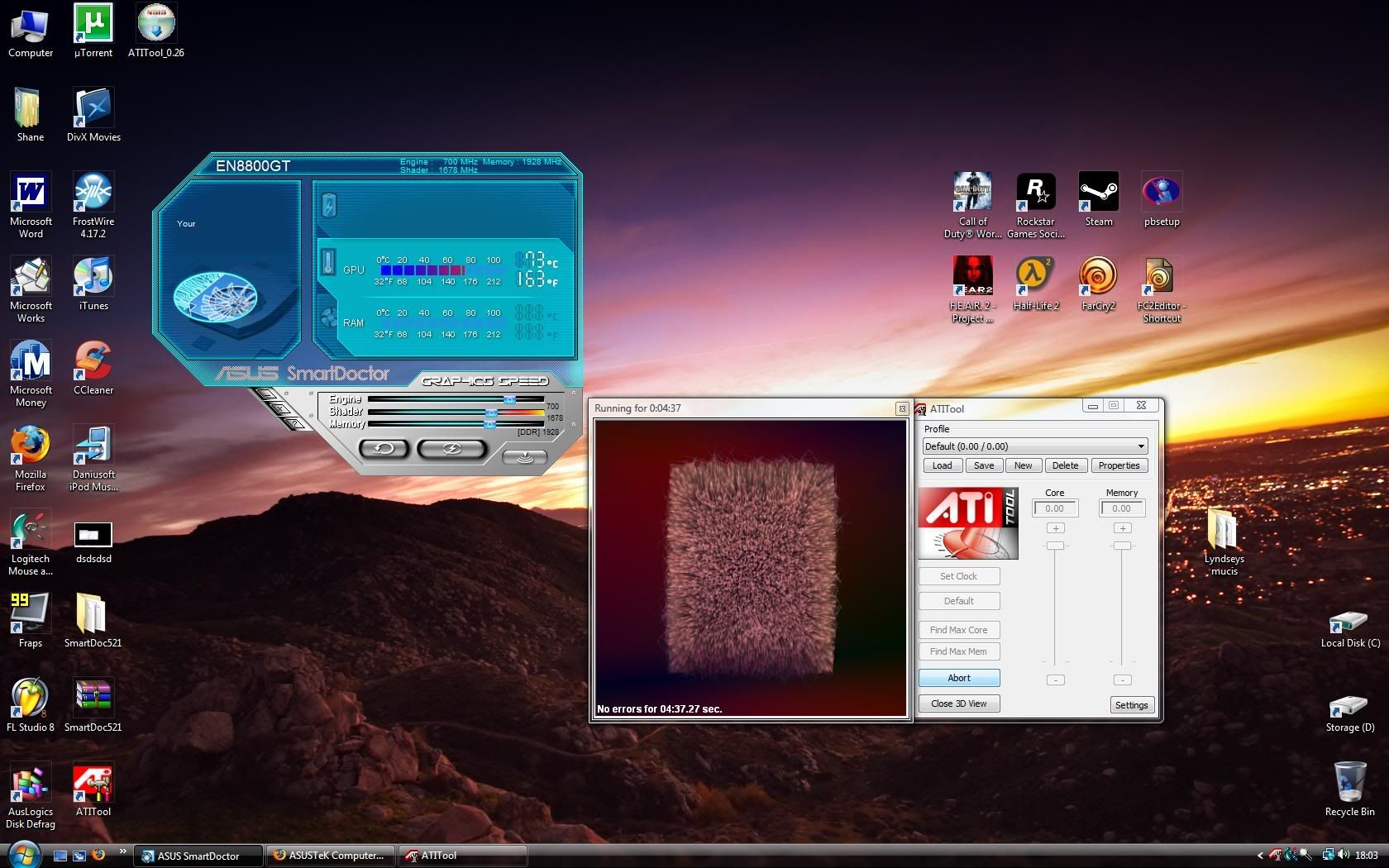
HEAT.jpg


My idle is around 35-39c

EDIT:What software/App can i use to save these overclock settings and load them overclock settings at startup or when i log on?

Asus smartdoctor allows me to overclock and set it,but a soon as i restart they go back to default,it doesnt save them nor can i find any setting to save them.

thanks
 
Last edited:
Is that the core temp? 73c for a 700Mhz Core is pretty damn hot.

You tried Rivatuner? That'll show you all the temps, ambient, core and allow you to save and load the OC on start up.

I have my fans on 80% all the time. ;)
 
hi dan,

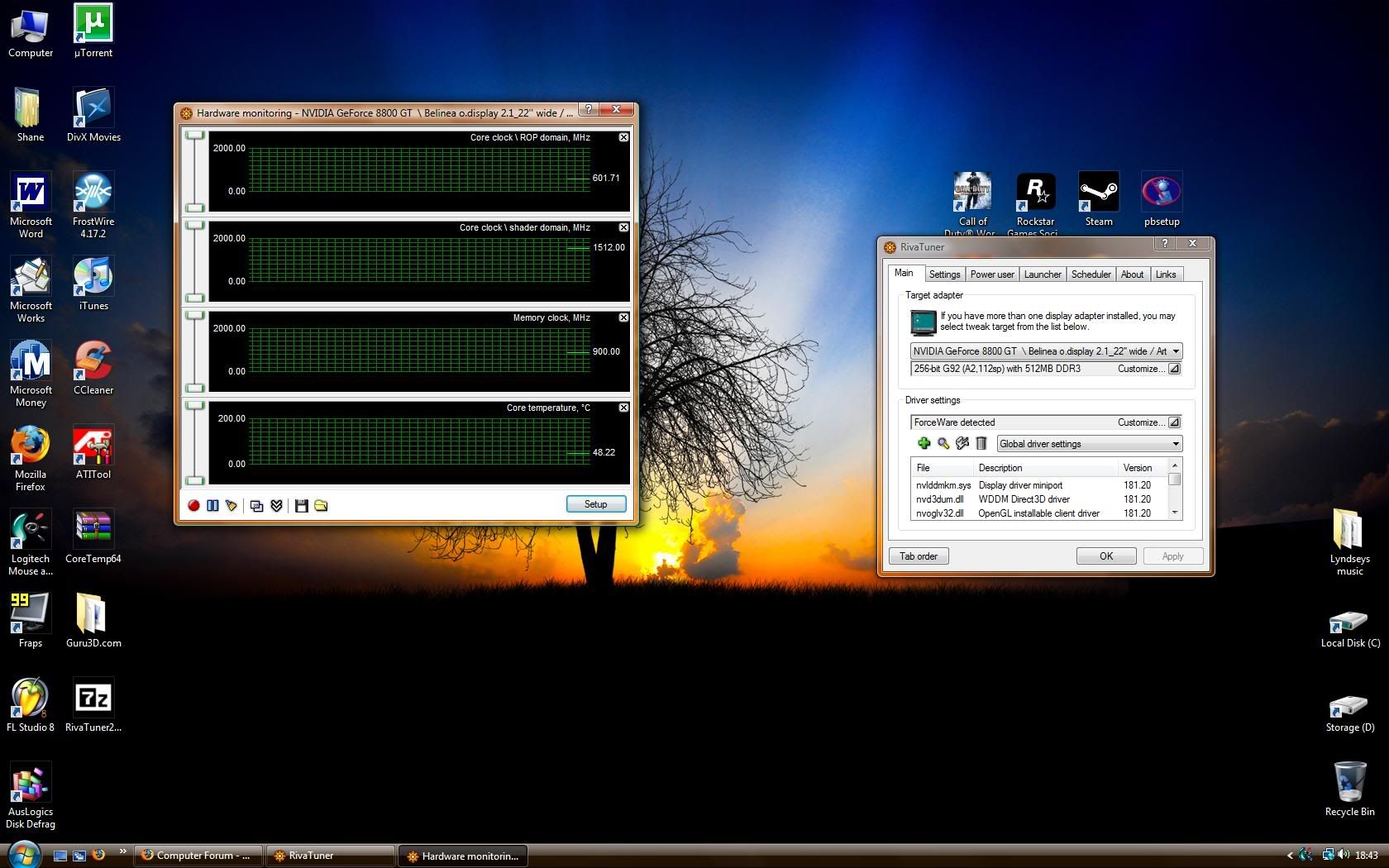
heres a rivatuner screeny,ive put back my overclock to default,it seems that Asus smartdoctor is reporting false temps and my card is running hotter than i thought.:mad:

idle,not tried load.

riva.jpg


im not sure how fast my fan is running,nothing is displaying or allowing me to adjust the fan its pathetic.

Asus needs to sort out problems!

Danny,have you re-applied thermal paste on your cards?

i have loads,AS5,MX-2,Asus thermal paste so i might re-apply some but ive never dont it to a gpu before.

is it as simple as re-applying on a cpu?
 
That should be fine for load temps. Mine maxes out at about 65C after heavy gaming (my 8800GT is passively cooled though).
 
hi dan,

heres a rivatuner screeny,ive put back my overclock to default,it seems that Asus smartdoctor is reporting false temps and my card is running hotter than i thought.:mad:

idle,not tried load.


im not sure how fast my fan is running,nothing is displaying or allowing me to adjust the fan its pathetic.

Asus needs to sort out problems!

Danny,have you re-applied thermal paste on your cards?

i have loads,AS5,MX-2,Asus thermal paste so i might re-apply some but ive never dont it to a gpu before.

is it as simple as re-applying on a cpu?

Those temps are lower than that ASUS thing was reporting. Rivatuner is showing 48c on the Core. That isn't that bad. You probably just need to turn the fan speed up. If you're in Rivatuner;

Open Rivatuner > Click the gret square next to 'Customize' on the top bar, not the Driver Settings Bar > Then the first Square 'Low Level System Settings' > Enable Low Level Fan Control > Then change it to what you want > Apply Fan settings at Windows Startup > Save > Apply > Ok > Close ;)

Simple!

I've not applied new thermal paste to them, Nope. I've just put the fan speed up to 80% and made sure they're getting pretty good airflow! If you do all that, you'll be able to keep your OC, if not go higher!
 
Back
Top