Partitioning Problems

alex94

New Member
I have a 1TB Western Digital My Book hard drive. It is filled up with 600GB of content. Unfortunately, I would like to convert it to NTFS (from FAT32) in order to support large files. There is where a problem came. Converting is easy, but I was worried that it was take to long and existing files could become corrupted. :confused:

I thought I could make a 350GB partition on it but I have no idea how to...since built-in Vista software only supports NTFS partitioning. I'm stuck...can anyone help me out? Thanks! :D

By the way, I would prefer NOT to install new software unless necessary, as I doubt I'll use it ever again.
 
there used to be a program called partion magic or pq magic that could create partions from already formatted space and resize partitions, used to work great but ive heard they were bought out and the new product isnt as good, u could give it a try though.
 
I would like to convert it to NTFS (from FAT32) in order to support large files. There is where a problem came. Converting is easy, but I was worried that it was take to long and existing files could become corrupted.

When you Format, all your data will be lost, unless you back it up.
You cannot convert the file system of a drive and keep all the data
on it while you do so.

since built-in Vista software only supports NTFS partitioning.
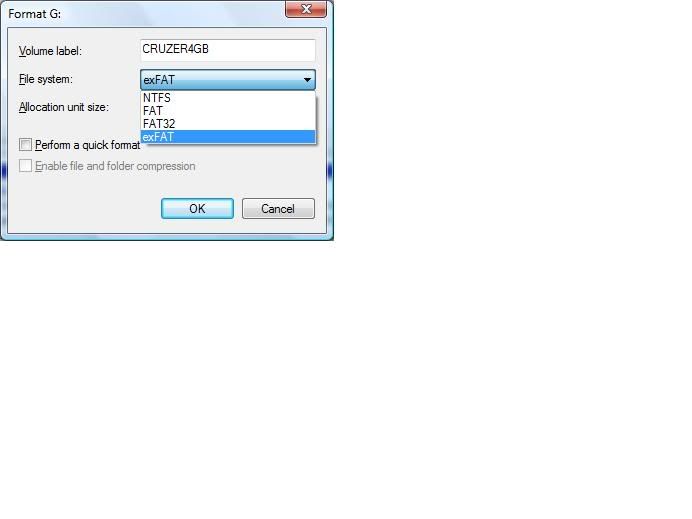
Where did you hear that? As long as the drive is listed in:
Control Panel, Administrative Tools, Computer Management, Disk Management
Format.jpg


You should be able to select the drive and format as you wish, as long as
the drive or partition does not contain the C: directory.
 
I might have been a little confusing. But, yes, you can change from FAT32 to NTFS without losing data.

Also, yeah, you can format the drive in Vista BUT you can't create a partition on a FAT32 drive.

I think I'll try GParted. Thanks for the feedback though! :good:

Any more ideas would be appreciated though.

EDIT:
A tip to those who would like to convert from FAT32 to NTFS. (I would NOT recommend it if you have a lot of data on it, however...as in my case.)

In Command Prompt:
Type "convert drive letter: /fs:ntfs" and press Enter. Replace "drive letter" with the letter the drive is located at.

DO NOT CLOSE COMMAND PROMPT AS THE PROCEDURE CAN TAKE A WHILE.
 
Last edited:
Back
Top