
You are using an out of date browser. It may not display this or other websites correctly.
You should upgrade or use an alternative browser.
You should upgrade or use an alternative browser.
Pop up
- Thread starter Diddy
- Start date
Try this:
# Click Start->Settings ->Control Panel
# Click Administrative Tools
# Click Services
# Double click Services Scroll
# down and highlight "Messenger"
# Right-click the highlighted line and choose Properties.
# Click the STOP button.
# Select Disable in the Startup Type scroll bar
# Click OK
# Click Start->Settings ->Control Panel
# Click Administrative Tools
# Click Services
# Double click Services Scroll
# down and highlight "Messenger"
# Right-click the highlighted line and choose Properties.
# Click the STOP button.
# Select Disable in the Startup Type scroll bar
# Click OK
Post a hijackthis log - it'll be some malware that's found its way onto your system.
And how do you post a Hijacthis log?
And how do you post a Hijacthis log?
Dude please, I had the exactly same problem, I posted a solution how to get rid of it. Why do you just ignore me?
EDIT:
http://www.itc.virginia.edu/desktop/docs/messagepopup/
Last edited:
Dude please, I had the exactly same problem, I posted a solution how to get rid of it. Why do you just ignore me?
EDIT:
http://www.itc.virginia.edu/desktop/docs/messagepopup/
How can I be sure that what you are saying will actually help?


magicman
VIP Member
I know what Filip is talking about, I ignored the Messenger Service box heading, which should have told me what was the cause. It's just disabling Windows Messenger, which nobody uses any more when they've got MSN Messenger to use instead, you won't miss it, and is completely reversable.How can I be sure that what you are saying will actually help?
The problem is it being exploited by people showing you ads, so disabling it will stop the ads.
Hi there,
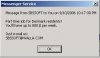
I get this pop up (see the picture) many times a day, it just pops up out of no where and it is so irritating I would really like to get rid off it so please help.
You asked for help, I gave you an answer what to do, you come back and ask me how can you be sure if it will work, only way is to try, why the hell did you need to ask if it will work? Hence I called you an idiot becouse I never saw some1 do that.
EDIT:
I'm pretty sure you didn't even try it becouse you think it's some sort of a virus or something. -.-
Last edited:
Thank you!
And let us put our little 'unagreement' behind us. What do you say?
Yea sure, I get pissed off really easily, so ya... let's forget that.