I just bought a used pc from my neighbor.
The specs of the new pc are:
Zalman Z9-Plus mid tower
Windows 7 Home Premium 64-bit
60GB OCZ Agility 3 SSD (OS)
1TB Western Digital Caviar Blue HDD (Storage)
Gigabyte GA-Z68X-UD3H-B3 LGA 1155 motherboard
4GB (2GBx2) 1600MHz DDR3 SDRAM (Corsair Vengeance) {9-9-9-24 timing}
Intel Core i5-2500K @ 4.4GHz
Antec Kuhler H20 620 hydro cpu cooler
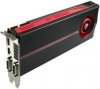
ATI Radeon HD 5870 1GB GDDR5
Corsair CMPSU-650TX 650 watt power supply unit
My question is; Can I take my 5970 and SDRAM out of my other desktop and put it in the new one? (I read that the minimum power supply requirement for my 5970 is 650 watts.) I am thinking of pairing the 8GB SDRAM from my other pc with the 4GB SDRAM on the 1155 socket Gigabyte motherboard making it 12GB... will it work? (They're all 1.5v 1600MHz modules at 9-9-9-24 timing). I don't want to risk damaging the 650 power supply by overloading it with my 5970 and more SDRAM, and perhaps the 1TB hard drive and sound card from my other pc.
If I may damage the 650 power supply, then I guess I CAN use the Corsair AX850 power supply I already have..... but I really can't afford to continue using an 850 watt power supply because I don't make a lot of money from work. I HAVE thought about selling my 5970 and buying another 5870 to crossfire with my new 5870 and using the 650 watt power supply. Any suggestions?
The specs of the new pc are:
Zalman Z9-Plus mid tower
Windows 7 Home Premium 64-bit
60GB OCZ Agility 3 SSD (OS)
1TB Western Digital Caviar Blue HDD (Storage)
Gigabyte GA-Z68X-UD3H-B3 LGA 1155 motherboard
4GB (2GBx2) 1600MHz DDR3 SDRAM (Corsair Vengeance) {9-9-9-24 timing}
Intel Core i5-2500K @ 4.4GHz
Antec Kuhler H20 620 hydro cpu cooler
ATI Radeon HD 5870 1GB GDDR5
Corsair CMPSU-650TX 650 watt power supply unit
My question is; Can I take my 5970 and SDRAM out of my other desktop and put it in the new one? (I read that the minimum power supply requirement for my 5970 is 650 watts.) I am thinking of pairing the 8GB SDRAM from my other pc with the 4GB SDRAM on the 1155 socket Gigabyte motherboard making it 12GB... will it work? (They're all 1.5v 1600MHz modules at 9-9-9-24 timing). I don't want to risk damaging the 650 power supply by overloading it with my 5970 and more SDRAM, and perhaps the 1TB hard drive and sound card from my other pc.
If I may damage the 650 power supply, then I guess I CAN use the Corsair AX850 power supply I already have..... but I really can't afford to continue using an 850 watt power supply because I don't make a lot of money from work. I HAVE thought about selling my 5970 and buying another 5870 to crossfire with my new 5870 and using the 650 watt power supply. Any suggestions?


 .... fly's FSX pretty darn smooth. (Still struggles with ORBX PNW scenery maxed out though). I like the SSD too... boots in about 8 seconds.