Process monitor for desktop video card?

I have a Geforce 9800 GT 1gb video card that I purchased off ebay. The seller stated that he couldn't get the fan to always spin up, which is why I bought it. Seemed like an easy fix, which has been fixed. However the card will lock up during game play at any temperature. Its done it at 56c, 65c, 68c etc. I know it is not an overheating issue because when it does over heat I lose the signal from the card to the monitor (the monitor acts as if the pc was in standby or sleep mode but won't wake up). Upon one of the times that I dismantled the card and reassembled it the lock ups were minimal, unfortunately I didn't have the correct grease so the fan was having trouble spinning up but would only lock up very rarely. Today I dismantled it to fix the fan and upon putting it back together the card now locks up very often still at low temperatures.

There is no error code just the PC will lock up for a few seconds to roughly a minute but after that the pc will free up and the graphics of whatever game was running are distorted to which either a minimize and restore will correct or a close and reopen. Even though that fixes the picture it locks up again after a few minutes.

I have absolutely no idea what was different from the time before i touched it (locking up) to after I fixed it (still locked up), to refixing it but using the wrong grease (worked much better, very minimal lock ups), to now fixing the fan (very often lock ups).

I did however get an error ONCE while running Windows 7, however the picture was so distorted I could not make out what it said and I have not been able to replicated it since.

Any ideas on how I can salvage this video card? Or is there a program that will monitor processes of the video card and report when it faults almost like "WhoCrashed" with windows BSODs.

Specs:
BIOSTAR T-SERIES TA690G AM2
AMD Athlon 64 x2 Dual Core 6000+ 3000Mhz
4 GB GSkill 800 Mhz DDR2
Nvidia GeForce 9800GT 1GB

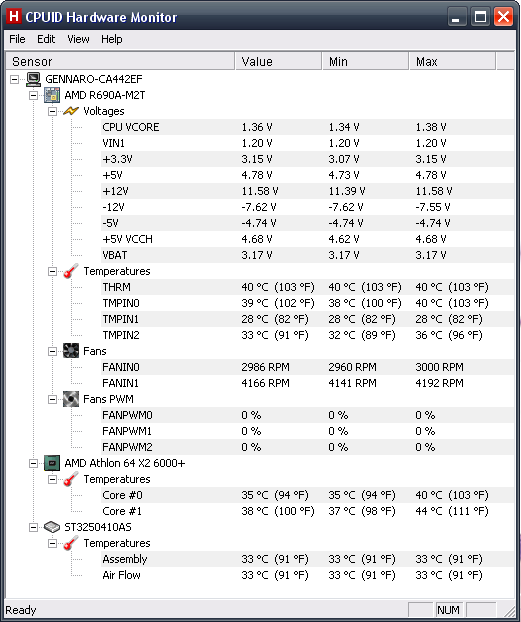
Screen captures or CPUID:
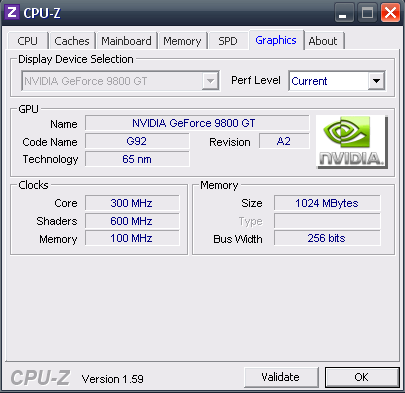
hardwaremonitor2_zpsa30b24e4.png

hardwaremonitor_zpsc4b7db96.png
 
Last edited:
If that is the case, what would explain its weird behavior or getting better then getting worse, and etc? And if it is damaged is there anyway to repair it with a reflow method or anything like that? And is there anyways to test it to be sure?
 
If I am right then the silicon is damaged in the chip. So incorrect calculations would be the result of that. Graphical errors, BSOD, weird framerates fluxuations could all be indicators of the chip being damaged.

Before you try something drastic or jump to a new card, try some new drivers. Run some benchmarks. See if there are any patterns to the crashing.
 
Well so far, it has never BSOD or had a frame rate flux it either locks up or doesn't. I just too the card out, took the heat sink and fan off cleaned all the thermal grease off, put a fresh dab on and put it back on and in the rig and its better. Not as good as yesterday, but its not doing it 2 mins after playing the game, I got 10 mins before it decide to lock up, and it unlocked faster instead of hanging. So I honestly have no idea. If the silicone is damaged would a reflow fix it or is it basically garbage at that point?
 
Its not the best, actually it rather sucks. However I was told it would suffice and shouldn't be the source of the problems but they could be wrong. Anyways I have a CoolMax CX-550B.
 
Definitely not the best. Specs say it should be able to deliver the right power, but with 65% efficiency I have my doubts that it can when using high stress programs.

Is there another good PSU that you can try the system with?
 
The only other one I have on hand is a Dynex DX-400WPS and the last time I tried it it acted the same. However I don't really believe that I'm putting the card under that much stress. I mainly run L4D2 which has the worst lock ups and Guild Wars 1 which last night was happening a few minutes after playing (under 5 mins).

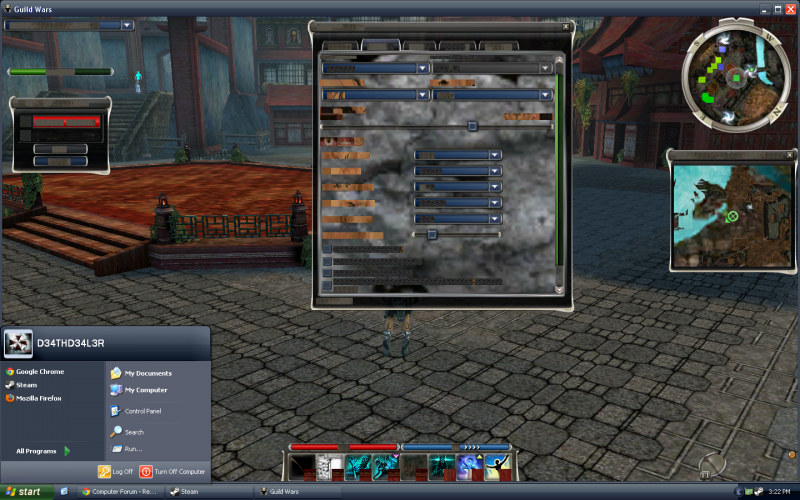
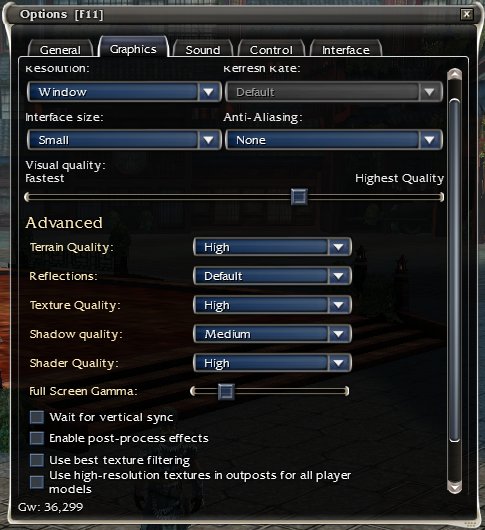
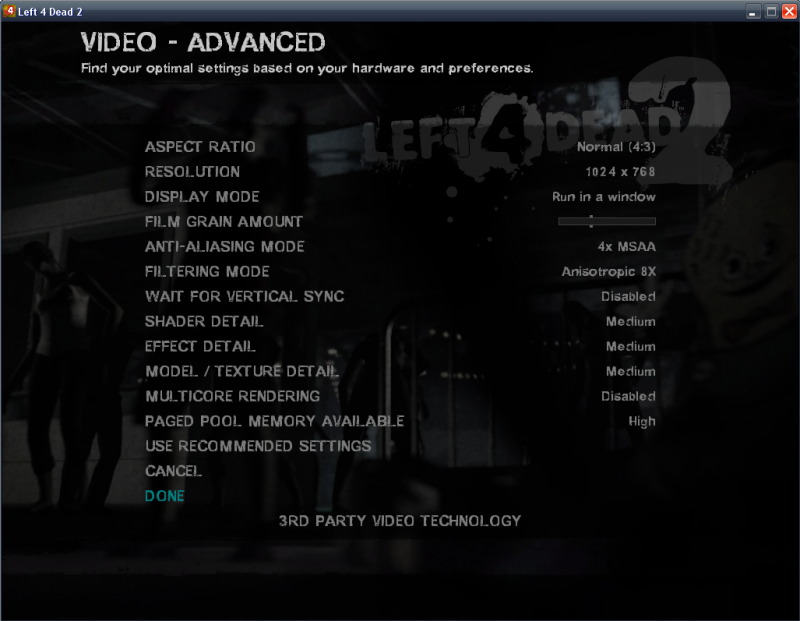
Screen shot of after if locks up and my settings in both games:
gwglitch_zpsc64a9d71.png

guildwarssettings_zpsa8ff216b.png

l4d2settings_zps27015745.png
 
If not the power supply, it could be since the fan wasnt spinning up that the dude that owned it before you ran it overheated alot.
 
That's definitely what I was thinking... its happened to me a few times before I fixed it but when it would over heat it would actually shutdown the signal to the monitor. The computer would remain running but it was as if I had unplugged the DVI cable. But I don't understand why it would be acting one way and then after removing and putting the heatsink back on it would get better and then removing it again and putting it back on it gets worse, then better. Is there anyway I can run tests to find out exactly what with the card is bad? Or would a reflow work?
 
A reflow won't help damaged internals of the processor itself. If that is the problem.

I think it is likely that it is the PSU. If it is needing 400w at a minimum and you have a low end 550w there is a decent chance that the PSU is not giving it enough power.

Just to be clear you are not having any shutdowns on the desktop, browsing the internet? just gaming? How about watching videos?
 
With that PSU you cannot know for sure what is wrong. Its a complete POS mate. Ripple could be causing vram instability.

Try GPU in know good computer with good quality 35A rail. If it works, replace the PSU with a 500W corsair psu.
 
A reflow won't help damaged internals of the processor itself. If that is the problem.

I think it is likely that it is the PSU. If it is needing 400w at a minimum and you have a low end 550w there is a decent chance that the PSU is not giving it enough power.

Just to be clear you are not having any shutdowns on the desktop, browsing the internet? just gaming? How about watching videos?

Absolutely no problems browsing, streaming, playing movies, or emulator games. Only stand alone games.
 
Not sure if this is closed yet or not but I have new information. It seems that I can play L4D2 flawlessly with the most current driver version for my card however I can't play Guild Wars. On the flip side I installed an older version of the driver for my card and now I can play Guild Wars flawlessly but when I go to play L4D2 I get a notice saying that my driver is old and out of date and can cause problems. Is there a reason why one driver works with one game and not with an other and vise versa? Or could the card still be damaged and the older driver doesn't trigger the problem error with one game but does with the other and vise versa?
 
Absolutely no problems browsing, streaming, playing movies, or emulator games. Only stand alone games.

Exactly, only when running graphics in 3D which is max power draw for your computer. Again pointing to the PSU. Remember, your PSU has listed in its specs "Gaming Edition: No" lol. That should tell you something. It has an old ATX design standards and a peak max of 12V rail of 14A (168W) which after you derate and take away 50W so it doesn't shut off, leaves you with around the total that your graphics card uses by itself (~100W). That doesn't include the CPU and other 12V components. So you're are cutting it so so fine. In fact I would go to say this is the worst case of PSU under-spec that I have ever seen on this forum.

For instance you can get the 430W Corsair which has nearly 2.5X the available 12V rail amperage at 32A. Not only that it can actually provide that 384W continuously. All for $40.

But if you want to make sure:

Install the latest version of the driver (completely removing all instances)
Then try open guild wars by right clicking on the .exe and go to properties.
Select ran as XP and check the Run as Administrator option.

Then try both games.

I'm still convinced that when you do get it going, it will crash because of power. And imo, each time you do forced or BSOD shutdowns you're damaging components. Also when you occasionally get it running you're running the poor components on lazy 12V rails = instability. If you have a multimeter we can test it.

Basically if you have all the latest directx, window, drivers, bios etc and you do the above, then its hardware - probably the psu.
 
Last edited:
Back
Top