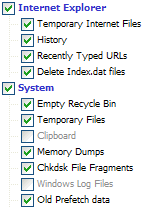
Hi I created a thread in the laptop forum but i think this is the right place for it. As the title says i have some sort of program or something constantly running in the background of my laptop. As soon as i turn it on the hard drive is flashing and the hour glass is constantly flashing beside the cursor. I find that it slows down the computer a small bit not too much. Iv done the hijack this test and here are my results. I dont understand them I hope someone here can and it would be greatly appreciated!!.
Logfile of HijackThis v1.99.1
Scan saved at 22:03:04, on 28/02/2006
Platform: Windows XP SP2 (WinNT 5.01.2600)
MSIE: Internet Explorer v6.00 SP2 (6.00.2900.2180)
Running processes:
C:\WINDOWS\System32\smss.exe
C:\WINDOWS\system32\winlogon.exe
C:\WINDOWS\system32\services.exe
C:\WINDOWS\system32\lsass.exe
C:\WINDOWS\system32\svchost.exe
C:\WINDOWS\System32\svchost.exe
C:\Program Files\Intel\Wireless\Bin\EvtEng.exe
C:\Program Files\Intel\Wireless\Bin\S24EvMon.exe
C:\Program Files\Intel\Wireless\Bin\WLKeeper.exe
C:\WINDOWS\system32\spoolsv.exe
C:\WINDOWS\eHome\ehRecvr.exe
C:\WINDOWS\eHome\ehSched.exe
C:\Program Files\Ahead\InCD\InCDsrv.exe
c:\program files\mcafee.com\agent\mcdetect.exe
c:\PROGRA~1\mcafee.com\vso\mcshield.exe
c:\PROGRA~1\mcafee.com\agent\mctskshd.exe
C:\PROGRA~1\McAfee.com\PERSON~1\MpfService.exe
C:\PROGRA~1\McAfee\SPAMKI~1\MSKSrvr.exe
C:\Program Files\Dell\NICCONFIGSVC\NICCONFIGSVC.exe
C:\Program Files\Intel\Wireless\Bin\RegSrvc.exe
C:\WINDOWS\system32\dllhost.exe
C:\Program Files\Intel\Wireless\Bin\ZcfgSvc.exe
C:\WINDOWS\Explorer.EXE
C:\WINDOWS\ehome\ehtray.exe
C:\Program Files\Synaptics\SynTP\SynTPEnh.exe
C:\WINDOWS\system32\hkcmd.exe
C:\WINDOWS\system32\igfxpers.exe
C:\Program Files\Java\j2re1.4.2_05\bin\jusched.exe
C:\WINDOWS\stsystra.exe
C:\Program Files\Intel\Wireless\Bin\ifrmewrk.exe
C:\Program Files\Common Files\InstallShield\UpdateService\issch.exe
C:\WINDOWS\System32\DLA\DLACTRLW.EXE
C:\WINDOWS\system32\rundll32.exe
C:\WINDOWS\system32\winlog.exe
C:\WINDOWS\system32\igfxsrvc.exe
C:\PROGRA~1\COMMON~1\PCSuite\DATALA~1\DATALA~1.EXE
C:\PROGRA~1\McAfee\SPAMKI~1\MskAgent.exe
C:\PROGRA~1\McAfee.com\Agent\McAgent.exe
C:\PROGRA~1\Intel\Wireless\Bin\1XConfig.exe
C:\PROGRA~1\COMMON~1\PCSuite\Services\SERVIC~1.EXE
C:\WINDOWS\eHome\ehmsas.exe
C:\WINDOWS\system32\wuauclt.exe
C:\Program Files\iPod\bin\iPodService.exe
C:\Program Files\HijackThis\HijackThis.exe
R0 - HKCU\Software\Microsoft\Internet Explorer\Main,Start Page = http://www.google.ie/
R1 - HKLM\Software\Microsoft\Internet Explorer\Main,Default_Page_URL = http://www.euro.dell.com
R0 - HKLM\Software\Microsoft\Internet Explorer\Main,Start Page = http://www.euro.dell.com
R1 - HKCU\Software\Microsoft\Internet Connection Wizard,ShellNext = http://www.euro.dell.com/
O2 - BHO: AcroIEHlprObj Class - {06849E9F-C8D7-4D59-B87D-784B7D6BE0B3} - C:\Program Files\Adobe\Acrobat 6.0\Reader\ActiveX\AcroIEHelper.dll
O2 - BHO: McBrwHelper Class - {227B8AA8-DAF2-4892-BD1D-73F568BCB24E} - c:\program files\mcafee.com\mps\mcbrhlpr.dll
O2 - BHO: McAfee Privacy Service Popup Blocker - {3EC8255F-E043-4cae-8B3B-B191550C2A22} - c:\program files\mcafee.com\mps\popupkiller.dll
O2 - BHO: McAfee Anti-Phishing Filter - {41D68ED8-4CFF-4115-88A6-6EBB8AF19000} - c:\program files\mcafee\spamkiller\mcapfbho.dll
O2 - BHO: DriveLetterAccess - {5CA3D70E-1895-11CF-8E15-001234567890} - C:\WINDOWS\System32\DLA\DLASHX_W.DLL
O3 - Toolbar: McAfee VirusScan - {BA52B914-B692-46c4-B683-905236F6F655} - c:\progra~1\mcafee.com\vso\mcvsshl.dll
O3 - Toolbar: Yahoo! Toolbar - {EF99BD32-C1FB-11D2-892F-0090271D4F88} - C:\Program Files\Yahoo!\Companion\Installs\cpn\yt.dll
O4 - HKLM\..\Run: [ehTray] C:\WINDOWS\ehome\ehtray.exe
O4 - HKLM\..\Run: [SynTPEnh] C:\Program Files\Synaptics\SynTP\SynTPEnh.exe
O4 - HKLM\..\Run: [igfxtray] C:\WINDOWS\system32\igfxtray.exe
O4 - HKLM\..\Run: [igfxhkcmd] C:\WINDOWS\system32\hkcmd.exe
O4 - HKLM\..\Run: [igfxpers] C:\WINDOWS\system32\igfxpers.exe
O4 - HKLM\..\Run: [SunJavaUpdateSched] C:\Program Files\Java\j2re1.4.2_05\bin\jusched.exe
O4 - HKLM\..\Run: [SigmatelSysTrayApp] stsystra.exe
O4 - HKLM\..\Run: [IntelWireless] C:\Program Files\Intel\Wireless\Bin\ifrmewrk.exe /tf Intel PROSet/Wireless
O4 - HKLM\..\Run: [ISUSPM Startup] "C:\Program Files\Common Files\InstallShield\UpdateService\isuspm.exe" -startup
O4 - HKLM\..\Run: [ISUSScheduler] "C:\Program Files\Common Files\InstallShield\UpdateService\issch.exe" -start
O4 - HKLM\..\Run: [DLA] C:\WINDOWS\System32\DLA\DLACTRLW.EXE
O4 - HKLM\..\Run: [BluetoothAuthenticationAgent] rundll32.exe bthprops.cpl,,BluetoothAuthenticationAgent
O4 - HKLM\..\Run: [winlog] winlog.exe
O4 - HKLM\..\Run: [DataLayer] C:\PROGRA~1\COMMON~1\PCSuite\DATALA~1\DATALA~1.EXE
O4 - HKLM\..\Run: [MSKAGENTEXE] C:\PROGRA~1\McAfee\SPAMKI~1\MskAgent.exe
O4 - HKLM\..\Run: [MCUpdateExe] C:\PROGRA~1\McAfee.com\Agent\McUpdate.exe
O4 - HKLM\..\Run: [MCAgentExe] C:\PROGRA~1\McAfee.com\Agent\McAgent.exe
O4 - HKLM\..\RunServices: [winlog] winlog.exe
O8 - Extra context menu item: E&xport to Microsoft Excel - res://C:\PROGRA~1\MICROS~3\Office10\EXCEL.EXE/3000
O9 - Extra button: (no name) - {08B0E5C0-4FCB-11CF-AAA5-00401C608501} - C:\Program Files\Java\j2re1.4.2_05\bin\npjpi142_05.dll
O9 - Extra 'Tools' menuitem: Sun Java Console - {08B0E5C0-4FCB-11CF-AAA5-00401C608501} - C:\Program Files\Java\j2re1.4.2_05\bin\npjpi142_05.dll
O9 - Extra button: (no name) - {39FD89BF-D3F1-45b6-BB56-3582CCF489E1} - c:\program files\mcafee\spamkiller\mcapfbho.dll
O9 - Extra 'Tools' menuitem: McAfee Anti-Phishing Filter - {39FD89BF-D3F1-45b6-BB56-3582CCF489E1} - c:\program files\mcafee\spamkiller\mcapfbho.dll
O9 - Extra button: (no name) - {CD67F990-D8E9-11d2-98FE-00C0F0318AFE} - (no file)
O9 - Extra button: Messenger - {FB5F1910-F110-11d2-BB9E-00C04F795683} - C:\Program Files\Messenger\msmsgs.exe
O9 - Extra 'Tools' menuitem: Windows Messenger - {FB5F1910-F110-11d2-BB9E-00C04F795683} - C:\Program Files\Messenger\msmsgs.exe
O20 - Winlogon Notify: igfxcui - C:\WINDOWS\SYSTEM32\igfxdev.dll
O20 - Winlogon Notify: IntelWireless - C:\Program Files\Intel\Wireless\Bin\LgNotify.dll
O23 - Service: EvtEng - Intel Corporation - C:\Program Files\Intel\Wireless\Bin\EvtEng.exe
O23 - Service: InCD File System Service (InCDsrv) - AHEAD Software - C:\Program Files\Ahead\InCD\InCDsrv.exe
O23 - Service: iPod Service (iPodService) - Apple Computer, Inc. - C:\Program Files\iPod\bin\iPodService.exe
O23 - Service: McAfee WSC Integration (McDetect.exe) - McAfee, Inc - c:\program files\mcafee.com\agent\mcdetect.exe
O23 - Service: McAfee.com McShield (McShield) - McAfee Inc. - c:\PROGRA~1\mcafee.com\vso\mcshield.exe
O23 - Service: McAfee Task Scheduler (McTskshd.exe) - McAfee, Inc - c:\PROGRA~1\mcafee.com\agent\mctskshd.exe
O23 - Service: McAfee SecurityCenter Update Manager (mcupdmgr.exe) - McAfee, Inc - C:\PROGRA~1\McAfee.com\Agent\mcupdmgr.exe
O23 - Service: McAfee Personal Firewall Service (MpfService) - McAfee Corporation - C:\PROGRA~1\McAfee.com\PERSON~1\MpfService.exe
O23 - Service: McAfee SpamKiller Server (MskService) - McAfee Inc. - C:\PROGRA~1\McAfee\SPAMKI~1\MSKSrvr.exe
O23 - Service: NICCONFIGSVC - Dell Inc. - C:\Program Files\Dell\NICCONFIGSVC\NICCONFIGSVC.exe
O23 - Service: RegSrvc - Intel Corporation - C:\Program Files\Intel\Wireless\Bin\RegSrvc.exe
O23 - Service: Spectrum24 Event Monitor (S24EventMonitor) - Intel Corporation - C:\Program Files\Intel\Wireless\Bin\S24EvMon.exe
O23 - Service: WLANKEEPER - Intel® Corporation - C:\Program Files\Intel\Wireless\Bin\WLKeeper.exe
Logfile of HijackThis v1.99.1
Scan saved at 22:03:04, on 28/02/2006
Platform: Windows XP SP2 (WinNT 5.01.2600)
MSIE: Internet Explorer v6.00 SP2 (6.00.2900.2180)
Running processes:
C:\WINDOWS\System32\smss.exe
C:\WINDOWS\system32\winlogon.exe
C:\WINDOWS\system32\services.exe
C:\WINDOWS\system32\lsass.exe
C:\WINDOWS\system32\svchost.exe
C:\WINDOWS\System32\svchost.exe
C:\Program Files\Intel\Wireless\Bin\EvtEng.exe
C:\Program Files\Intel\Wireless\Bin\S24EvMon.exe
C:\Program Files\Intel\Wireless\Bin\WLKeeper.exe
C:\WINDOWS\system32\spoolsv.exe
C:\WINDOWS\eHome\ehRecvr.exe
C:\WINDOWS\eHome\ehSched.exe
C:\Program Files\Ahead\InCD\InCDsrv.exe
c:\program files\mcafee.com\agent\mcdetect.exe
c:\PROGRA~1\mcafee.com\vso\mcshield.exe
c:\PROGRA~1\mcafee.com\agent\mctskshd.exe
C:\PROGRA~1\McAfee.com\PERSON~1\MpfService.exe
C:\PROGRA~1\McAfee\SPAMKI~1\MSKSrvr.exe
C:\Program Files\Dell\NICCONFIGSVC\NICCONFIGSVC.exe
C:\Program Files\Intel\Wireless\Bin\RegSrvc.exe
C:\WINDOWS\system32\dllhost.exe
C:\Program Files\Intel\Wireless\Bin\ZcfgSvc.exe
C:\WINDOWS\Explorer.EXE
C:\WINDOWS\ehome\ehtray.exe
C:\Program Files\Synaptics\SynTP\SynTPEnh.exe
C:\WINDOWS\system32\hkcmd.exe
C:\WINDOWS\system32\igfxpers.exe
C:\Program Files\Java\j2re1.4.2_05\bin\jusched.exe
C:\WINDOWS\stsystra.exe
C:\Program Files\Intel\Wireless\Bin\ifrmewrk.exe
C:\Program Files\Common Files\InstallShield\UpdateService\issch.exe
C:\WINDOWS\System32\DLA\DLACTRLW.EXE
C:\WINDOWS\system32\rundll32.exe
C:\WINDOWS\system32\winlog.exe
C:\WINDOWS\system32\igfxsrvc.exe
C:\PROGRA~1\COMMON~1\PCSuite\DATALA~1\DATALA~1.EXE
C:\PROGRA~1\McAfee\SPAMKI~1\MskAgent.exe
C:\PROGRA~1\McAfee.com\Agent\McAgent.exe
C:\PROGRA~1\Intel\Wireless\Bin\1XConfig.exe
C:\PROGRA~1\COMMON~1\PCSuite\Services\SERVIC~1.EXE
C:\WINDOWS\eHome\ehmsas.exe
C:\WINDOWS\system32\wuauclt.exe
C:\Program Files\iPod\bin\iPodService.exe
C:\Program Files\HijackThis\HijackThis.exe
R0 - HKCU\Software\Microsoft\Internet Explorer\Main,Start Page = http://www.google.ie/
R1 - HKLM\Software\Microsoft\Internet Explorer\Main,Default_Page_URL = http://www.euro.dell.com
R0 - HKLM\Software\Microsoft\Internet Explorer\Main,Start Page = http://www.euro.dell.com
R1 - HKCU\Software\Microsoft\Internet Connection Wizard,ShellNext = http://www.euro.dell.com/
O2 - BHO: AcroIEHlprObj Class - {06849E9F-C8D7-4D59-B87D-784B7D6BE0B3} - C:\Program Files\Adobe\Acrobat 6.0\Reader\ActiveX\AcroIEHelper.dll
O2 - BHO: McBrwHelper Class - {227B8AA8-DAF2-4892-BD1D-73F568BCB24E} - c:\program files\mcafee.com\mps\mcbrhlpr.dll
O2 - BHO: McAfee Privacy Service Popup Blocker - {3EC8255F-E043-4cae-8B3B-B191550C2A22} - c:\program files\mcafee.com\mps\popupkiller.dll
O2 - BHO: McAfee Anti-Phishing Filter - {41D68ED8-4CFF-4115-88A6-6EBB8AF19000} - c:\program files\mcafee\spamkiller\mcapfbho.dll
O2 - BHO: DriveLetterAccess - {5CA3D70E-1895-11CF-8E15-001234567890} - C:\WINDOWS\System32\DLA\DLASHX_W.DLL
O3 - Toolbar: McAfee VirusScan - {BA52B914-B692-46c4-B683-905236F6F655} - c:\progra~1\mcafee.com\vso\mcvsshl.dll
O3 - Toolbar: Yahoo! Toolbar - {EF99BD32-C1FB-11D2-892F-0090271D4F88} - C:\Program Files\Yahoo!\Companion\Installs\cpn\yt.dll
O4 - HKLM\..\Run: [ehTray] C:\WINDOWS\ehome\ehtray.exe
O4 - HKLM\..\Run: [SynTPEnh] C:\Program Files\Synaptics\SynTP\SynTPEnh.exe
O4 - HKLM\..\Run: [igfxtray] C:\WINDOWS\system32\igfxtray.exe
O4 - HKLM\..\Run: [igfxhkcmd] C:\WINDOWS\system32\hkcmd.exe
O4 - HKLM\..\Run: [igfxpers] C:\WINDOWS\system32\igfxpers.exe
O4 - HKLM\..\Run: [SunJavaUpdateSched] C:\Program Files\Java\j2re1.4.2_05\bin\jusched.exe
O4 - HKLM\..\Run: [SigmatelSysTrayApp] stsystra.exe
O4 - HKLM\..\Run: [IntelWireless] C:\Program Files\Intel\Wireless\Bin\ifrmewrk.exe /tf Intel PROSet/Wireless
O4 - HKLM\..\Run: [ISUSPM Startup] "C:\Program Files\Common Files\InstallShield\UpdateService\isuspm.exe" -startup
O4 - HKLM\..\Run: [ISUSScheduler] "C:\Program Files\Common Files\InstallShield\UpdateService\issch.exe" -start
O4 - HKLM\..\Run: [DLA] C:\WINDOWS\System32\DLA\DLACTRLW.EXE
O4 - HKLM\..\Run: [BluetoothAuthenticationAgent] rundll32.exe bthprops.cpl,,BluetoothAuthenticationAgent
O4 - HKLM\..\Run: [winlog] winlog.exe
O4 - HKLM\..\Run: [DataLayer] C:\PROGRA~1\COMMON~1\PCSuite\DATALA~1\DATALA~1.EXE
O4 - HKLM\..\Run: [MSKAGENTEXE] C:\PROGRA~1\McAfee\SPAMKI~1\MskAgent.exe
O4 - HKLM\..\Run: [MCUpdateExe] C:\PROGRA~1\McAfee.com\Agent\McUpdate.exe
O4 - HKLM\..\Run: [MCAgentExe] C:\PROGRA~1\McAfee.com\Agent\McAgent.exe
O4 - HKLM\..\RunServices: [winlog] winlog.exe
O8 - Extra context menu item: E&xport to Microsoft Excel - res://C:\PROGRA~1\MICROS~3\Office10\EXCEL.EXE/3000
O9 - Extra button: (no name) - {08B0E5C0-4FCB-11CF-AAA5-00401C608501} - C:\Program Files\Java\j2re1.4.2_05\bin\npjpi142_05.dll
O9 - Extra 'Tools' menuitem: Sun Java Console - {08B0E5C0-4FCB-11CF-AAA5-00401C608501} - C:\Program Files\Java\j2re1.4.2_05\bin\npjpi142_05.dll
O9 - Extra button: (no name) - {39FD89BF-D3F1-45b6-BB56-3582CCF489E1} - c:\program files\mcafee\spamkiller\mcapfbho.dll
O9 - Extra 'Tools' menuitem: McAfee Anti-Phishing Filter - {39FD89BF-D3F1-45b6-BB56-3582CCF489E1} - c:\program files\mcafee\spamkiller\mcapfbho.dll
O9 - Extra button: (no name) - {CD67F990-D8E9-11d2-98FE-00C0F0318AFE} - (no file)
O9 - Extra button: Messenger - {FB5F1910-F110-11d2-BB9E-00C04F795683} - C:\Program Files\Messenger\msmsgs.exe
O9 - Extra 'Tools' menuitem: Windows Messenger - {FB5F1910-F110-11d2-BB9E-00C04F795683} - C:\Program Files\Messenger\msmsgs.exe
O20 - Winlogon Notify: igfxcui - C:\WINDOWS\SYSTEM32\igfxdev.dll
O20 - Winlogon Notify: IntelWireless - C:\Program Files\Intel\Wireless\Bin\LgNotify.dll
O23 - Service: EvtEng - Intel Corporation - C:\Program Files\Intel\Wireless\Bin\EvtEng.exe
O23 - Service: InCD File System Service (InCDsrv) - AHEAD Software - C:\Program Files\Ahead\InCD\InCDsrv.exe
O23 - Service: iPod Service (iPodService) - Apple Computer, Inc. - C:\Program Files\iPod\bin\iPodService.exe
O23 - Service: McAfee WSC Integration (McDetect.exe) - McAfee, Inc - c:\program files\mcafee.com\agent\mcdetect.exe
O23 - Service: McAfee.com McShield (McShield) - McAfee Inc. - c:\PROGRA~1\mcafee.com\vso\mcshield.exe
O23 - Service: McAfee Task Scheduler (McTskshd.exe) - McAfee, Inc - c:\PROGRA~1\mcafee.com\agent\mctskshd.exe
O23 - Service: McAfee SecurityCenter Update Manager (mcupdmgr.exe) - McAfee, Inc - C:\PROGRA~1\McAfee.com\Agent\mcupdmgr.exe
O23 - Service: McAfee Personal Firewall Service (MpfService) - McAfee Corporation - C:\PROGRA~1\McAfee.com\PERSON~1\MpfService.exe
O23 - Service: McAfee SpamKiller Server (MskService) - McAfee Inc. - C:\PROGRA~1\McAfee\SPAMKI~1\MSKSrvr.exe
O23 - Service: NICCONFIGSVC - Dell Inc. - C:\Program Files\Dell\NICCONFIGSVC\NICCONFIGSVC.exe
O23 - Service: RegSrvc - Intel Corporation - C:\Program Files\Intel\Wireless\Bin\RegSrvc.exe
O23 - Service: Spectrum24 Event Monitor (S24EventMonitor) - Intel Corporation - C:\Program Files\Intel\Wireless\Bin\S24EvMon.exe
O23 - Service: WLANKEEPER - Intel® Corporation - C:\Program Files\Intel\Wireless\Bin\WLKeeper.exe