Ram issues? I hope so

G25r8cer

Active Member
For the past week I kept getting bsod's when trying to convert a video with convertxtodvd. A few times I had to start my video conversion all over. And then last night I got a black screen while the dvd was burning and of course I wasn't around my PC to see what happened.

Then tonight I turned the PC on and not much more than opened a browser and got another bsod. :mad:

So ... I pulled the cord out of frustration, pulled the side panel off, and pulled a stick of ram out. Turned the pc on and it wouldn't even get past the bios screen. Turned it off again and pulled that stick out and put the other back in. Fired it up and she's running good now. Running a defrag and multi-tasking to test the ram out.

Should I run a memtest? If so, which one?

Sounds like just one of my sticks took a crap right?

Well this G-skill set lasted 3yrs ... not too bad I guess. Time to upgrade to 8gb then
 
Sounds like bad RAM, just to be sure I should ask
were there any beeps when you couldn't get past the BIOS screen?
Do you know the error code given when the BSOD appears?
EDIT: I should also mention that a 32-bit OS will not recognize more than 3 GB of RAM
 
Last edited:
Alright tomorrow night I'm gonna swap the suspected bad stick back in and run a memtest. I am quite certain the stick is bad however. Oh well I have been running with 2gb for a week now with no problems. Win 7 doesn't use much resources and I don't do much on my desktop anymore but, burn dvd/cd's and a little web surfing.

I may just stick with 2gb for the time being. Thanks for confirming my suspicion

No beeps and no I don't remember the error code. Anyway to find out previous bsod codes?

Yes I know 32bit only sees 3gb :good:
 
Turns out gskill has a lifetime warranty on memory/ram!! I had no idea

Filled out an rma form and sent them out. They just received the ram kit the other day. Waiting to hear or receive a package from them.
 
Turns out gskill has a lifetime warranty on memory/ram!! I had no idea

Filled out an rma form and sent them out. They just received the ram kit the other day. Waiting to hear or receive a package from them.

Did you still ran Memtest before sending the RAM stick? Let us know how it goes anyway :)
 
No i didn't but I should have. The PC not booting at all with the suspect stick has me convinced it's def bad though.

Either way they will test the kit and get back to me.

Hopefully with a brand new upgraded kit.
 
Well just over a week later after sending out the bad kit look what arrived in the mail!! Happy customer and lifetime customer of gskill now.


Not quite sure why windows thinks its 8gb however. It's most def a 4gb kit. :confused:


While the desktop was out of commission I made good use of that time. Tore the whole thing down and re-painted it (plasti-dip) as the first paint job was peeling and was scratched all over the place. $6 can of plastidip and its painted inside and out. Also took apart the psu, cpu cooler, and cleaned all fans. Found a cracked CM r4 fan and repaired it with super glue as well.

Have a strip of white led's on a remote control. My smart tv has rgb strips behind it. One remote controls both receivers even though one is an rgb and other is single color. Kinda strange but it's going to work nicely once I have my home entertainment/htpc setup complete.

Still representing CF!!


Last edited:
CCleaner pro also says I have 8gm of memory. I am officially confused and don't know what to believe

 
Last edited:
You have 8gb of memory. Those are 4gb sticks. However you are running a 32 bit OS so the system will only use 4gb of the 8. Either upgrade to 64 bit or remove one of the sticks.

I only use gskill memory now.
 
Installed Win 7 ultimate 64bit and OS only sees 3.75gb as usable. Rest is "hardware reserved". How to solve this issue? Already setup ram in bios to spec and in msconfig for boot. Even swapped the sticks around. Saw a few cases of this on the web as well. It should see more as usable correct?
 

Attachments

  • Capture.PNG
    Capture.PNG
    4.9 KB · Views: 37
There are only 2 options that I can think of.

1. Max memory option in the advanced options under the boot tab in the msconfig utility. If the max memory box is checked, uncheck it, click ok, click apply and reboot the machine.
2. Remapping memory in bios.
 
Both have already been done. I have both sticks in the blue slots is that correct? Cpuid says that's slots 3 and 4 though.
 
OMG I am so confused! I have tried everything ... swapped sticks around numerous times, cleared cmos, etc.

Put one stick in at a time and bios shows only 2gb of memory for each stick. But, Windows and ccleaner say 4gb and 1.75gb usable.

I also searched the model number (F3-12800cl9d-4gbnq) and its coming up as a 2 x 2gb kit. Why is windows saying 8gb?

Someone please help

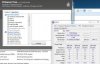
This is with one stick in. Notice: The part number on CPU Z doesn't match the stickers on the sticks of ram
 

Attachments

  • Capture.jpg
    Capture.jpg
    20.2 KB · Views: 32
Last edited:
Ok, looks like it was my bad. Those do look like 4gb sticks but they are in fact 2gb sticks. I'm not sure why it says 8gb though. With the image you posted it looks like it says 2x2gb on the white sticker?
 
This is what I have right now. Still doesn't make sense why multiple programs and even windows thinks I have 8gb


Back
Top