
You are using an out of date browser. It may not display this or other websites correctly.
You should upgrade or use an alternative browser.
You should upgrade or use an alternative browser.
Ram Problems
- Thread starter Epics
- Start date
jamesd1981
Active Member
how much ram shows up in windows ?
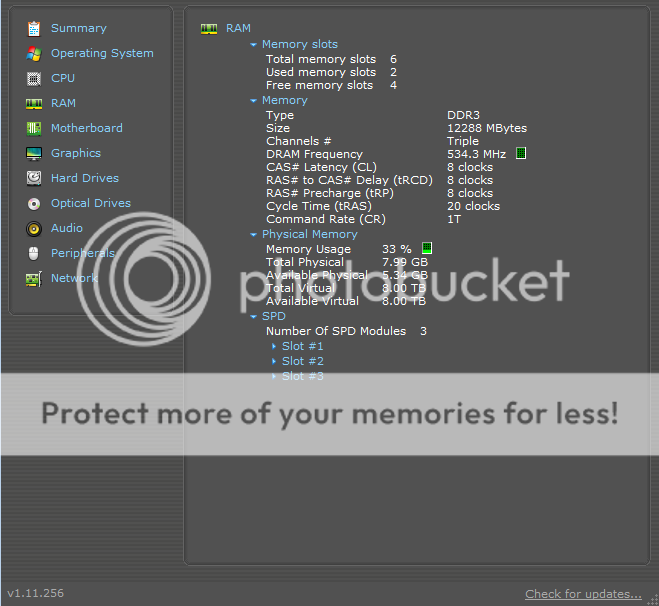
also try this free program and see what shows up in it
http://www.piriform.com/speccy/builds
also try this free program and see what shows up in it
http://www.piriform.com/speccy/builds
how much ram shows up in windows ?
also try this free program and see what shows up in it
http://www.piriform.com/speccy/builds
8GB. I'll post results in an edit after I check it out.
Last edited:

Okedokey
Well-Known Member
Ensure you have the latest bios (1201) here http://www.asus.com/Motherboards/Intel_Socket_1366/SABERTOOTH_X58/#download
Several updates have been made one or more to include memory stability and compatiability.
Several updates have been made one or more to include memory stability and compatiability.
Ensure you have the latest bios (1201) here http://www.asus.com/Motherboards/Intel_Socket_1366/SABERTOOTH_X58/#download
Several updates have been made one or more to include memory stability and compatiability.
It's only two months old and I updated it when I bought it. I'll try it though. Will post edit with results.
Do I rip the bios config to a CD and boot from CD?
New bios came out last week.
I was reading another guide and they said to 'flash' the bios with a USB drive. I have no USB, but I have tons of blank cds. Would these work?
I see that it was raw data. Burned it to a disc and EZ flash'd it. Gotta love ASUS.
It seems to have worked. Thanks a lot, I've been trying to figure this out for weeks.
EDIT: Now I'm getting BSOD and my computer restarts twice. But it detects the ram. What now...
This is indeed bad. When it BSODs' it restarts a good three times before it catches and actually starts. I'm panicking quite badly.
It seems to have worked. Thanks a lot, I've been trying to figure this out for weeks.
EDIT: Now I'm getting BSOD and my computer restarts twice. But it detects the ram. What now...
This is indeed bad. When it BSODs' it restarts a good three times before it catches and actually starts. I'm panicking quite badly.
Last edited:
jamesd1981
Active Member
when it restarts go straight into the bios and make sure it will sit there for a few mins without any problems, if it does the bios should be ok and you said the new bios update picks up all your ram.
see who it goes may settle itself, if not try reinstalling windows if you can be bothered with the time
see who it goes may settle itself, if not try reinstalling windows if you can be bothered with the time
when it restarts go straight into the bios and make sure it will sit there for a few mins without any problems, if it does the bios should be ok and you said the new bios update picks up all your ram.
see who it goes may settle itself, if not try reinstalling windows if you can be bothered with the time
This is exactly what I did.
1. Flash new bios
2. Restart computer to refresh bios.
Output: Computer restarts three times before powering up and BSOD occurs when I try to load anything.
What I've tried to fix it by doing
1. CMOS Reset
2. Flash old BIOS configurations
3. System rollback
This is still occuring. But when I reset the CMOS battery it starts up again. I'll try leaving it on the BIOS screen for a few minutes, load default settings on the BIOS and try to startup.
Last edited:
jamesd1981
Active Member
post back and let us know the result, the main thing is to make sure the bios is ok, even if somehow there is some problem with windows etc thats a small thing compared to a faulty bios
post back and let us know the result, the main thing is to make sure the bios is ok, even if somehow there is some problem with windows etc thats a small thing compared to a faulty bios
the thing i noticed is that it only BSOD's when it has a heavy load.
But it's been on BIOS for 10 minutes without crashing.
Last edited:
jamesd1981
Active Member
well if it is sitting in the bios indefinately then it`s safe to say the bios is fine, so you would want to look at reinstalling windows or a fault in another piece of hardware perhaps only being shown up now because of the updated bios, perhaps memory or hard drive.
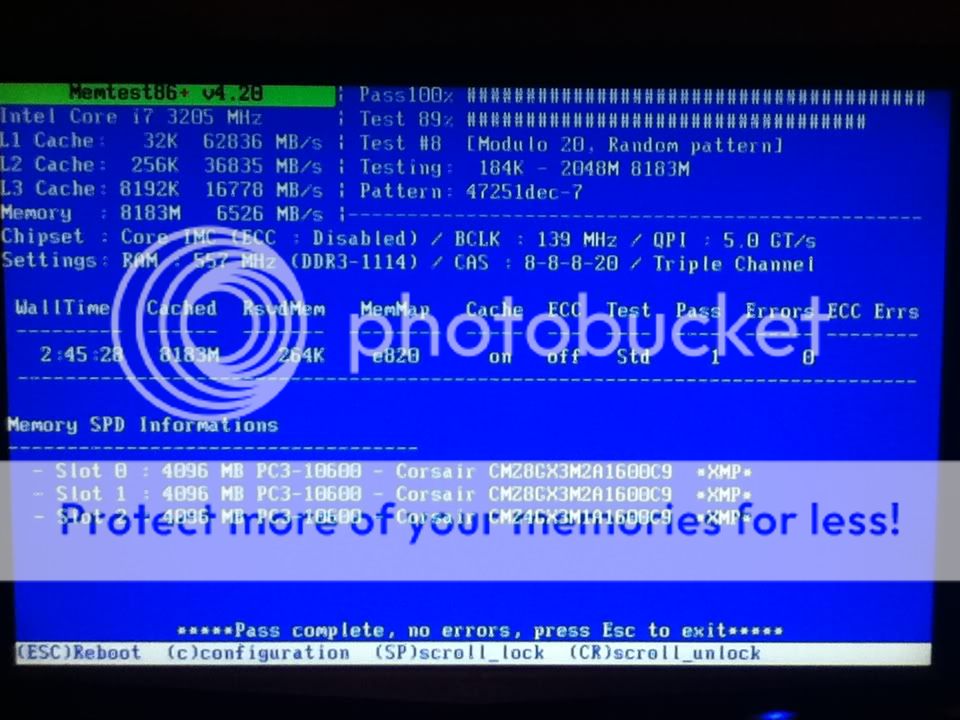
before you go reinstalling windows, why dont you try some different levels of memory and run some memory diagnostic tests to check for any faults
before you go reinstalling windows, why dont you try some different levels of memory and run some memory diagnostic tests to check for any faults
jamesd1981
Active Member
nice one epics, so how much ram have you been left with ?
nice one epics, so how much ram have you been left with ?
I'm left with 8 gigs. I think I'll survive. :good:
Just got an RMA.

I see that it was raw data. Burned it to a disc and EZ flash'd it. Gotta love ASUS.
It seems to have worked. Thanks a lot, I've been trying to figure this out for weeks.
EDIT: Now I'm getting BSOD and my computer restarts twice. But it detects the ram. What now...
This is indeed bad. When it BSODs' it restarts a good three times before it catches and actually starts. I'm panicking quite badly.
Last week i did have the same problems as yours, when i turned on the computer it only beeps twice.
Last week i did have the same problems as yours, when i turned on the computer it only beeps twice.
It never had any post beeps, it simply restarted. It never made it to the BIOS page even, must have been 3 seconds between restarts, and it did it three times.