ok, so i finnaly got my 9500gt to work in my pc...and it looks pretty sick i have to say, compared to what i used to deal with. here's the problem, it recommended me to change resolution to a much higher setting, so i allowed it. when i did, the picture got huge as hell, and now i can only see the inside of my screen, the edges are cut off. i tried to lower the resolution but the setting i had it on is gone now, i can't select it through display in control panel or the GeForce drivers. Is there any other way to fix this? i'll admit though, the resolution made things sharper and better looking, but now i can't see a lot of things.

You are using an out of date browser. It may not display this or other websites correctly.
You should upgrade or use an alternative browser.
You should upgrade or use an alternative browser.
resolution problems with 9500gt
- Thread starter bilbog
- Start date

What resolution have you got it set on? Did you check your Refresh Rate?

Bodaggit23
Active Member
You must have liked it and clicked Yes. 
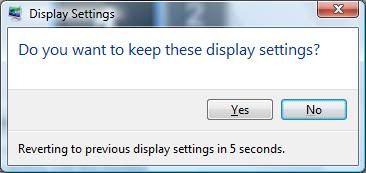
Anyway, what resolutions are available to you now?
You should be able to Right Click on the desktop to access
the Nvidia Control Panel and adjust it from there.
Anyway, what resolutions are available to you now?
You should be able to Right Click on the desktop to access
the Nvidia Control Panel and adjust it from there.
800x600 960x600 1024 768 are the only options i have for resolution. and yea, a thing popped up and said that such and such is recommended, so i said yes...it changed, and now the other setting is no longer available..but i'll admit, the diffrent resolution makes picture better, but it cuts off all of the edges. i have to constantly unmax the screen and resize it to see everything.
Bodaggit23
Active Member
Have you tried to Right Click on the desktop and get into the Nvidia Control Panel?
If so, in the lower left hand corner, there's a link called "System Information".
What driver version does it show when you click there?
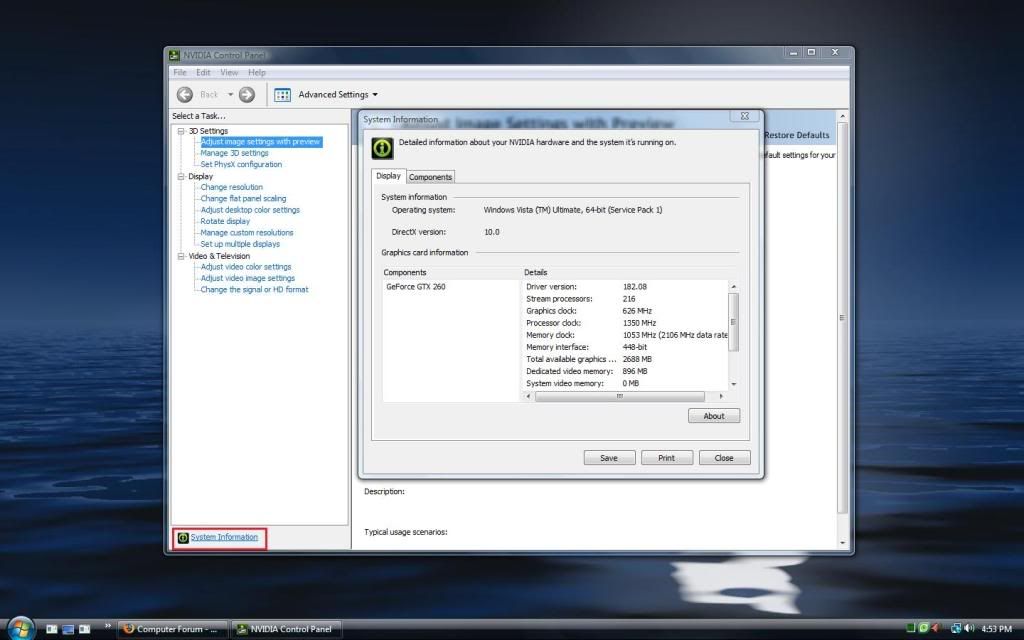
If so, in the lower left hand corner, there's a link called "System Information".
What driver version does it show when you click there?
Bodaggit23
Active Member
What OS again?
Sorry, but you should have your specs in your sig.
Sorry, but you should have your specs in your sig.
Bodaggit23
Active Member
No problem. It just saves a couple posts.
Try uninstalling those drivers from the Control Panel and
reinstall these:
http://www.nvidia.com/object/winxp_182.50_whql.html
Try uninstalling those drivers from the Control Panel and
reinstall these:
http://www.nvidia.com/object/winxp_182.50_whql.html

kookooshortman55
New Member
Try reinstalling the drivers. Whenever I update my drivers, there's a step in the install process where my previous drivers are uninstalled. The resolution drops to 800x600, and then goes back up to 1680x1050 once the new drivers are installed. It sounds like a driver issue.
800x600 960x600 1024 768 are the only options i have for resolution. and yea, a thing popped up and said that such and such is recommended, so i said yes...it changed, and now the other setting is no longer available..but i'll admit, the diffrent resolution makes picture better, but it cuts off all of the edges. i have to constantly unmax the screen and resize it to see everything.
What have you got it set to now 800X600 at 60? And it doesnt show 1024X768 now? What size monitor are you using?
ok, everything finnaly downloaded, it's installed and my pc restarted. and it's working just fine. i am using a 27 inch phillips tv. the drivers recommended that i use 724x1068 i think it was, when i ok'ed it the screen resized and it was all jacked up. and the size i had was gone, and all otheres were bad too, higher res was worse. but it's all good now, picture is sharper like it was. everything works great, and i can actually see everything. thanks a ton guys, you've saved me a ton of heartache and a lot of time. i really appreciate it