Hello all,
Yesterday, 16/07/2010 i was struck down by a BAT.Trojan,
I spent many frustrated hours trying to remove it but with no gold.
I have given up on all my weak, failed attacks including scanning with software, internet search (no luck), file editing and a failed system restore.
The Virus slows my computer down alot; cpu reads 17%(normal), ram 70%(normal) but it takes 1-2min to open internet explorer and other programs (usually 3 sec), god knows what it is doing to my OS system files and i don't have a back up disk (came preinstalled by some internet market company). And i'm worried that it may cause identity theft.
My computer is a ASUS A41I series (beta model)
with:
1G ram
2.4ghz CPU
Nvidia Geforce 310M Cuda 512MB
Windows 7 Ultimate 32bit
and most importantly:
Norton 360 Premier Edition
IObit Security 360
The Virus that has infected my computer (i think) creates several files named "launchhh.**" in my windows32 directory, they were created on the day and time of infection. They are vbscripts and batch files, with a text logg.txt. Norton says that the file is launchh.vbs and blocks it, making not attempt to remove it and other files. A full sytem scan with iobit and norton turns up with nothing.
System restore says that norton is disallowing it to complete restore, but it i disable norton the virus may take full hold of the system.
The virus pop up also appears in safe boot (using msconfig) so it may be an error prompt.
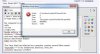
Norton detects the virus and blocks it but the virus keeps on reappearing at each start up and during computer use as a error pop up (photo 1) the launch files are also replaced.
I have deleted the files but they are recreated by some hidden code. I have found that windows script.exe is used to execute the virus.
A hijackthis log has been run but I can't detect the virus, i hope u can.
There is an attached file of the "launch" files and some photo shoots with the hijack this log.
-launch files have been removed for safety
I hope u can analyze the virus.
Thank you so much for your help
P.S. How do you configure msconfig to boot using safe mode with minimal services and system restore ?
My computer does not allow safe mode as a option during boot only in msconfig.
This is my last try at removing the virus before i give up
Logfile of Trend Micro HijackThis v2.0.4
Scan saved at 8:54:47 p.m., on 17/07/2010
Platform: Windows 7 (WinNT 6.00.3504)
MSIE: Internet Explorer v8.00 (8.00.7600.16385)
Boot mode: Normal
Running processes:
C:\Windows\system32\taskhost.exe
C:\Program Files\Norton 360 Premier Edition\Engine\3.8.0.41\ccSvcHst.exe
C:\Users\Administrator\AppData\Roaming\recyclerr\recyclerr.exe
C:\Windows\system32\Dwm.exe
C:\Windows\Explorer.EXE
C:\Program Files\Common Files\Java\Java Update\jusched.exe
C:\Program Files\Realtek\Audio\HDA\RtHDVCpl.exe
C:\Program Files\iTunes\iTunesHelper.exe
C:\Program Files\IObit\IObit Security 360\is360tray.exe
C:\Program Files\ASUS\ATK Package\ATK Hotkey\HControlUser.exe
C:\Program Files\Elantech\ETDCtrl.exe
C:\Program Files\ASUS\ATK Package\ATKOSD2\ATKOSD2.exe
C:\Program Files\ASUS\ATK Package\ATK Media\DMedia.exe
C:\Windows\AsScrPro.exe
C:\Program Files\AmIcoSingLun\AmIcoSinglun.exe
C:\Program Files\IObit\Advanced SystemCare 3\Sup_SmartRAM.exe
C:\Program Files\Windows Sidebar\sidebar.exe
C:\Program Files\SRS Labs\SRS Premium Sound Control Panel\SRSPremiumPanel.exe
C:\Program Files\Mozilla Firefox\firefox.exe
C:\Program Files\Common Files\PC Tools\sMonitor\SSDMonitor.exe
C:\Program Files\Mozilla Firefox\plugin-container.exe
C:\Windows\system32\SearchFilterHost.exe
C:\Windows\explorer.exe
C:\Users\Administrator\Downloads\HijackThis.exe
F2 - REG:system.ini: UserInit=C:\Windows\system32\userinit.exe,C:\Users\Administrator\AppData\Roaming\recyclerr\recyclerr.exe,
O1 - Hosts: ------ ÆÁ±ÎѸÀ׿´¿´¹ã¸æ ------
O2 - BHO: Thunder AtOnce - {01443AEC-0FD1-40fd-9C87-E93D1494C233} - C:\Program Files\Thunder Network\Thunder\ComDlls\TDAtOnce_Now.dll
O2 - BHO: AcroIEHelperStub - {18DF081C-E8AD-4283-A596-FA578C2EBDC3} - C:\Program Files\Common Files\Adobe\Acrobat\ActiveX\AcroIEHelperShim.dll
O2 - BHO: Symantec NCO BHO - {602ADB0E-4AFF-4217-8AA1-95DAC4DFA408} - C:\Program Files\Norton 360 Premier Edition\Engine\3.8.0.41\coIEPlg.dll
O2 - BHO: Symantec Intrusion Prevention - {6D53EC84-6AAE-4787-AEEE-F4628F01010C} - C:\Program Files\Norton 360 Premier Edition\Engine\3.8.0.41\IPSBHO.DLL
O2 - BHO: ThunderBHO - {889D2FEB-5411-4565-8998-1DD2C5261283} - C:\Program Files\Thunder Network\Thunder\ComDlls\xunleiBHO_Now.dll
O2 - BHO: Java(tm) Plug-In 2 SSV Helper - {DBC80044-A445-435b-BC74-9C25C1C588A9} - C:\Program Files\Java\jre6\bin\jp2ssv.dll
O3 - Toolbar: Norton Toolbar - {7FEBEFE3-6B19-4349-98D2-FFB09D4B49CA} - C:\Program Files\Norton 360 Premier Edition\Engine\3.8.0.41\coIEPlg.dll
O4 - HKLM\..\Run: [SunJavaUpdateSched] "C:\Program Files\Common Files\Java\Java Update\jusched.exe"
O4 - HKLM\..\Run: [RtHDVCpl] C:\Program Files\Realtek\Audio\HDA\RtHDVCpl.exe -s
O4 - HKLM\..\Run: [QuickTime Task] "C:\Program Files\QuickTime\QTTask.exe" -atboottime
O4 - HKLM\..\Run: [NvCplDaemon] RUNDLL32.EXE C:\Windows\system32\NvCpl.dll,NvStartup
O4 - HKLM\..\Run: [iTunesHelper] "C:\Program Files\iTunes\iTunesHelper.exe"
O4 - HKLM\..\Run: [HControlUser] C:\Program Files\ASUS\ATK Package\ATK Hotkey\HControlUser.exe
O4 - HKLM\..\Run: [ETDWare] C:\Program Files\Elantech\ETDCtrl.exe
O4 - HKLM\..\Run: [ATKOSD2] C:\Program Files\ASUS\ATK Package\ATKOSD2\ATKOSD2.exe
O4 - HKLM\..\Run: [ATKMEDIA] C:\Program Files\ASUS\ATK Package\ATK Media\DMedia.exe
O4 - HKLM\..\Run: [ASUS Screen Saver Protector] C:\Windows\AsScrPro.exe
O4 - HKLM\..\Run: [AmIcoSinglun] C:\Program Files\AmIcoSingLun\AmIcoSinglun.exe
O4 - HKLM\..\Run: [Adobe Reader Speed Launcher] "C:\Program Files\Adobe\Reader 9.0\Reader\Reader_sl.exe"
O4 - HKLM\..\Run: [Adobe ARM] "C:\Program Files\Common Files\Adobe\ARM\1.0\AdobeARM.exe"
O4 - HKCU\..\Run: [SmartRAM] "C:\Program Files\IObit\Advanced SystemCare 3\Sup_SmartRAM.exe" /m
O4 - HKCU\..\Run: [Sidebar] C:\Program Files\Windows Sidebar\sidebar.exe /autoRun
O4 - HKCU\..\Run: [Pando Media Booster] C:\Program Files\Pando Networks\Media Booster\PMB.exe
O4 - HKCU\..\Run: [HijackThis startup scan] C:\Users\Administrator\Downloads\HijackThis.exe /startupscan
O4 - HKUS\S-1-5-19\..\Run: [Sidebar] %ProgramFiles%\Windows Sidebar\Sidebar.exe /autoRun (User 'LOCAL SERVICE')
O4 - HKUS\S-1-5-19\..\RunOnce: [mctadmin] C:\Windows\System32\mctadmin.exe (User 'LOCAL SERVICE')
O4 - HKUS\S-1-5-20\..\Run: [Sidebar] %ProgramFiles%\Windows Sidebar\Sidebar.exe /autoRun (User 'NETWORK SERVICE')
O4 - HKUS\S-1-5-20\..\RunOnce: [mctadmin] C:\Windows\System32\mctadmin.exe (User 'NETWORK SERVICE')
O4 - Global Startup: SRS Premium Sound.lnk = ?%SystemRoot%\Installer\{E5CF6B9C-3ABE-43C9-9413-AD5FFC98F049}\NewShortcut4_E9C83B3EDF9141A39DA5EC05C79BBB91.exe
O8 - Extra context menu item: E&xport to Microsoft Excel - res://C:\PROGRA~1\MICROS~2\Office10\EXCEL.EXE/3000
O8 - Extra context menu item: QQ - C:\Program Files\Tencent\QQIntl\Bin\AddEmotion.htm
O8 - Extra context menu item: ʹÓÃѸÀ×ÏÂÔØ - C:\Program Files\Thunder Network\Thunder\Program\GetUrl.htm
O8 - Extra context menu item: ʹÓÃѸÀ×ÏÂÔØÈ«²¿Á´½Ó - C:\Program Files\Thunder Network\Thunder\Program\GetAllUrl.htm
O9 - Extra button: ???¡¥??¨¤¡Á5 - {09BA8F6D-CB54-424B-839C-C2A6C8E6B436} - C:\Program Files\Thunder Network\Thunder\program\Thunder.exe
O9 - Extra 'Tools' menuitem: ???¡¥??¨¤¡Á5 - {09BA8F6D-CB54-424B-839C-C2A6C8E6B436} - C:\Program Files\Thunder Network\Thunder\program\Thunder.exe
O15 - ESC Trusted Zone: http://*.update.microsoft.com
O16 - DPF: {D27CDB6E-AE6D-11CF-96B8-444553540000} (Shockwave Flash Object) - http://fpdownload2.macromedia.com/get/shockwave/cabs/flash/swflash.cab
O18 - Protocol: symres - {AA1061FE-6C41-421F-9344-69640C9732AB} - C:\Program Files\Norton 360 Premier Edition\Engine\3.8.0.41\coIEPlg.dll
O23 - Service: Apple Mobile Device - Apple Inc. - C:\Program Files\Common Files\Apple\Mobile Device Support\AppleMobileDeviceService.exe
O23 - Service: ASLDR Service (ASLDRService) - ASUS - C:\Program Files\ASUS\ATK Package\ATK Hotkey\ASLDRSrv.exe
O23 - Service: ATKGFNEX Service (ATKGFNEXSrv) - ASUS - C:\Program Files\ASUS\ATK Package\ATKGFNEX\GFNEXSrv.exe
O23 - Service: Bonjour Service - Apple Inc. - C:\Program Files\Bonjour\mDNSResponder.exe
O23 - Service: Contrl Center of Storm Media (ccosm) - ±±¾©±©·çÍø¼Ê¿Æ¼¼ÓÐÏÞ¹«Ë¾ - C:\Program Files\StormII\stormliv.exe
O23 - Service: iPod Service - Apple Inc. - C:\Program Files\iPod\bin\iPodService.exe
O23 - Service: IS360service - IObit - C:\Program Files\IObit\IObit Security 360\IS360srv.exe
O23 - Service: Norton 360 (N360) - Symantec Corporation - C:\Program Files\Norton 360 Premier Edition\Engine\3.8.0.41\ccSvcHst.exe
O23 - Service: NVIDIA Display Driver Service (nvsvc) - NVIDIA Corporation - C:\Windows\system32\nvvsvc.exe
O23 - Service: PC Tools Startup and Shutdown Monitor service (PCToolsSSDMonitorSvc) - Unknown owner - C:\Program Files\Common Files\PC Tools\sMonitor\StartManSvc.exe
O23 - Service: Remote Packet Capture Protocol v.0 (experimental) (rpcapd) - CACE Technologies, Inc. - C:\Program Files\WinPcap\rpcapd.exe
O23 - Service: NVIDIA Stereoscopic 3D Driver Service (Stereo Service) - NVIDIA Corporation - C:\Windows\System32\nvSCPAPISvr.exe
--
End of file - 7110 bytes
Yesterday, 16/07/2010 i was struck down by a BAT.Trojan,
I spent many frustrated hours trying to remove it but with no gold.
I have given up on all my weak, failed attacks including scanning with software, internet search (no luck), file editing and a failed system restore.
The Virus slows my computer down alot; cpu reads 17%(normal), ram 70%(normal) but it takes 1-2min to open internet explorer and other programs (usually 3 sec), god knows what it is doing to my OS system files and i don't have a back up disk (came preinstalled by some internet market company). And i'm worried that it may cause identity theft.
My computer is a ASUS A41I series (beta model)
with:
1G ram
2.4ghz CPU
Nvidia Geforce 310M Cuda 512MB
Windows 7 Ultimate 32bit
and most importantly:
Norton 360 Premier Edition
IObit Security 360
The Virus that has infected my computer (i think) creates several files named "launchhh.**" in my windows32 directory, they were created on the day and time of infection. They are vbscripts and batch files, with a text logg.txt. Norton says that the file is launchh.vbs and blocks it, making not attempt to remove it and other files. A full sytem scan with iobit and norton turns up with nothing.
System restore says that norton is disallowing it to complete restore, but it i disable norton the virus may take full hold of the system.
The virus pop up also appears in safe boot (using msconfig) so it may be an error prompt.
Norton detects the virus and blocks it but the virus keeps on reappearing at each start up and during computer use as a error pop up (photo 1) the launch files are also replaced.
I have deleted the files but they are recreated by some hidden code. I have found that windows script.exe is used to execute the virus.
A hijackthis log has been run but I can't detect the virus, i hope u can.
There is an attached file of the "launch" files and some photo shoots with the hijack this log.
-launch files have been removed for safety
I hope u can analyze the virus.
Thank you so much for your help
P.S. How do you configure msconfig to boot using safe mode with minimal services and system restore ?
My computer does not allow safe mode as a option during boot only in msconfig.
This is my last try at removing the virus before i give up
Logfile of Trend Micro HijackThis v2.0.4
Scan saved at 8:54:47 p.m., on 17/07/2010
Platform: Windows 7 (WinNT 6.00.3504)
MSIE: Internet Explorer v8.00 (8.00.7600.16385)
Boot mode: Normal
Running processes:
C:\Windows\system32\taskhost.exe
C:\Program Files\Norton 360 Premier Edition\Engine\3.8.0.41\ccSvcHst.exe
C:\Users\Administrator\AppData\Roaming\recyclerr\recyclerr.exe
C:\Windows\system32\Dwm.exe
C:\Windows\Explorer.EXE
C:\Program Files\Common Files\Java\Java Update\jusched.exe
C:\Program Files\Realtek\Audio\HDA\RtHDVCpl.exe
C:\Program Files\iTunes\iTunesHelper.exe
C:\Program Files\IObit\IObit Security 360\is360tray.exe
C:\Program Files\ASUS\ATK Package\ATK Hotkey\HControlUser.exe
C:\Program Files\Elantech\ETDCtrl.exe
C:\Program Files\ASUS\ATK Package\ATKOSD2\ATKOSD2.exe
C:\Program Files\ASUS\ATK Package\ATK Media\DMedia.exe
C:\Windows\AsScrPro.exe
C:\Program Files\AmIcoSingLun\AmIcoSinglun.exe
C:\Program Files\IObit\Advanced SystemCare 3\Sup_SmartRAM.exe
C:\Program Files\Windows Sidebar\sidebar.exe
C:\Program Files\SRS Labs\SRS Premium Sound Control Panel\SRSPremiumPanel.exe
C:\Program Files\Mozilla Firefox\firefox.exe
C:\Program Files\Common Files\PC Tools\sMonitor\SSDMonitor.exe
C:\Program Files\Mozilla Firefox\plugin-container.exe
C:\Windows\system32\SearchFilterHost.exe
C:\Windows\explorer.exe
C:\Users\Administrator\Downloads\HijackThis.exe
F2 - REG:system.ini: UserInit=C:\Windows\system32\userinit.exe,C:\Users\Administrator\AppData\Roaming\recyclerr\recyclerr.exe,
O1 - Hosts: ------ ÆÁ±ÎѸÀ׿´¿´¹ã¸æ ------
O2 - BHO: Thunder AtOnce - {01443AEC-0FD1-40fd-9C87-E93D1494C233} - C:\Program Files\Thunder Network\Thunder\ComDlls\TDAtOnce_Now.dll
O2 - BHO: AcroIEHelperStub - {18DF081C-E8AD-4283-A596-FA578C2EBDC3} - C:\Program Files\Common Files\Adobe\Acrobat\ActiveX\AcroIEHelperShim.dll
O2 - BHO: Symantec NCO BHO - {602ADB0E-4AFF-4217-8AA1-95DAC4DFA408} - C:\Program Files\Norton 360 Premier Edition\Engine\3.8.0.41\coIEPlg.dll
O2 - BHO: Symantec Intrusion Prevention - {6D53EC84-6AAE-4787-AEEE-F4628F01010C} - C:\Program Files\Norton 360 Premier Edition\Engine\3.8.0.41\IPSBHO.DLL
O2 - BHO: ThunderBHO - {889D2FEB-5411-4565-8998-1DD2C5261283} - C:\Program Files\Thunder Network\Thunder\ComDlls\xunleiBHO_Now.dll
O2 - BHO: Java(tm) Plug-In 2 SSV Helper - {DBC80044-A445-435b-BC74-9C25C1C588A9} - C:\Program Files\Java\jre6\bin\jp2ssv.dll
O3 - Toolbar: Norton Toolbar - {7FEBEFE3-6B19-4349-98D2-FFB09D4B49CA} - C:\Program Files\Norton 360 Premier Edition\Engine\3.8.0.41\coIEPlg.dll
O4 - HKLM\..\Run: [SunJavaUpdateSched] "C:\Program Files\Common Files\Java\Java Update\jusched.exe"
O4 - HKLM\..\Run: [RtHDVCpl] C:\Program Files\Realtek\Audio\HDA\RtHDVCpl.exe -s
O4 - HKLM\..\Run: [QuickTime Task] "C:\Program Files\QuickTime\QTTask.exe" -atboottime
O4 - HKLM\..\Run: [NvCplDaemon] RUNDLL32.EXE C:\Windows\system32\NvCpl.dll,NvStartup
O4 - HKLM\..\Run: [iTunesHelper] "C:\Program Files\iTunes\iTunesHelper.exe"
O4 - HKLM\..\Run: [HControlUser] C:\Program Files\ASUS\ATK Package\ATK Hotkey\HControlUser.exe
O4 - HKLM\..\Run: [ETDWare] C:\Program Files\Elantech\ETDCtrl.exe
O4 - HKLM\..\Run: [ATKOSD2] C:\Program Files\ASUS\ATK Package\ATKOSD2\ATKOSD2.exe
O4 - HKLM\..\Run: [ATKMEDIA] C:\Program Files\ASUS\ATK Package\ATK Media\DMedia.exe
O4 - HKLM\..\Run: [ASUS Screen Saver Protector] C:\Windows\AsScrPro.exe
O4 - HKLM\..\Run: [AmIcoSinglun] C:\Program Files\AmIcoSingLun\AmIcoSinglun.exe
O4 - HKLM\..\Run: [Adobe Reader Speed Launcher] "C:\Program Files\Adobe\Reader 9.0\Reader\Reader_sl.exe"
O4 - HKLM\..\Run: [Adobe ARM] "C:\Program Files\Common Files\Adobe\ARM\1.0\AdobeARM.exe"
O4 - HKCU\..\Run: [SmartRAM] "C:\Program Files\IObit\Advanced SystemCare 3\Sup_SmartRAM.exe" /m
O4 - HKCU\..\Run: [Sidebar] C:\Program Files\Windows Sidebar\sidebar.exe /autoRun
O4 - HKCU\..\Run: [Pando Media Booster] C:\Program Files\Pando Networks\Media Booster\PMB.exe
O4 - HKCU\..\Run: [HijackThis startup scan] C:\Users\Administrator\Downloads\HijackThis.exe /startupscan
O4 - HKUS\S-1-5-19\..\Run: [Sidebar] %ProgramFiles%\Windows Sidebar\Sidebar.exe /autoRun (User 'LOCAL SERVICE')
O4 - HKUS\S-1-5-19\..\RunOnce: [mctadmin] C:\Windows\System32\mctadmin.exe (User 'LOCAL SERVICE')
O4 - HKUS\S-1-5-20\..\Run: [Sidebar] %ProgramFiles%\Windows Sidebar\Sidebar.exe /autoRun (User 'NETWORK SERVICE')
O4 - HKUS\S-1-5-20\..\RunOnce: [mctadmin] C:\Windows\System32\mctadmin.exe (User 'NETWORK SERVICE')
O4 - Global Startup: SRS Premium Sound.lnk = ?%SystemRoot%\Installer\{E5CF6B9C-3ABE-43C9-9413-AD5FFC98F049}\NewShortcut4_E9C83B3EDF9141A39DA5EC05C79BBB91.exe
O8 - Extra context menu item: E&xport to Microsoft Excel - res://C:\PROGRA~1\MICROS~2\Office10\EXCEL.EXE/3000
O8 - Extra context menu item: QQ - C:\Program Files\Tencent\QQIntl\Bin\AddEmotion.htm
O8 - Extra context menu item: ʹÓÃѸÀ×ÏÂÔØ - C:\Program Files\Thunder Network\Thunder\Program\GetUrl.htm
O8 - Extra context menu item: ʹÓÃѸÀ×ÏÂÔØÈ«²¿Á´½Ó - C:\Program Files\Thunder Network\Thunder\Program\GetAllUrl.htm
O9 - Extra button: ???¡¥??¨¤¡Á5 - {09BA8F6D-CB54-424B-839C-C2A6C8E6B436} - C:\Program Files\Thunder Network\Thunder\program\Thunder.exe
O9 - Extra 'Tools' menuitem: ???¡¥??¨¤¡Á5 - {09BA8F6D-CB54-424B-839C-C2A6C8E6B436} - C:\Program Files\Thunder Network\Thunder\program\Thunder.exe
O15 - ESC Trusted Zone: http://*.update.microsoft.com
O16 - DPF: {D27CDB6E-AE6D-11CF-96B8-444553540000} (Shockwave Flash Object) - http://fpdownload2.macromedia.com/get/shockwave/cabs/flash/swflash.cab
O18 - Protocol: symres - {AA1061FE-6C41-421F-9344-69640C9732AB} - C:\Program Files\Norton 360 Premier Edition\Engine\3.8.0.41\coIEPlg.dll
O23 - Service: Apple Mobile Device - Apple Inc. - C:\Program Files\Common Files\Apple\Mobile Device Support\AppleMobileDeviceService.exe
O23 - Service: ASLDR Service (ASLDRService) - ASUS - C:\Program Files\ASUS\ATK Package\ATK Hotkey\ASLDRSrv.exe
O23 - Service: ATKGFNEX Service (ATKGFNEXSrv) - ASUS - C:\Program Files\ASUS\ATK Package\ATKGFNEX\GFNEXSrv.exe
O23 - Service: Bonjour Service - Apple Inc. - C:\Program Files\Bonjour\mDNSResponder.exe
O23 - Service: Contrl Center of Storm Media (ccosm) - ±±¾©±©·çÍø¼Ê¿Æ¼¼ÓÐÏÞ¹«Ë¾ - C:\Program Files\StormII\stormliv.exe
O23 - Service: iPod Service - Apple Inc. - C:\Program Files\iPod\bin\iPodService.exe
O23 - Service: IS360service - IObit - C:\Program Files\IObit\IObit Security 360\IS360srv.exe
O23 - Service: Norton 360 (N360) - Symantec Corporation - C:\Program Files\Norton 360 Premier Edition\Engine\3.8.0.41\ccSvcHst.exe
O23 - Service: NVIDIA Display Driver Service (nvsvc) - NVIDIA Corporation - C:\Windows\system32\nvvsvc.exe
O23 - Service: PC Tools Startup and Shutdown Monitor service (PCToolsSSDMonitorSvc) - Unknown owner - C:\Program Files\Common Files\PC Tools\sMonitor\StartManSvc.exe
O23 - Service: Remote Packet Capture Protocol v.0 (experimental) (rpcapd) - CACE Technologies, Inc. - C:\Program Files\WinPcap\rpcapd.exe
O23 - Service: NVIDIA Stereoscopic 3D Driver Service (Stereo Service) - NVIDIA Corporation - C:\Windows\System32\nvSCPAPISvr.exe
--
End of file - 7110 bytes
Attachments
Last edited: