
You are using an out of date browser. It may not display this or other websites correctly.
You should upgrade or use an alternative browser.
You should upgrade or use an alternative browser.
Some help?
- Thread starter ThatGuy16
- Start date


Nope im using the "SATA" cables, its wierd... everything is working perfectly fine, it just buggs me....
Bios reads SATA, device manager shows it as "SCSI"
In your device Manager under your IDE/ATA controllers does it call them NVIDIA nforce Parallel ATA Controller and NVIDIA nForce Serial ATA Sata controller
hmm ur hdd and cd drive is using SCSI cable instead of the normal sata?
You cant use a SCSI cable on a Sata drive
Sata
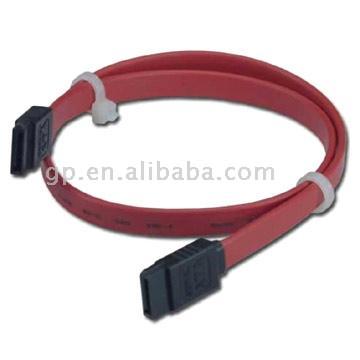
SCSI


ThatGuy16
VIP Member
In your device Manager under your IDE/ATA controllers does it call them NVIDIA nforce Parallel ATA Controller and NVIDIA nForce Serial ATA Sata controller
I got:
ATA Channel 0
ATA Channel 1
NVIDIA nForce Serial ATA Controller
NVIDIA nForce Serial ATA Controller
NVIDIA nForce Serial ATA Controller
Standard Dual Channel PCI IDE Controller
Whats the ones your DVD and harddrive is listed under

Does it list them under that as running in Sata Generation 2 or 1
ThatGuy16
VIP Member
Does it list them under that as running in Sata Generation 2 or 1
Were can i find it? i looked but couldn't find it...thanks
Double click on your Sata controllers, the ones in post 10, there are three of them your drives are listed under one. Depends on what Sata ports there pluged into, theres 2 per controller
ThatGuy16
VIP Member
Double click on your Sata controllers, the ones in post 10, there are three of them your drives are listed under one. Depends on what Sata ports there pluged into, theres 2 per controller
K, i still don't see anything thats related to "generation" i cant find it? i looked under all the tabs but i dont see anything.. Sorry if im stubborn lol
The Sata controller that you have highlighted in post 10, double click on it or just right click in it and click properties
Its doesnt list the drives on the Sata port under properties on each of the three sata controllers


Yes thats it, they should be showing Sata instead of DMA, hit the drop down list and see if it shows Sata. Mine just list, Sata Gereration 1 and 2 and PIO mode, doesnt even have a listing for DMA. Most IDE drives are listed as UDMA or DMA
Last edited: