Sound has disappeared in my 7 years old Dell 5675 Desktop

piazza2

Member
Good morning,
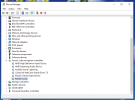
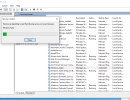
Please help, suddenly I cannot get any sound, music etc..
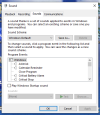
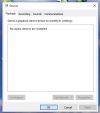
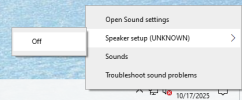
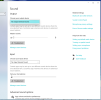
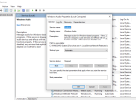
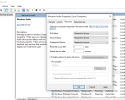
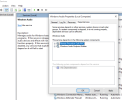
I have tried everything I know (see screenshots)
This happened after Windows 10 is no more supported, coincidence?
Maybe my pc is too old and deteriorating? beside this new problem it works really well and fast.

I always get the sound connecting the speakers to the back of the pc .

Can I install an audio card ? I have a Firewire card that I can take out.

Thank you in advance

PiazzaScreenshot (212).pngScreenshot (213).pngScreenshot (215).pngScreenshot (216).pngScreenshot (217).pngScreenshot (218).png
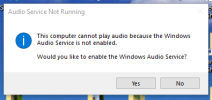
 
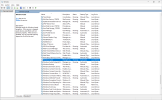
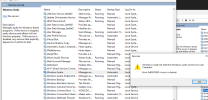
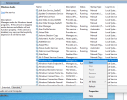
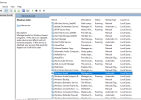
Highly doubt its a coincedence. Seems the windows audio service isn't running according to that message you have there. To check this, open the services by going to the search box and type "services.msc" without the quotes and hit enter. The scroll down to where it shows Windows Audio and make sure it says its running and set to automatic startup. See image.

services.png


How do you get sound? Is it a cable in the green audio port on back of pc to speakers or some other way like through hdmi cable to monitor which has speakers?

If using the green audio port then it would be through realtek audio if through hdmi then you would be looking at AMD high definition audio

It may be as simple as uninstalling the audio device used and install driver again.
 
Access is denied when I try to start the audio.
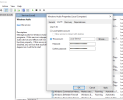
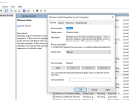
Here are some screenshots of the audio interface, I didn't touch anything beside start the audio.
I hope it's not a virus.
I don't know what is the password there. I have never seen this interface before.
By uninstalling the audio device, do you mean Realtek in Device manager/audio? would that disappear from the list if I do that?
Thanks so much for helping me
Screenshot (228).pngScreenshot (229).pngScreenshot (230).pngScreenshot (231).pngScreenshot (232).pngScreenshot (233).pngScreenshot (234).pngScreenshot (235).pngScreenshot (236).png
 
How long as the sound been missing? Do you know if there was a recent windows update that installed and it stopped at that point?

Don't worry about the password for that local service account, its supposed to be asterisked out like that.

You never did tell me how you get sound. Is it through the realtek audio port on the motherboard or is it through the hdmi cable on the video card? We can also try updating the specific driver for the hardware you are using currently.

Couple of things to try though.

1. Run the system file checker by opening a command prompt, however, you must open it by right clicking on it and click on run as administrator. Then when it loads type the following.

sfc /scannow and hit enter. note that there is a space between the "c" and the "/"

Let this run, it may only take a short while or it may take 10 minutes or more as it all depends. At the end, you'll get an output, let me know what it says.

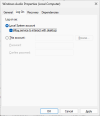
Try changing a setting on this tab. Change it to local system account and then check allow service to interact with desktop.

log on tab.png

Reboot pc after the system file check and see if that made any difference.

3. Have you downloaded and ran Malwarebytes Antimalware to check for malware infections? If not, I suggest you do so.

Get it here.


Let it quarantine anything it finds.
 
The Sound disappeared 3 days ago.
My last Windows update was about 3 weeks ago.
I always got the sound from the green port in the back. When I tried to update the Realtek driver from Device manager it said that it was the latest driver already.
I have Norton 360 always on so hopefully no infections.
I will do the file checker procedure on Tuesday, I want to prepare myself carefully and avoid messing up the pc further.
I will let you know.
Thank you again John, I appreciate
 
Back
Top