SSD Space Concerns

spirit

Moderator
Staff member
I've got a 128GB SSD with Windows 8 installed. Once formatted, the drive is 119GB or something like that. I know with a full install of 8 with all of my programs installed I should be left with about 40-50GB of space left, and I was until a few weeks ago when I noticed that I was 'losing space'.

A week or so ago, I had around 30GB left, and I haven't installed anything (apart from an update to Visual Studio) and yet now I have 22GB of space remaining. I'm not sure why.

I've used CCleaner to delete temporary files and stuff and I've disabled hibernation (if I re-enable it I get less than 10GB space remaining) and I've also scanned the drive with Malwarebytes because I know malware can cause this.

Still only got 22GB remaining though. Seems odd when I've not installed anything and I don't store any large files on this drive.

Any ideas? Thanks.
 
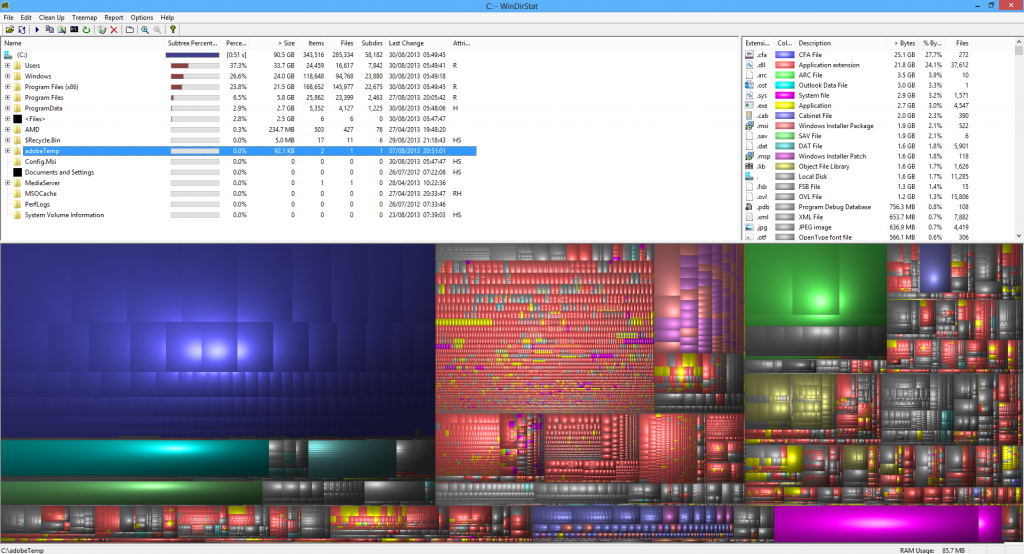
Run WinDirStat and see what's taking up your drive space. Also be sure you reduced the paging file size and make sure TRIM is enabled.
 
So what files are taking up space then? It should sort it by folder size.
 
Nothing really out of the ordinary here - I don't quite see why the Users folder is like 33GB though?

windirstat_zps76257c0f.png


Seems like I've got a lot of stuff in my AppData/Roaming folder and my AppData/Local folder - can I delete some of this stuff?

appdata_zpsb0af93bc.png


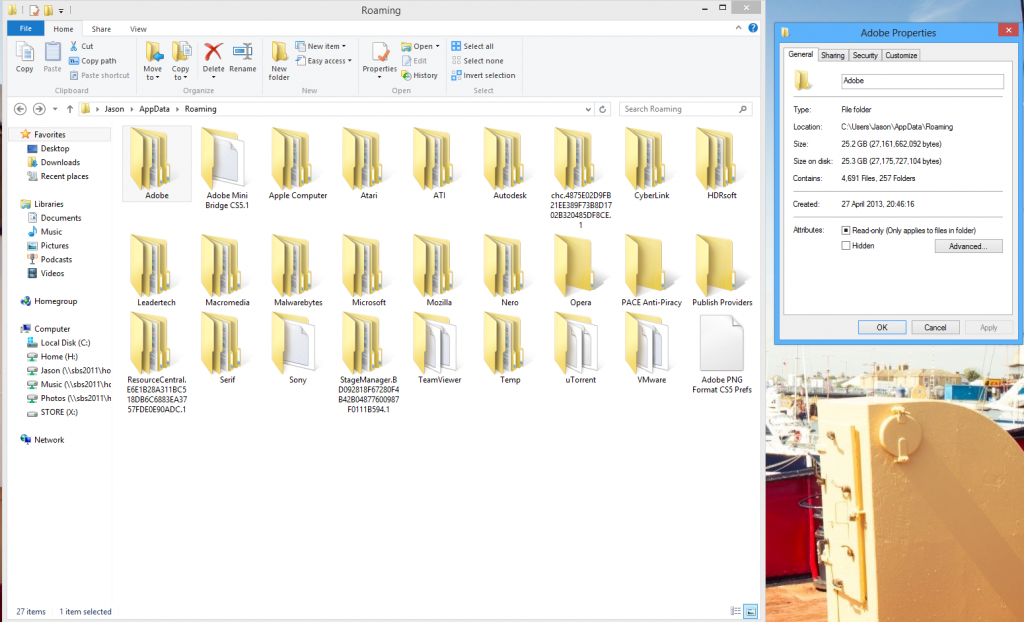
Just had a look in the AppData/Roaming folder and seen that the Adobe folder is 25GB, this could be the culprit.

roaming_zpsf2b205df.png


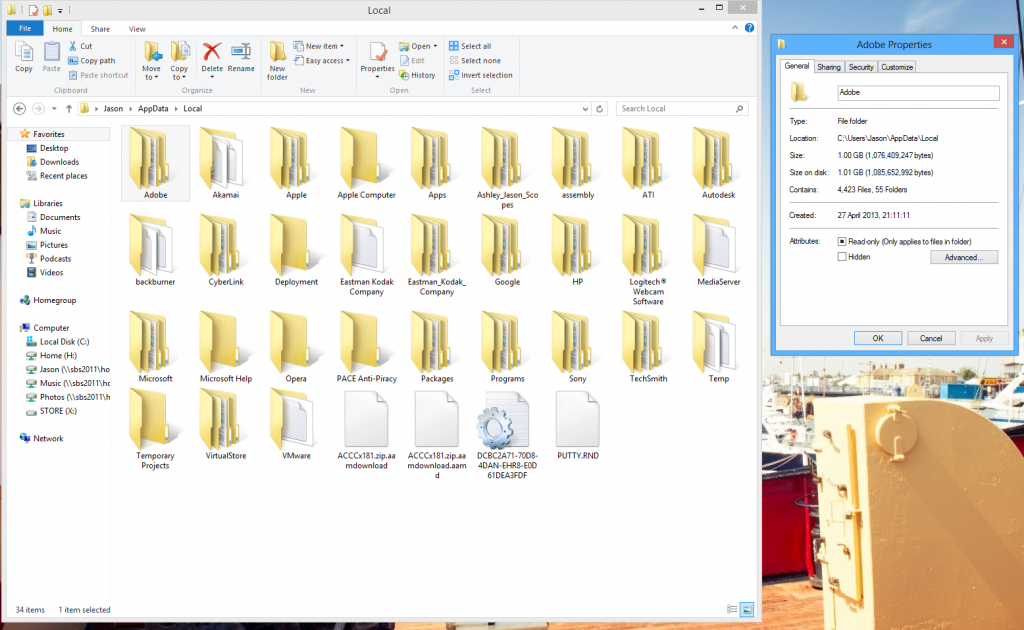
And the Adobe folder in the Local folder is 1GB (the whole folder is about 5GB or so).

local_zps8c417c8a.png


So can anything from these folders be removed safely?

Just noticed too that I had a VirtualBox VM stored on my SSD. Deleted that and gained about 1.5GB of space back. Would like to see if I can gain some more back if possible.
 
Last edited:
If you look under the Roaming folder there may just be temporary files in there taking up space that CCleaner doesn't delete. Which folder under Roaming is taking up the most space?
 
Well if you suspect the adobe folder, what exactly is in the folder ?

If you look under the Roaming folder there may just be temporary files in there taking up space that CCleaner doesn't delete. Which folder under Roaming is taking up the most space?

Sorry for the late response guys, just come back from a holiday.

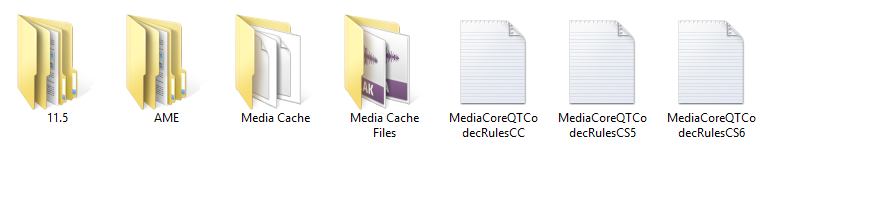
There is a folder in \AppData\Roaming\Adobe\ called 'Common' which is 25GB. Inside that folder are the following folders.

folders_zps741891d8.png


The 'Media Cache' folder is also 25GB and is full of backups of media such as songs and videos and photos which I've used for various Premiere Pro projects which I've been working on. Each files is a good 100MB each and there's over 2,000 of them. I think Premiere Pro has been creating backups of these files, because I haven't on my C:\ drive.

I have no idea if deleting it will ruin my projects in Premiere Pro or not, so I'm not sure if I should delete it or not.
 
Last edited:
Problem has been solved.

I cleaned the folder using the Preferences option in Premiere Pro, which removed 10GB of files. Then I moved the remaining 15GB off my SSD and onto my 2TB hard drive and changed the location of the Media Cache folder to the new folder on my 2TB HDD.

Now got 50GB free, so the problem has been solved. My projects seem to still be working fine.

Thanks!
 
Back
Top