
funkysnair
VIP Member
does your pc takes ages to boot like mine?
i have done a little reading and i have found a few things that have helped me knock o few seconds off boot time.
basicly my problem was prOgrams set to start up at boot (far too many) im just going to show you 2 ways to cancel programs on start up!
1st
"go to start - all programs - STARTUP"
in that folder you can see some programs, delete the ones you dont want to start up on boot, also you can add sortcuts in there for programs that you do want to start up!!
2nd
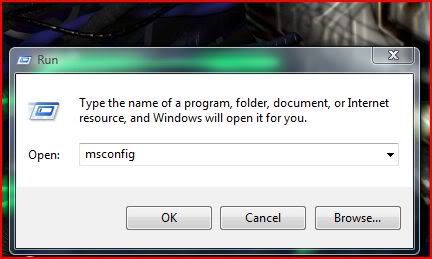
"start - all programs - accessories - run - type "msconfig" -enter
a new box should open called "system configuration"
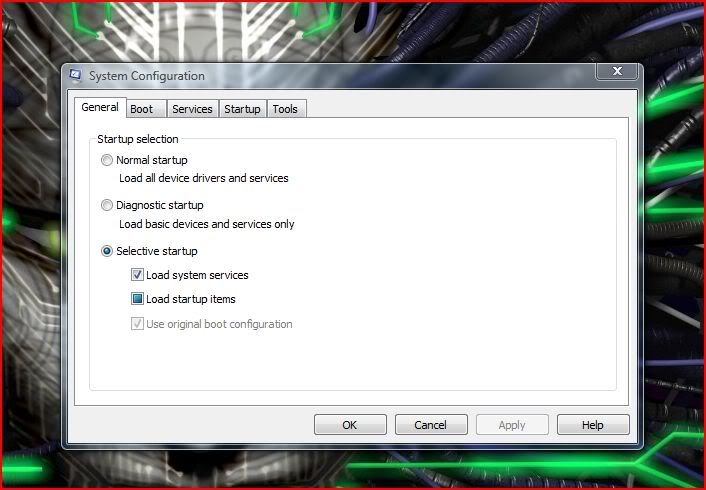
what you want to do is click on the startup tab then there will be all the programs set to start on boot
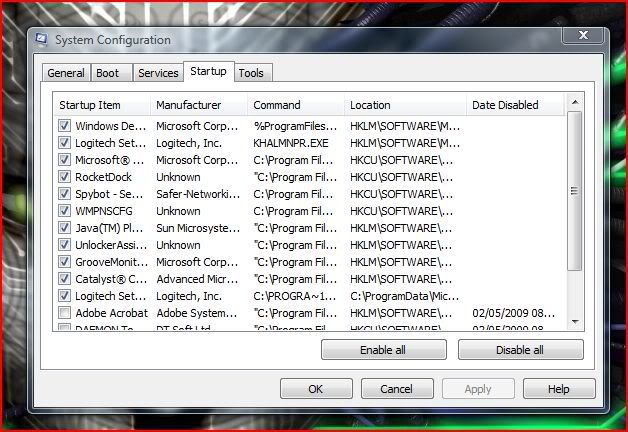
have a good look through and uncheck the programs not needed on boot (i had about 6)
general rule is not to uncheck anything by microsoft in the manufacturer list, also if you are unsure of anything leave it alone.
i do not recomend this to people who are not computer savvy!
there ye go
i have done a little reading and i have found a few things that have helped me knock o few seconds off boot time.
basicly my problem was prOgrams set to start up at boot (far too many) im just going to show you 2 ways to cancel programs on start up!
1st
"go to start - all programs - STARTUP"
in that folder you can see some programs, delete the ones you dont want to start up on boot, also you can add sortcuts in there for programs that you do want to start up!!
2nd
"start - all programs - accessories - run - type "msconfig" -enter
a new box should open called "system configuration"
what you want to do is click on the startup tab then there will be all the programs set to start on boot
have a good look through and uncheck the programs not needed on boot (i had about 6)
general rule is not to uncheck anything by microsoft in the manufacturer list, also if you are unsure of anything leave it alone.
i do not recomend this to people who are not computer savvy!
there ye go
Last edited:


