

hi all,
i got this annoying problem with the new Ubuntu 7.04 running in Vmware,During setup it asks you for a Username and password and i enter in what i want.
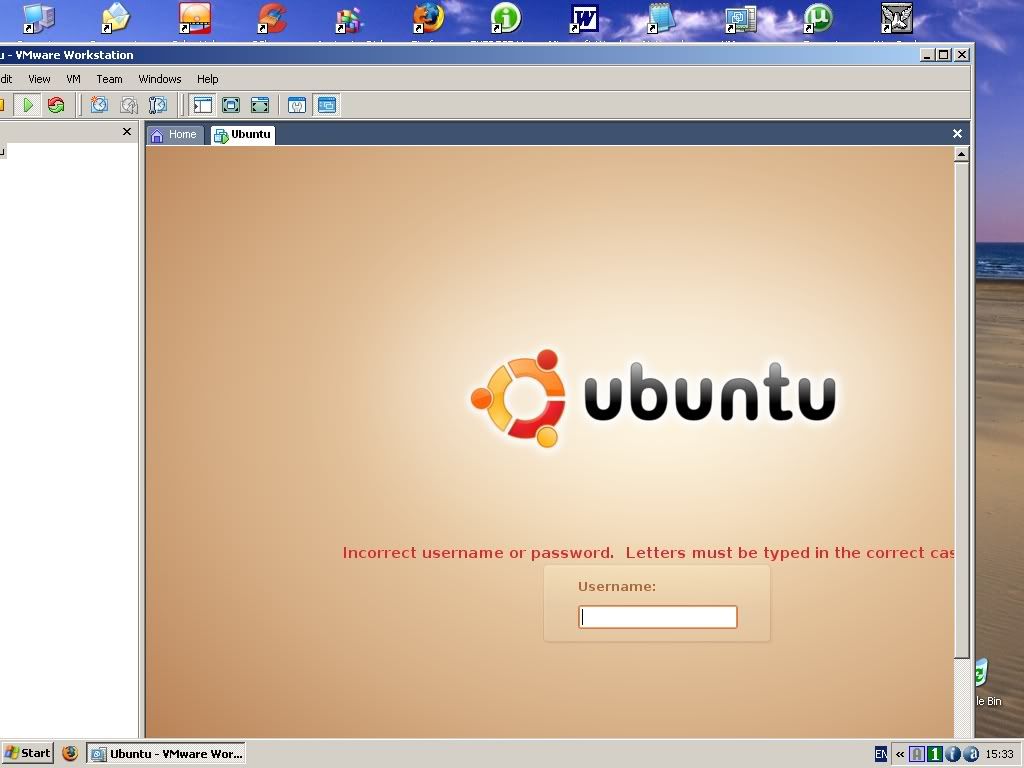
then it finished the install and booted into linux but when i try to logon using the username and password i created it keeps saying its wrong
so i thought ok,Maybe i made a mistake when entering the password on the install screen so i re-instaled Ubuntu again and made the username and password again and what do you know....it says its wrong again
i definatly know its not the wrong password,Because i double checked it before i continued with the instilation.
whats going on?
i never had this problem on the previus release of ubuntu
Screenshot:
i got this annoying problem with the new Ubuntu 7.04 running in Vmware,During setup it asks you for a Username and password and i enter in what i want.
then it finished the install and booted into linux but when i try to logon using the username and password i created it keeps saying its wrong
so i thought ok,Maybe i made a mistake when entering the password on the install screen so i re-instaled Ubuntu again and made the username and password again and what do you know....it says its wrong again
i definatly know its not the wrong password,Because i double checked it before i continued with the instilation.
whats going on?
i never had this problem on the previus release of ubuntu
Screenshot:


