
You are using an out of date browser. It may not display this or other websites correctly.
You should upgrade or use an alternative browser.
You should upgrade or use an alternative browser.
Ubuntu
- Thread starter Kornowski
- Start date


Kornowski
VIP Member
What do you mean, like check the hardware specs of the laptop from with in the OS? There should be a hardware control panel you can access which lists all components installed.
Yeah, Although I can't find anything like that in Settings Manager?
Omar, I've got it installed now, so it's Ok, Thanks

EDIT: Also, How can I get it so that each of the four desktops are different, like they don't have the icons on and such?
EDIT TWO: How can I put a link to 'Home' on one of the toolbars, I don't want any icons on my desktop.
Last edited:
I'm still waiting to find out if the ISP here has Linux drivers for dsl. For hardwares the live to install doesn't list much. You have to go through the system and other buttons on the menu to get familiar with the way Linux organizes things differently.
I installed the 7.10 release here seeing that the default OS at the present moment. That was a live cd install and not the preferred! It went on easy enough since Linux doesn't see the hardware requirements you would see in Windows alone let alone Vista. The live to install also fails to list the pair of 500gb sata drives in use while listing the external usb model. ut oh...!
During the installation the choices of desktop, KDE, Gnome, and any others included is selected there. Others for the larger manually installed distros allow for separate desktops to downloaded later.
I installed the 7.10 release here seeing that the default OS at the present moment. That was a live cd install and not the preferred! It went on easy enough since Linux doesn't see the hardware requirements you would see in Windows alone let alone Vista. The live to install also fails to list the pair of 500gb sata drives in use while listing the external usb model. ut oh...!
During the installation the choices of desktop, KDE, Gnome, and any others included is selected there. Others for the larger manually installed distros allow for separate desktops to downloaded later.

tlarkin
VIP Member
Bump
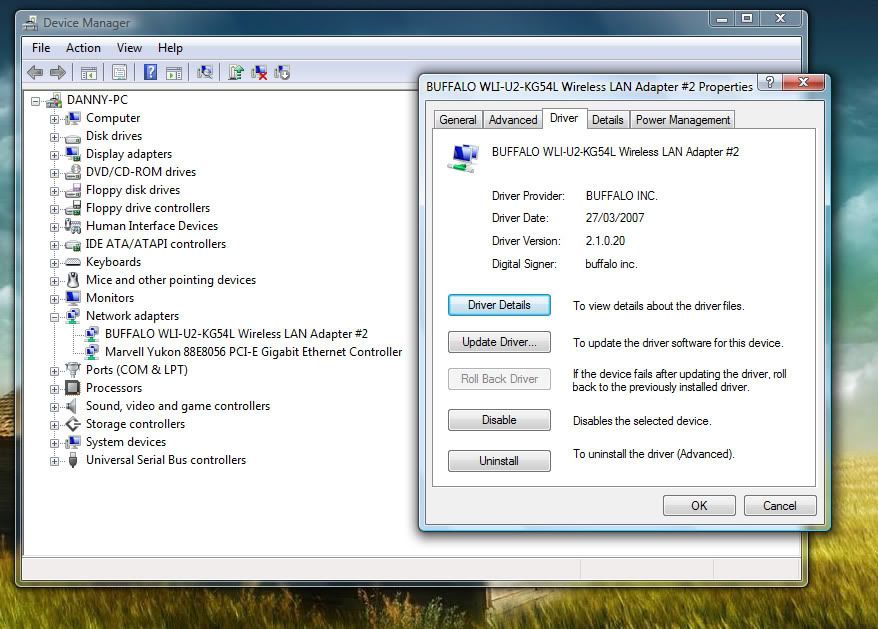
Also, I can't find how to get my USB wireless internet receiver working, it's a Buffalo Airstation.
WLI-U2-KG54L - That's what Device Manager says...
EDIT: Also, how do I play .wma files, I'm guessing I need some sort of a plug in?
plug it in and in terminal type this
Code:
ifconfigcopy/paste results

tlarkin
VIP Member
^ you mean ipconfig
Or is it different in Ubuntu than Windows?
No, I mean ifconfig...
example:
Code:
Welcome to Darwin!
tlarkin:~ tlarkin$ ifconfig
lo0: flags=8049<UP,LOOPBACK,RUNNING,MULTICAST> mtu 16384
        inet6 ::1 prefixlen 128
        inet6 fe80::1%lo0 prefixlen 64 scopeid 0x1
        inet 127.0.0.1 netmask 0xff000000
gif0: flags=8010<POINTOPOINT,MULTICAST> mtu 1280
stf0: flags=0<> mtu 1280
en0: flags=8863<UP,BROADCAST,SMART,RUNNING,SIMPLEX,MULTICAST> mtu 1500
        inet6 fe80::219:e3ff:fe45:aa0%en0 prefixlen 64 scopeid 0x4
        inet 10.160.10.4 netmask 0xffffff00 broadcast 10.160.10.255
        ether 00:19:e3:45:0a:a0
        media: autoselect (100baseTX <full-duplex,flow-control>) status: active
        supported media: autoselect 10baseT/UTP <half-duplex> 10baseT/UTP <full-duplex> 10baseT/UTP <full-duplex,hw-loopback> 10baseT/UTP <full-duplex,flow-control> 100baseTX <half-duplex> 100baseTX <full-duplex> 100baseTX <full-duplex,hw-loopback> 100baseTX <full-duplex,flow-control> 1000baseT <full-duplex> 1000baseT <full-duplex,hw-loopback> 1000baseT <full-duplex,flow-control> none
en1: flags=8863<UP,BROADCAST,SMART,RUNNING,SIMPLEX,MULTICAST> mtu 1500
        inet6 fe80::21b:63ff:fe16:7411%en1 prefixlen 64 scopeid 0x5
        ether 00:1b:63:16:74:11
        media: autoselect status: active
        supported media: autoselect
wlt1: flags=41<UP,RUNNING> mtu 1500
fw0: flags=8863<UP,BROADCAST,SMART,RUNNING,SIMPLEX,MULTICAST> mtu 2030
        lladdr 00:1b:63:ff:fe:83:c2:ca
        media: autoselect <full-duplex> status: inactive
        supported media: autoselect <full-duplex>
tlarkin:~ tlarkin$

Kornowski
VIP Member
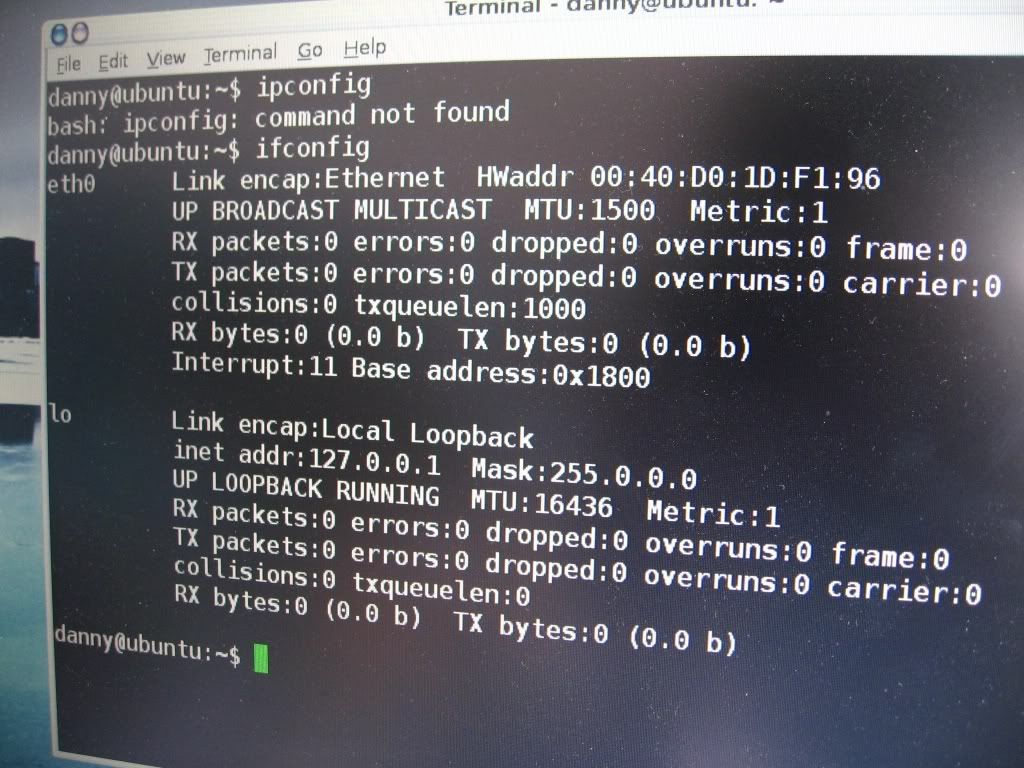
It only shows one network interface which I can only assume is the ethernet card built in.
If it were even recognized it would say eth0 and eth1
You will need to find drivers
Ah

Right, I guess I'll have to take a look to find the drivers for it...
Also, do you know how I can find out what the GPU is so I can get the drivers for that too? Thanks man!
tlarkin
VIP Member
I just found out that's it's an SiS 630...
I can't seem to find anything on drivers for Ubuntu, although I found out what it was in Ubuntu...
It should natively have drivers for it
Kornowski
VIP Member
It should natively have drivers for it
They must be already installed then...
I remember I had Ubuntu on it a while ago and Compiz Fusion wouldn't work, so I guess it's just a crap card...
tlarkin
VIP Member
They must be already installed then...
I remember I had Ubuntu on it a while ago and Compiz Fusion wouldn't work, so I guess it's just a crap card...
Most likely, SiS chips aren't really that great at doing anything advanced with Open GL
Kornowski
VIP Member
Just another question;
How's this...
http://www.linuxgator.org/
The top one, is it worth trying?
Thanks!
How's this...
http://www.linuxgator.org/
The top one, is it worth trying?
Thanks!