upgrading ram

spl00g

New Member
So I'm upgrading the ram on a computer i have its a little older athlon 2400 xp socket A, asus k7n8x dlx, 256 ddr 2100 ram.....now the ram needs upgraded badly as the computer has come to a stop but the ram i have in is or 2100 but the motherboard supports 400 or 3200 speed ram so my question is should i buy a gig of 400/3200 ram or 266/2100 ram so that i could have 1.25 gig of slower ram vs jsut a gig of faster ram

hope that all makes sense, just curious what your guys's opinions are about this, i think im leaning towards the 400/3200 as it is really the same price as the slower 266/2100

thanks for your help!
 
Take out the 256, and get a good 1GB 3200 stick (DDR400). I got mine for less that $40 (and it comes with a heatspreader :P)

Keeping the DDR266 will make the DDR400 or whichever faster stick to have to downclock to the DDR266's speed.
 
So I'm upgrading the ram on a computer i have its a little older athlon 2400 xp socket A, asus k7n8x dlx, 256 ddr 2100 ram.....now the ram needs upgraded badly as the computer has come to a stop but the ram i have in is or 2100 but the motherboard supports 400 or 3200 speed ram so my question is should i buy a gig of 400/3200 ram or 266/2100 ram so that i could have 1.25 gig of slower ram vs jsut a gig of faster ram

hope that all makes sense, just curious what your guys's opinions are about this, i think im leaning towards the 400/3200 as it is really the same price as the slower 266/2100

thanks for your help!

On a old socket A the first thing you need to is, go into the bios and make sure you have a separate setting for your FSB and Memory speed, if not then the memory will just run at what ever the FSB is set to. I think the XP 2400 ran at 266 so the memory will run at 266 no matter what ram you put in it. I think most of the later Nvidia-VIA and SIS chips had a separate setting so you could do that if they decided to include it in the bios
 
On a old socket A the first thing you need to is, go into the bios and make sure you have a separate setting for your FSB and Memory speed, if not then the memory will just run at what ever the FSB is set to. I think the XP 2400 ran at 266 so the memory will run at 266 no matter what ram you put in it. I think most of the later Nvidia-VIA and SIS chips had a separate setting so you could do that if they decided to include it in the bios

I'm new to ram timings and such so not sure exactly what im looking at but...

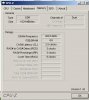
So I installed 2x 512 @ 400 and in the bios the timings are 2.5 cl and then 3 3 8 and then it says 200 mhz so is my ram running at 200 mhz anyways or is that the fsb and im just not seeing the ram speed? thanks for your help

I just want to be sure that wheni buy a gig of ram at 400 it will run at that speed or I'd jsut be better off keeping in the 266. thanks
 
I'm new to ram timings and such so not sure exactly what im looking at but...

So I installed 2x 512 @ 400 and in the bios the timings are 2.5 cl and then 3 3 8 and then it says 200 mhz so is my ram running at 200 mhz anyways or is that the fsb and im just not seeing the ram speed? thanks for your help

I just want to be sure that wheni buy a gig of ram at 400 it will run at that speed or I'd jsut be better off keeping in the 266. thanks

I dunno about this, but on another thread... it was 200MHz x 2 = 400MHz...
 
ok thats kinda what i read in a lot of stuff online is that because it is ddr ram it doubles it technically...so yah i guess its running well, thanks
 
Back
Top