Video Card Fan Speed (7900GTO)

SubDude199

Member
I dont like my video card going anyhigher than 60*C.. But my fan on the card does not seem to agree with me. They only run @ like 30% when I am playing TestDrive Unlmiited. I force them to run 100% using RivaTuner when I feel it is gettin to hot, But I dont want to have to do that. Is there I way I can set the "S.M.A.R.T" Fan control on my video card. I have edited my BIOS on my video card using Nibitor but under the Temp tab the stuff I need it greyed out..?..Any ideas?


FanSpeed.JPG
 
Got to thinking about it.. Maybe I could splice into the posative and negative of the wires running my CPU fan and have it feed my video card if I cant get anything else to work.
 
Well, the easiest way for me would be to supply power directly to the fan via the 12V molex lines, so that way I know they are spinning at full speed. I have a Zalman cooler and it came with a fan controller so I'm pretty happy with my maxed out 7900GT's temps.
 
well. I sleep in the room the pc is in.. so I dont want them full speed the whole time.. I think the speed of the CPU fan would be good.
 
Umm, your video fan will spin faster than your CPU fan, because its smaller so it needs to spin faster to move the same amount of air.
 
Its really risky and troublesome to try and make it go faster in the bios, put in an aftermarket cooler, they are cooler and performs better.
 
Last edited:
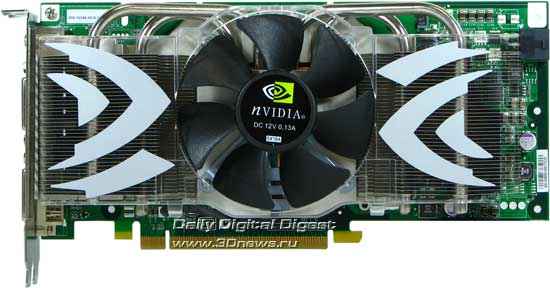
well.. the cooler on this thing is HUGE.. it does not need an aftermarket cooler at all.. this has got to be the best stock cooler..
7900GTX-front.jpg


It runs cool enought to keep the video card happy.. otherwise the fan would be bookin.. but since I want the card to last a little longer I crank the fan when I play games. I would just like the fans to go faster when its at like 50 - 60.. right now it sits at 30% fan speed at that temp.. I am all about risk.. So do you know where I can go to figure this out.. Thanks
 
Hmm, your current cooling system seems adequate IF the fan goes at full speed. Have you tried another BIOs editor? Flashing your Bios is very risky if you don't know what you are doing and if you don't have a PCI card handy. ;) With your current heatsink and fan set up it would be stupid to go and buy an aftermarket one.Well I would just go into River Tuner and change it everytime, if you don't want to do that, then you can always try another BIOS editor, and if that doesn't work, then cut out the red and black cables and connect it up to the 12V line of your molex connector. That will run it at full speed for sure.
 
I have flashed the bios on this card upward of 12-15 times. slowly overclocking it.. (by editing the bios in nibitor3.2)..I did actually mess up one and my screen went black. BUT since I have done it so much I did it by memory and it worked.. I do it VIA a CD and I keep a copy of the stock bios on there if anything goes wrong. I just boot of the CD.. wait a 30 seconds, type d:.....enter.....NVFLASH E79GTO.ROM -4 -5 -6.. then press Y for yes a fre times, wait a few seconds and restart the computer.. lol.. worked greart


but is there another tool to edit the bios?.. besides nibitor..


I think I will turn my fan all the way up with RivaTuner and mesure the RPM of the vidoe card and my processor. then splice the red and black to the processor fan and see if when I crank the processor fan.. if the processor fan goes as fast.. and if the video card fan is going full bore also.. that way when my computer heats up both the cpu and the video fan will speed up.. I have my processor fan set to go full speed when my processor hits 45.. I idel at a little over 40.. SO its quiet at night and prety much anytime im on it its crankin.. wich is what I want.

 
Last edited:
I remember using another tool to edit the Bio, I will try to find out what it was. I haven't edited my Bios in ages because I have found my sweet spot already.
 
Back
Top